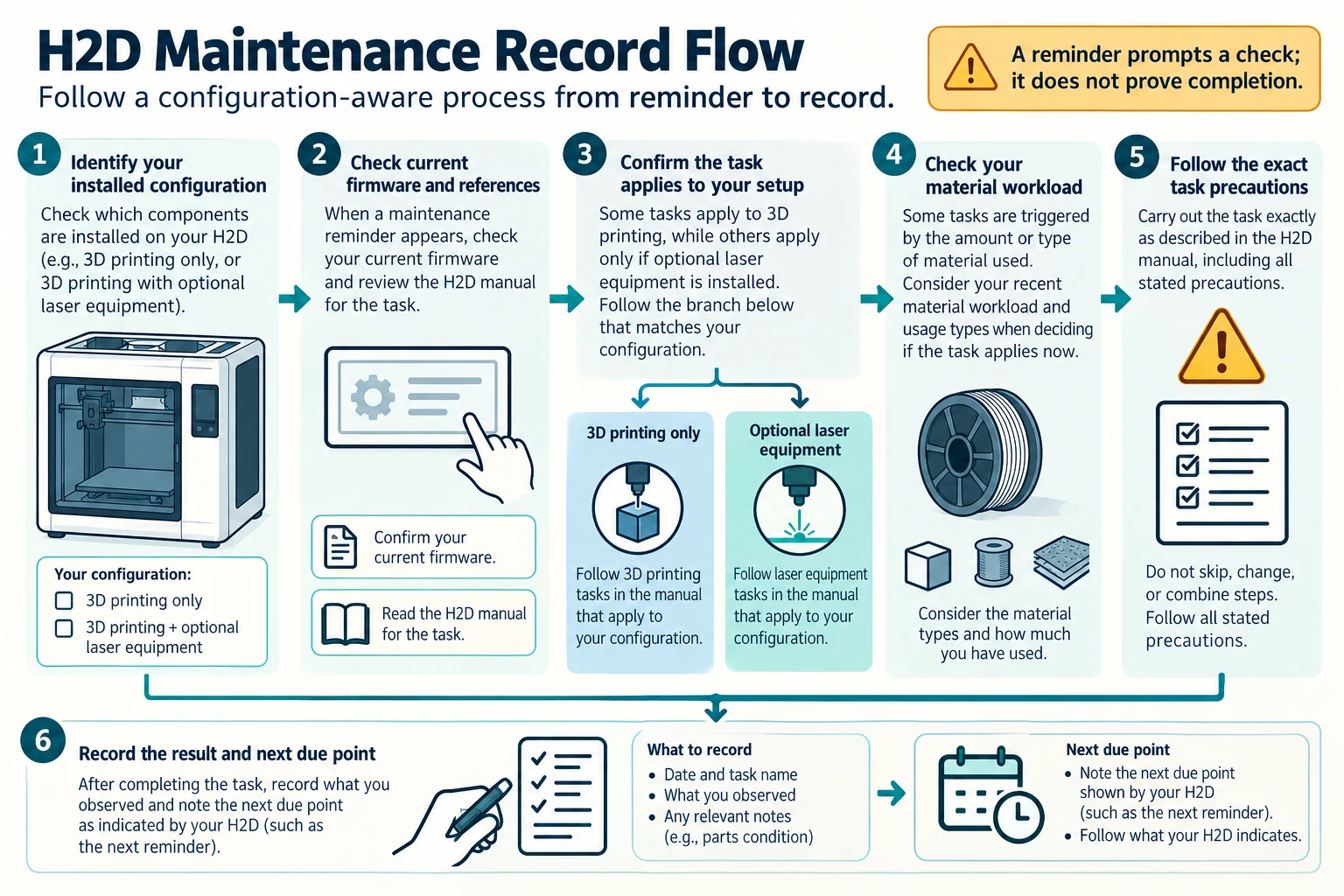
Use the current H2D User Manual and the maintenance reminders on the installed firmware to plan care for this printer. The manual says reminders depend on firmware and task duration. A reminder is a prompt to consult the relevant task and the printer’s configuration; it does not make every listed task apply to every H2D setup.
Separate 3D-printing work from optional equipment
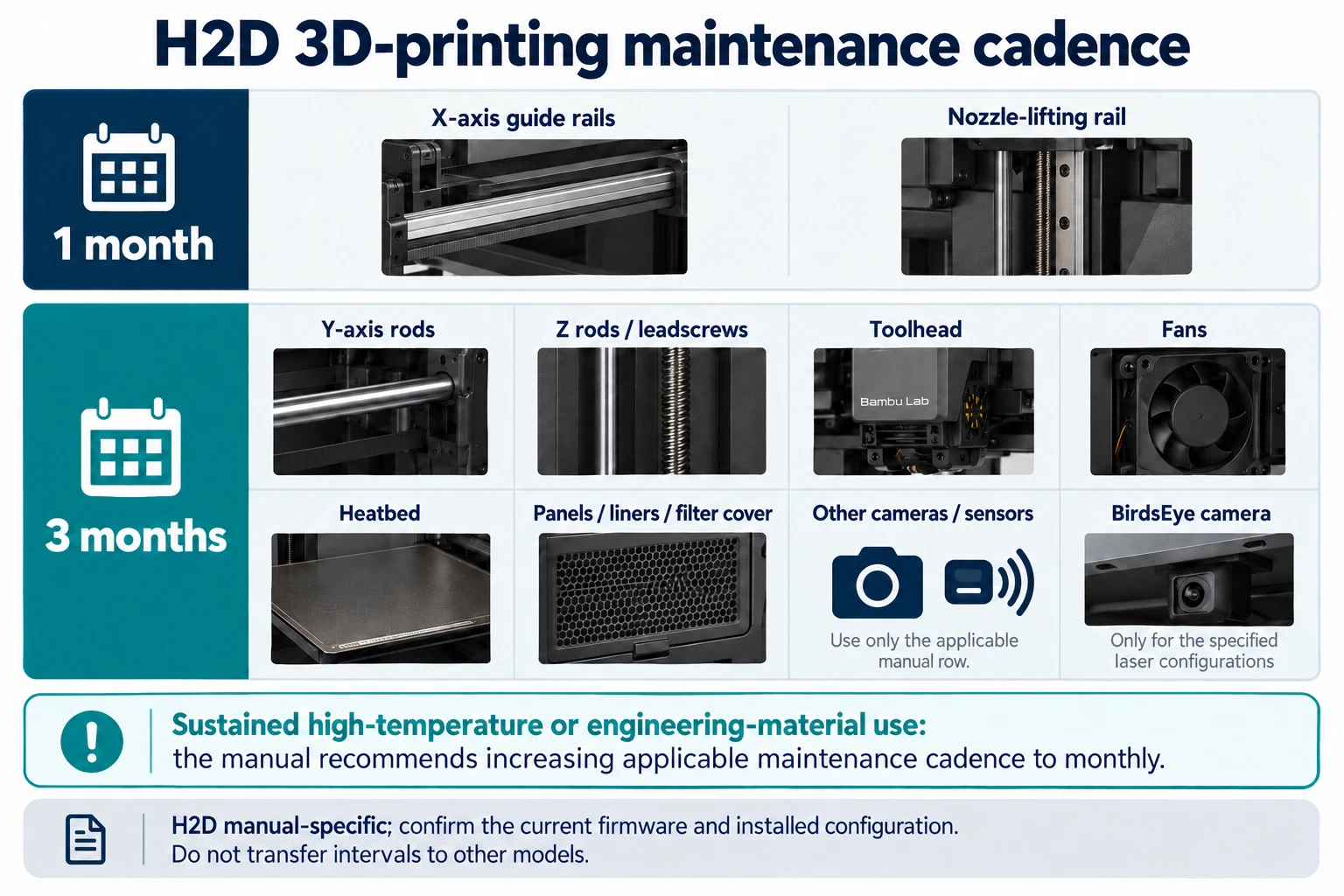
First record whether this H2D is configured for 3D printing only or has optional laser equipment. The manual’s BirdsEye camera maintenance applies to supported laser configurations. Do not add it to a 3D-printing-only checklist. For the 3D-printing table, the manual assigns monthly attention to the X-axis guide rails and nozzle-lifting rail; other listed tasks retain their own manual-defined cadence, including quarterly entries. Preserve each task row as written rather than turning the table into one monthly service visit.
Material workload can change the cadence. Sustained use of high-temperature or engineering materials moves the manual’s applicable maintenance tasks to a monthly schedule. Record the actual filament types and usage pattern that trigger that instruction. Do not treat occasional use as continuous workload, and do not apply the higher-use cadence to a task whose table row has a different scope.
Record the task that actually applies
For each reminder or scheduled row, note the firmware version, task name, date, print duration or material trigger, observed condition, action taken, and next due point. Separate cleaning, inspection, lubrication, adjustment, and replacement. If the manual does not assign a threshold or acceptance value, record what you observed instead of inventing one. Use the exact procedure for the printer’s hardware configuration and follow its stated power, temperature, tool, and access precautions before reaching into an axis or toolhead.
After work that can affect motion, extrusion, or toolhead alignment, run the relevant H2D checks named by the manual and record their individual results. A dismissed reminder is not proof that the task was completed, and a passing machine check does not establish the condition of every component. If the installed option, firmware prompt, or procedure does not match the manual you have, stop and identify the exact configuration before proceeding.
Keep the recurring record in the model-specific maintenance baseline . For unexplained motion or sensor symptoms, use belts, rails, fans, and sensors ; after replacing or servicing a part, use the repair verification ladder . The H2D cadence and reminders are specific to this model and manual.
Back to top ↑