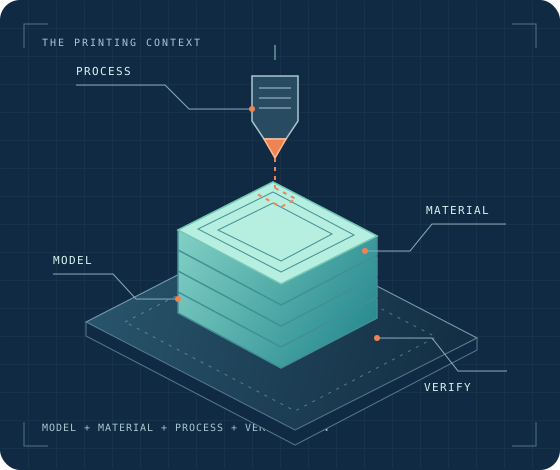
Use this reference to choose a defensible starting point, diagnose a print, or check whether a setup fits your goal. A useful recommendation depends on context: printer and variant, filament and product, nozzle, build plate, slicer and version, and the result you want. Settings are starting points, not universal recipes; keep those details with any result you test.
Find a starting point
- Settings Library
brings together setup-specific settings and compatibility notes.
- Troubleshooting
starts with a visible symptom and leads through checks and verification.
- Materials & Filament Care
covers material behavior, product variation, drying, storage, and use constraints.
- Printers & Compatibility
describes model and variant capabilities and their boundaries.
- Nozzles, Plates & Hardware
connects component choices to compatibility and printing outcomes.
- Slicers & Profile Workflows
explains presets, profile changes, and software-version context.
- Calibration & Testing
helps you test one process variable and interpret the result.
- Community Results
organizes submitted settings and reports by their documented setup and confidence.
- Safety & Workshop Practice
covers material handling, workspace controls, and operating boundaries.
- Maintenance & Reliability
covers care, wear, repairs, and checks that confirm a printer is ready.
- Multi-Material Systems
covers filament mapping, tool changes, purge behavior, and system-specific setup.
- Remote Production
covers job handoff, monitoring, queues, and repeatable records.
- Model Printability
helps you consider geometry, orientation, supports, and slicing before a print.
Keep the setup with the result
Before applying a setting, check which printer variant, material, nozzle, plate, slicer version, and test conditions it describes. A value that worked in one combination may not transfer unchanged to another. Where a page distinguishes manufacturer guidance, in-house testing, or community reports, keep those evidence states distinct and verify changes on your own setup.
Start with the closest matching setup, change a limited part of the process at a time, and record what you changed and what happened. Use the related troubleshooting or calibration guide when the result differs from your goal.