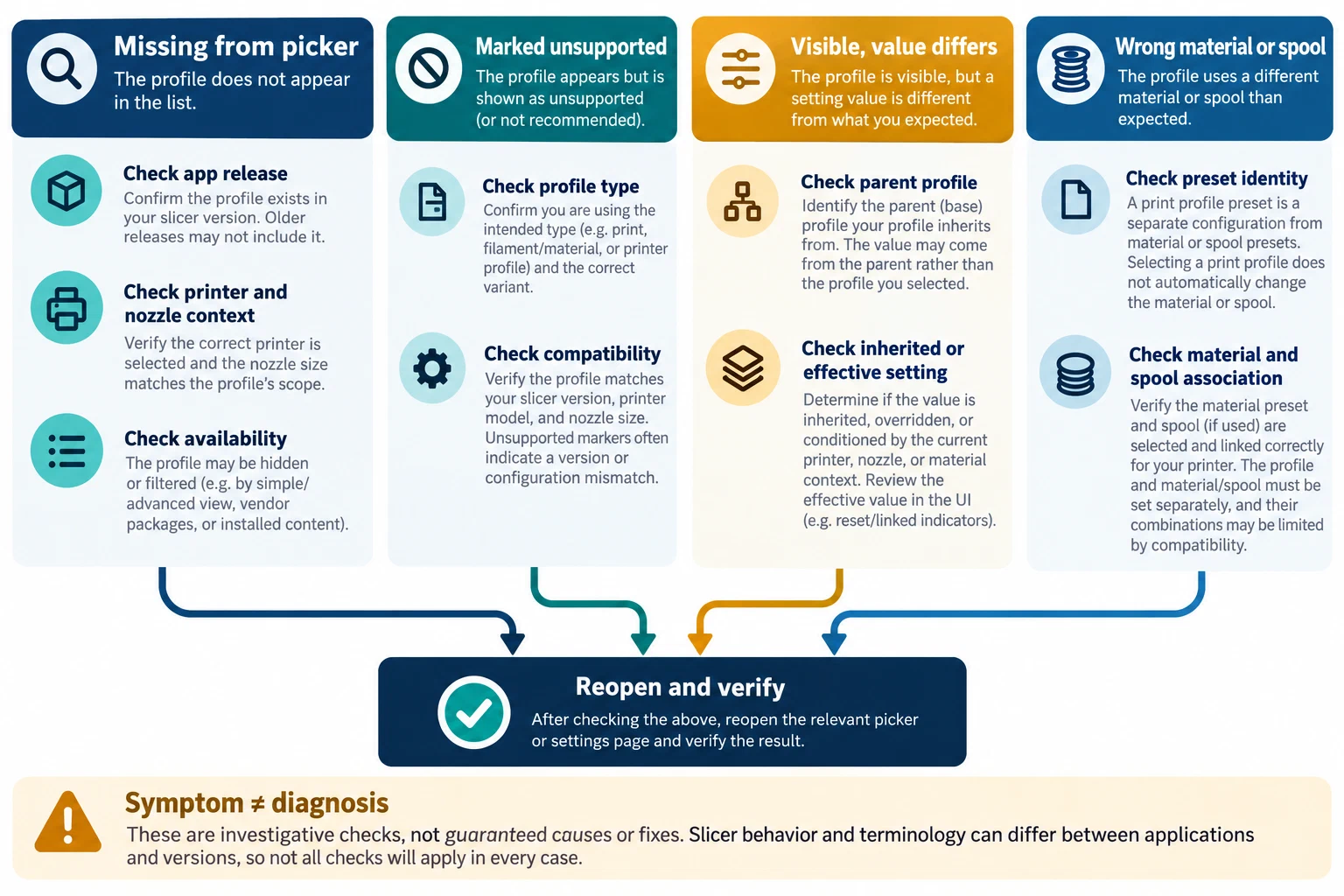
A preset that is absent from a picker, labeled “unsupported,” or visible with an unexpected inherited value can fail at different points. The file may be unavailable, its compatibility may not match the selected printer or nozzle, a parent profile may have changed, or the current application may resolve the preset differently. Treat the message as a symptom to investigate, not as a diagnosis.
Record the exact state first
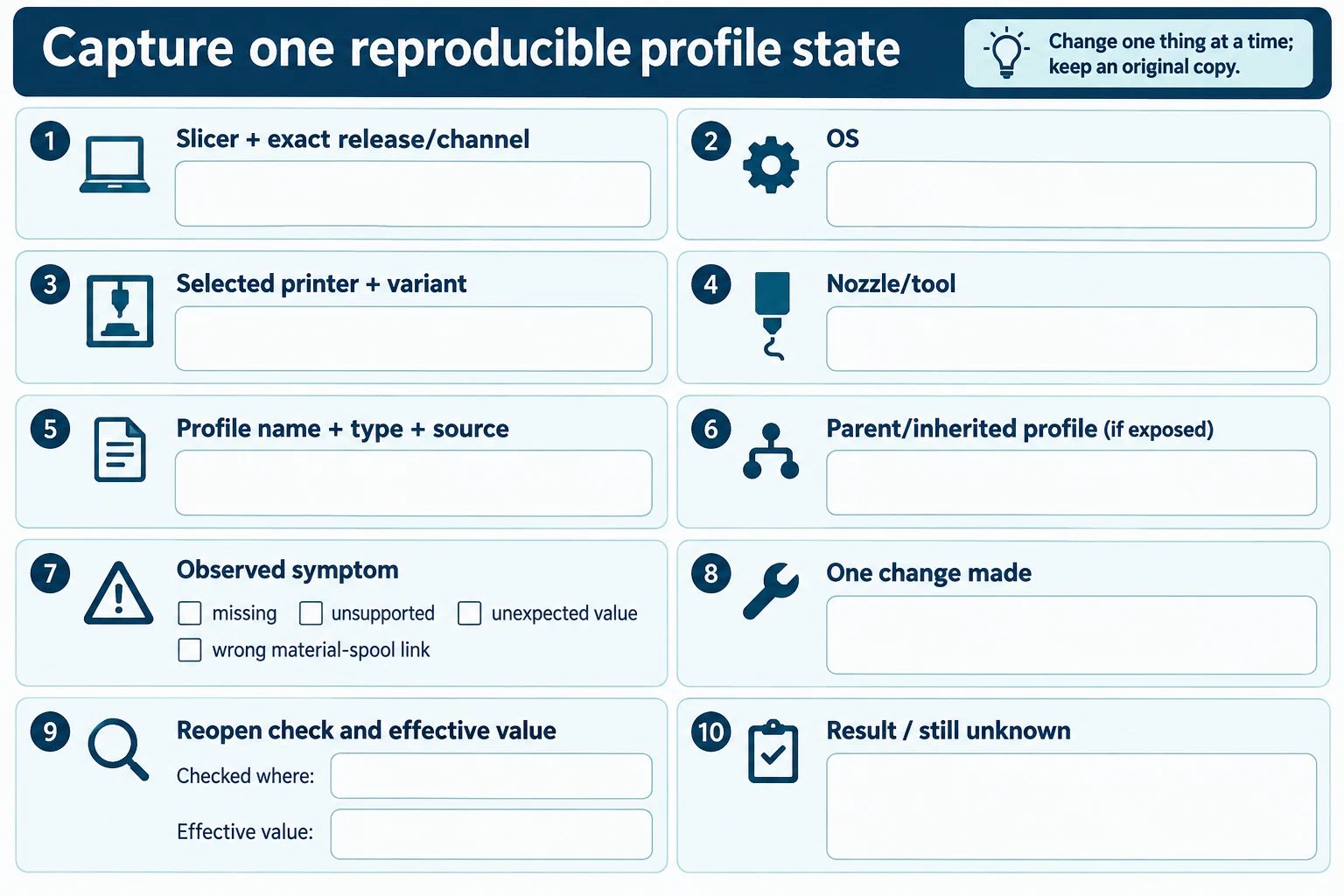
Before changing anything, capture the slicer name, exact release and channel, operating system, selected printer and variant, nozzle or tool, and the profile’s source and type. For a user preset, record its parent or inherited profile if the application exposes that relationship. Note whether the profile is missing from the list, appears under an unsupported filter, can be selected but shows an unexpected value, or is associated with the wrong spool or material. These are different observations.
Keep a copy of the affected project and profile where the application supports it. Do not delete and recreate a profile, edit its configuration files, or change several compatibility fields based only on a forum report. Such actions can discard identity or make the original problem harder to reproduce.
Follow the profile and compatibility chain
Check the currently selected printer model, variant, nozzle, extruder, and material context against the profile’s documented compatibility conditions. If the preset inherits from a parent, inspect both the child and parent relationships: a child can rely on compatibility or values that are supplied by its parent. A renamed, missing, or changed parent can affect what the child exposes, but the exact behavior is slicer- and release-specific.
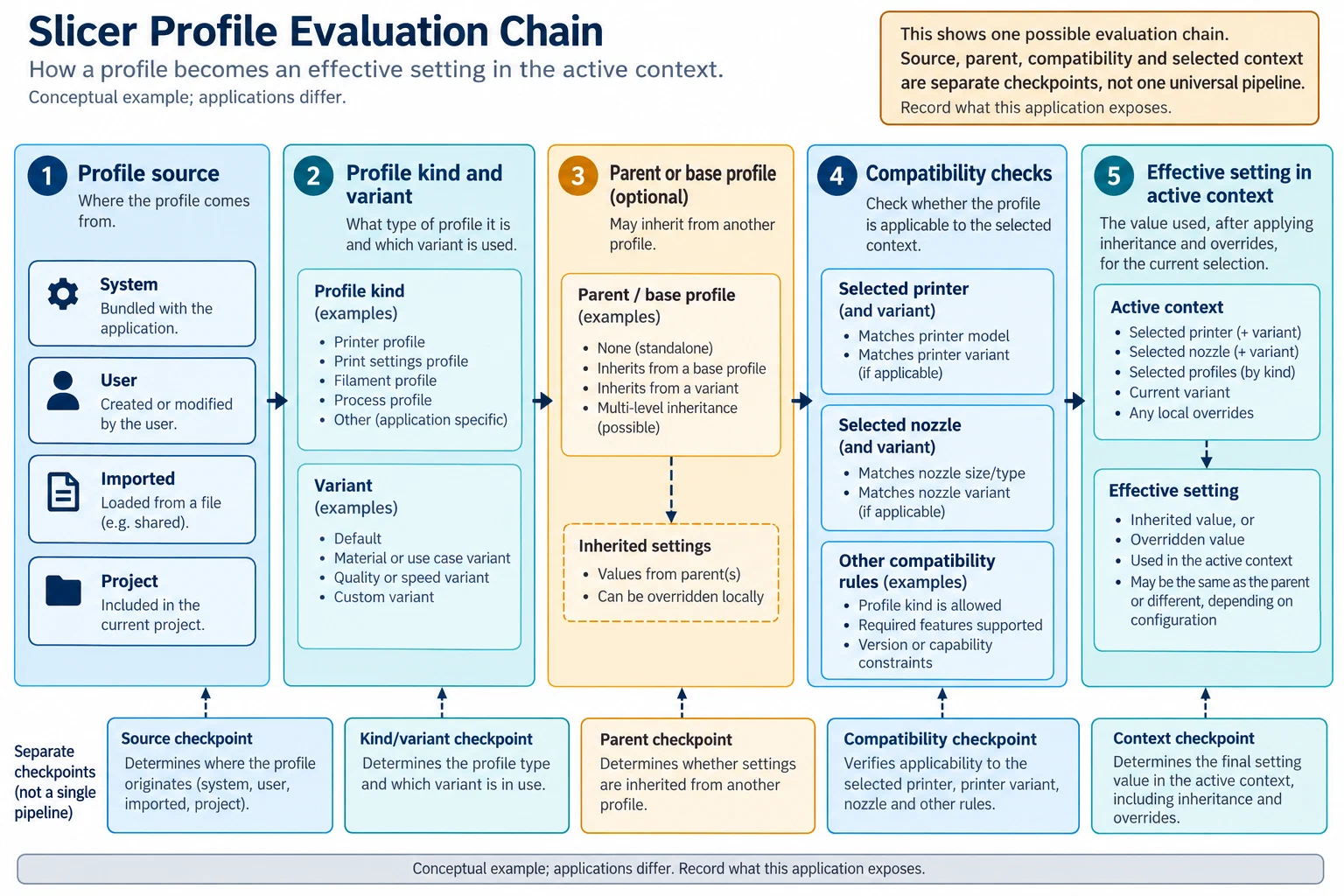
Also distinguish the preset’s identity from the material or spool it describes. A selectable setting preset and a filament identity may be separate fields in an application. Do not assume that a spool association, profile name, and material label are interchangeable.
If the application distinguishes system, user, imported, cloud-synced, or project-local profiles, record which source is selected and whether synchronization completed. Compare only with a known profile or release when you can identify that version and context. A profile shown as “unsupported” is not automatically corrupt, and an absent entry does not by itself show that its file was deleted.
Reopen and verify each stage
After a documented, reversible correction, reopen the profile or project and check the selected printer, material, nozzle, and inherited values again. Confirm the effective values in the active print context rather than relying only on the profile name or a visible field. If the profile changes generated output, inspect the resulting preview and final file as well. A successful selection or import does not establish printer compatibility or a physical result.
Record what changed, the exact software version, the original and current profile identities, what was checked, and what remains unknown. If the issue persists, preserve that record and report it with a minimal project or profile example only after removing private paths, account details, and credentials.
Examples that stay version-bounded
Community reports illustrate why the exact context matters, but they do not establish general slicer behavior. An OrcaSlicer issue describes one inherited filament preset disappearing in a 2.5.0 development build after its parent’s compatibility list changed; the reporter described adding a compatibility entry as a workaround, but the released-build status was not established (issue report ).
Bambu Studio reports separately describe missing H2C system presets in one 2.8.2.61 installation, custom filament profiles marked unsupported in 2.8.x, and inherited presets absent in a named beta. These reports do not confirm a common cause or a current-release defect (H2C report , custom-profile report , inherited-preset report ). An open PrusaSlicer 3.0.0-alpha12 report describes one inherited variant value missing after a user preset is saved and reopened; it has not been independently reproduced (issue report ).
Use these examples to guide what to inspect—release, selected variant, parent, and resolved value—not as verified workarounds. For the underlying ownership and inheritance model, see Printer, material, and process presets explained . For preserving and checking a profile during a handoff, see Import, export, version, and supersede a profile .
Back to top ↑