Keep the P2S maintenance tasks tied to the P2S User Manual and the printer’s actual material workload. The manual separates weekly, monthly, and quarterly work; it does not set one interval for the whole printer. Record the task and its trigger separately so a completed plate clean does not imply that the axes, filter, toolhead, or other parts were checked.
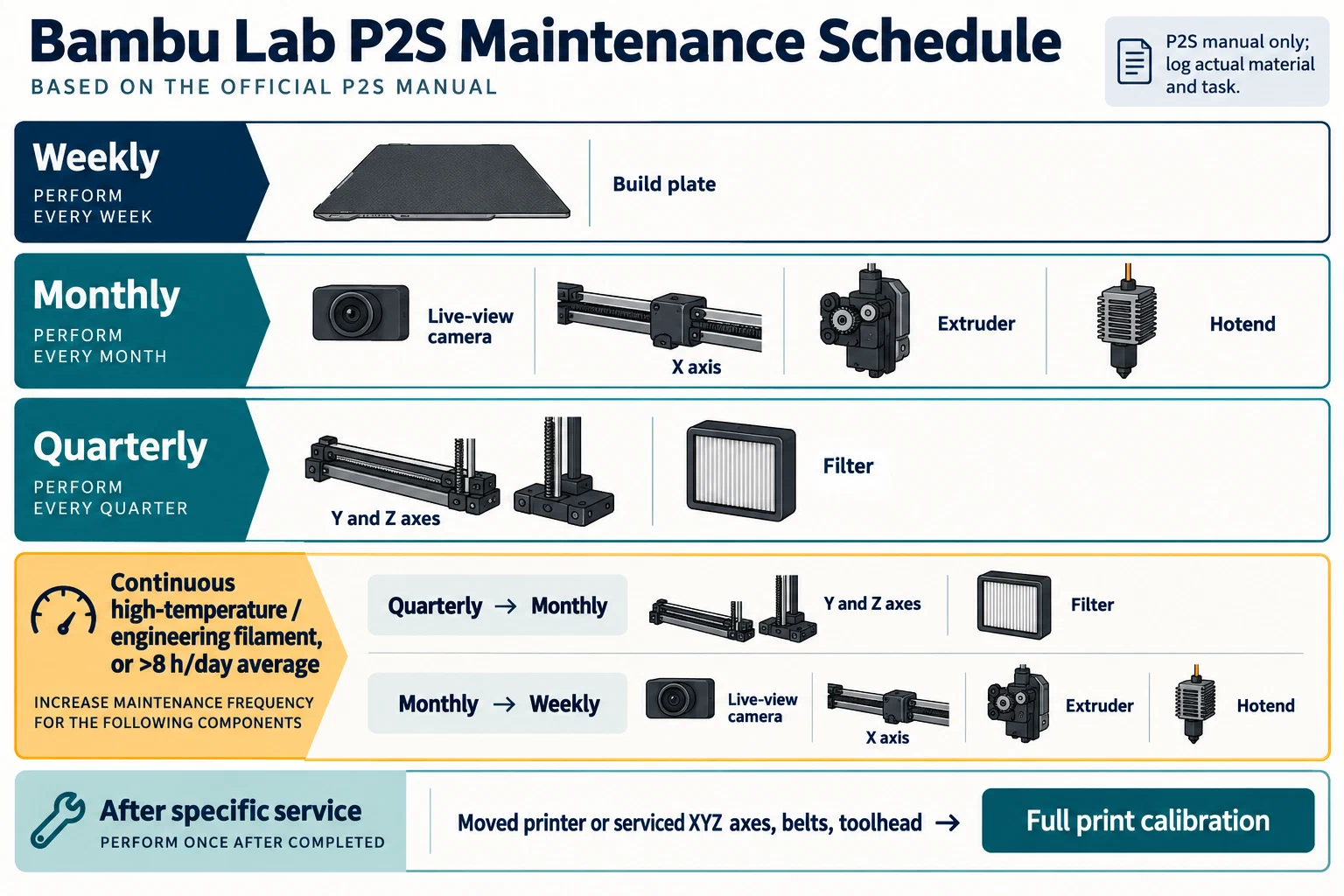
Keep the source cadence by component
The manual lists build-plate care weekly. Its monthly checks include the live-view camera, X axis, extruder, and hotend. Its quarterly list includes the Y and Z axes and the filter. Use those entries as the P2S baseline, then check whether the material-workload instruction changes a task’s cadence. For continuous high-temperature or engineering filament use, or use exceeding an eight-hour daily average, the manual moves tasks otherwise scheduled quarterly to monthly and monthly tasks to weekly. Record the filament types, duration, and which stated trigger applies.
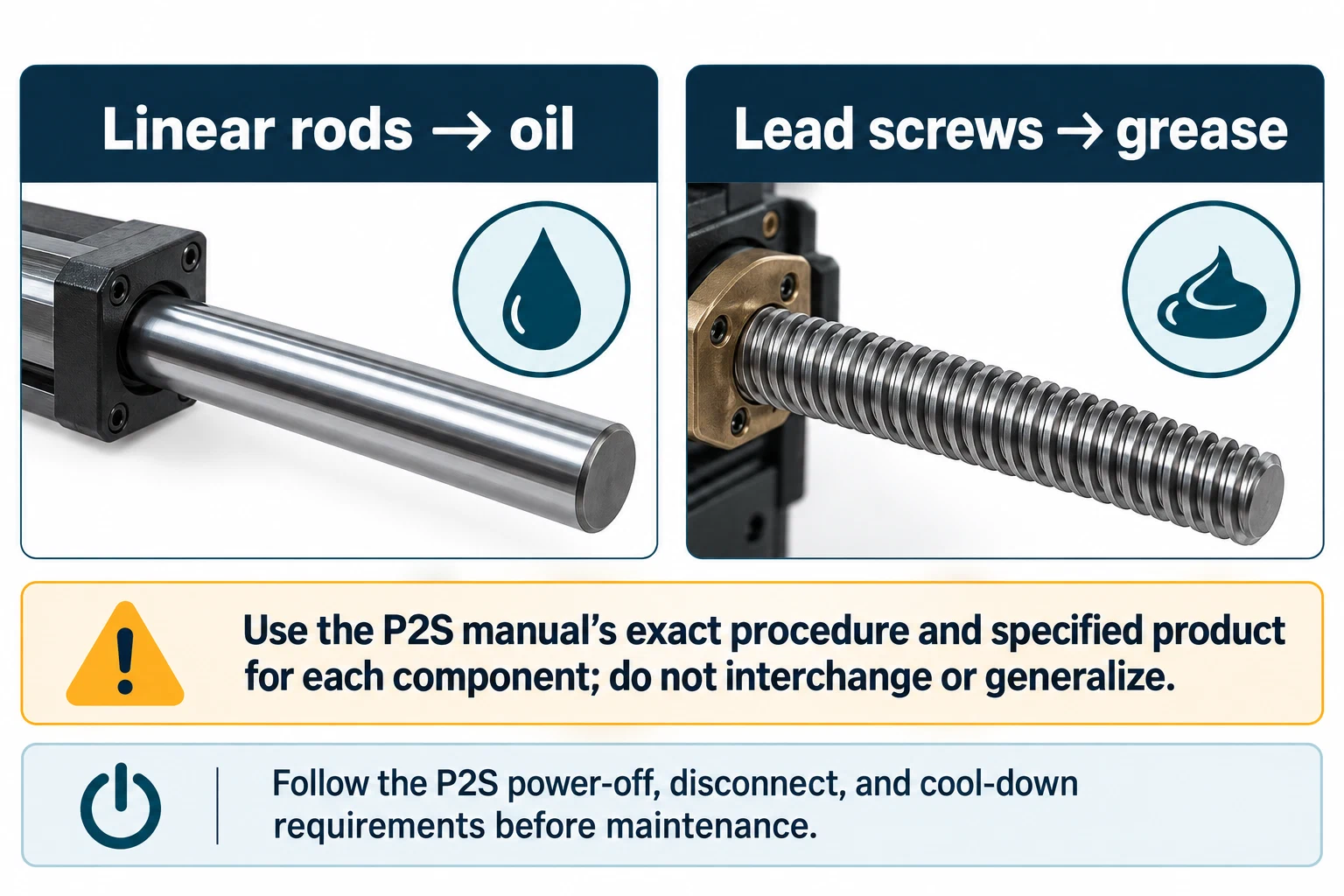
Lubrication instructions are also component-specific. The manual distinguishes oil for rods from grease for lead screws. Do not substitute one product for another axis, choose a lubricant by appearance, or transfer a recommendation from a different Bambu model. Before maintenance, follow the P2S manual’s power-off, disconnect, and cool-down requirements and use its exact access and cleaning procedure.
Recalibrate after the named service changes
The P2S manual calls for full print calibration after moving the printer or maintaining the XYZ axes, belts, or toolhead. When one of those triggers applies, record which change occurred, run the named full calibration, note the outcome, and print a representative test for the affected function. A leveling check, a single-axis move, or a profile edit is not a substitute for the documented full calibration.
For every maintenance entry, record the manual task, due trigger, observed condition, material and usage context, action, lubricant if used, and next check. Keep the active nozzle, plate, filament, firmware, and slicer profile in the same record. If you did not verify a persistent machine setting after work, mark it unknown rather than assuming that a displayed or temporary value was saved.
Use the model-specific maintenance baseline for the record format and repair verification guide after component work. For feed-path problems, use clean the nozzle and extruder path . The intervals, workload triggers, lubricant types, and calibration rule here apply to the P2S manual only.
Back to top ↑