Use the CORE One INDX maintenance and cold-pull instructions for this toolhead. Keep the hour-based tasks, condition checks, lubricant boundaries, and cold-pull sequence attached to the INDX documentation; the MK4/S examples elsewhere in this category describe different hardware and are not a substitute.
Keep maintenance triggers distinct
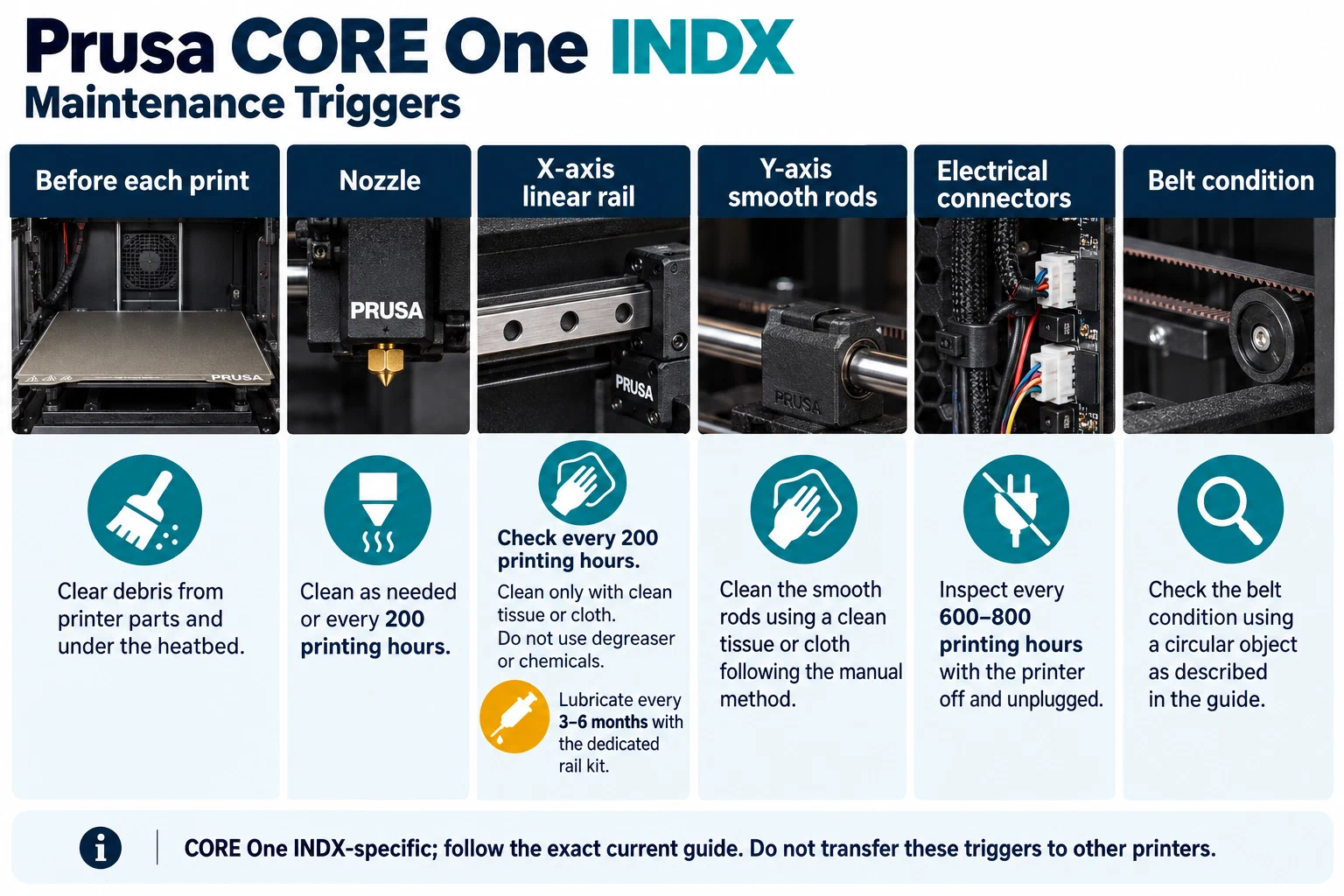
The maintenance guide includes before-print checks and tasks tied to printing hours. It calls for nozzle cleaning as needed or at the stated 200-hour check, cleaning the X rail, and lubricating that rail with the dedicated kit at the documented three-to-six-month interval. Y-rod and bearing work is conditional, and belt inspection uses the guide’s circular-print check rather than a numeric tension target. The gears are not to be lubricated. Record which exact task was due, the printer’s usage, what you observed, and what the manual directed; do not convert these separate conditions into a single generic interval.
Connector inspection is listed at a different 600-to-800-hour trigger and requires the printer to be off and unplugged. Follow the full manual for access and safe handling. Do not open a connected assembly or treat the connector inspection as an everyday cleaning task. If the actual hardware, source revision, or required tool does not match, stop and identify the configuration before continuing.
Follow the documented cold pull
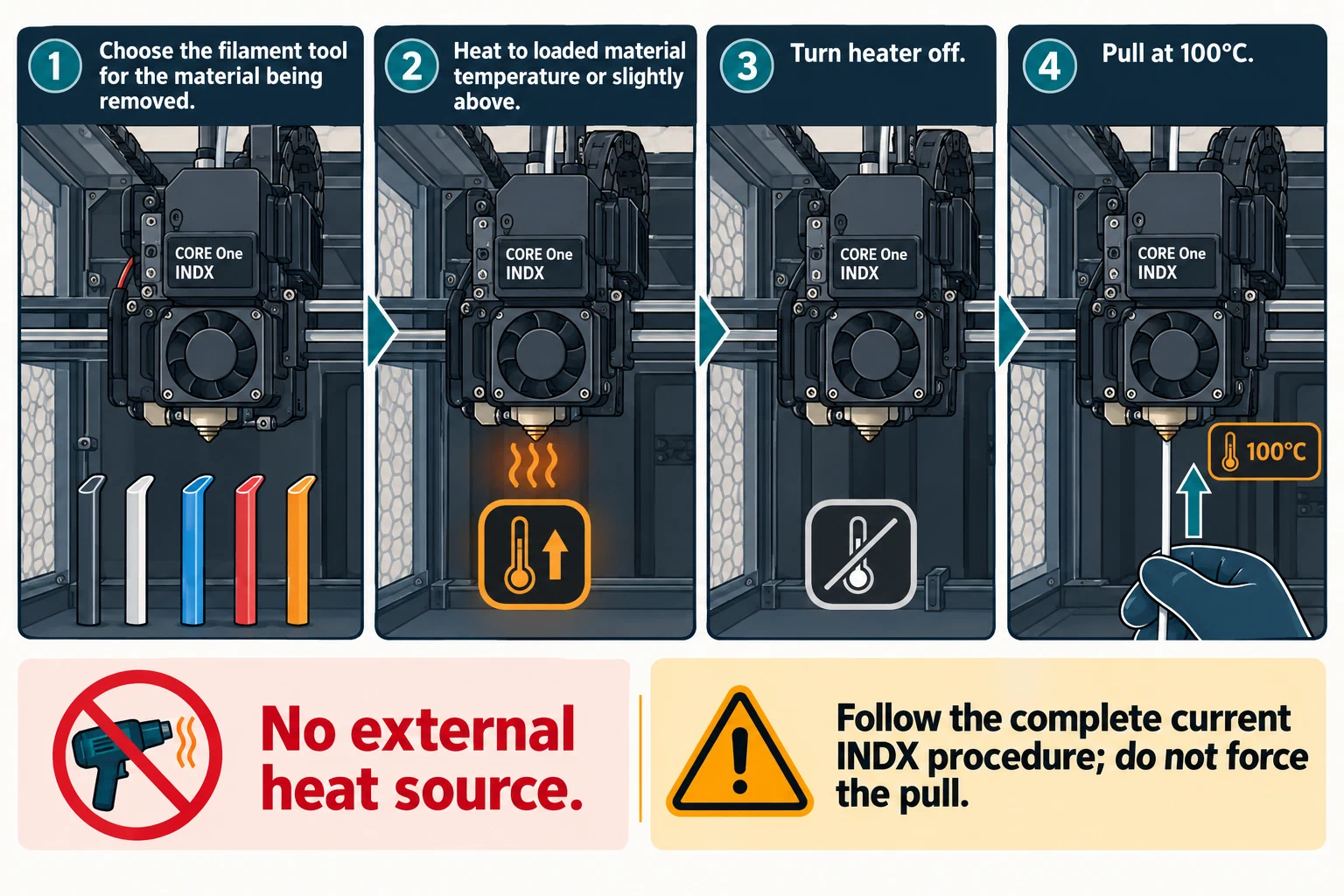
The INDX cold-pull guide selects the appropriate filament tool for the material being removed. It directs the operator to heat to the loaded material’s temperature or slightly above, turn the heat off, and make the pull when the nozzle reaches 100°C. Follow the page’s complete loading and release steps and material-specific tool choice. Do not heat the filament with an external source, substitute a needle or brush, or borrow temperatures from another printer. Stop if the tool does not engage as expected, the filament or nozzle type is uncertain, or the prescribed pull cannot be performed without force.
After a cleaning or cold pull, record the material and tool used, what came out, whether the path loaded and extruded as expected, and any remaining symptom. A successful pull is not proof of sustained flow, so use a controlled extrusion or representative print when the problem requires that check. For the broader diagnostic path, see cleaning the nozzle and extruder path ; for recurring task records, use the model-specific maintenance baseline .
Back to top ↑