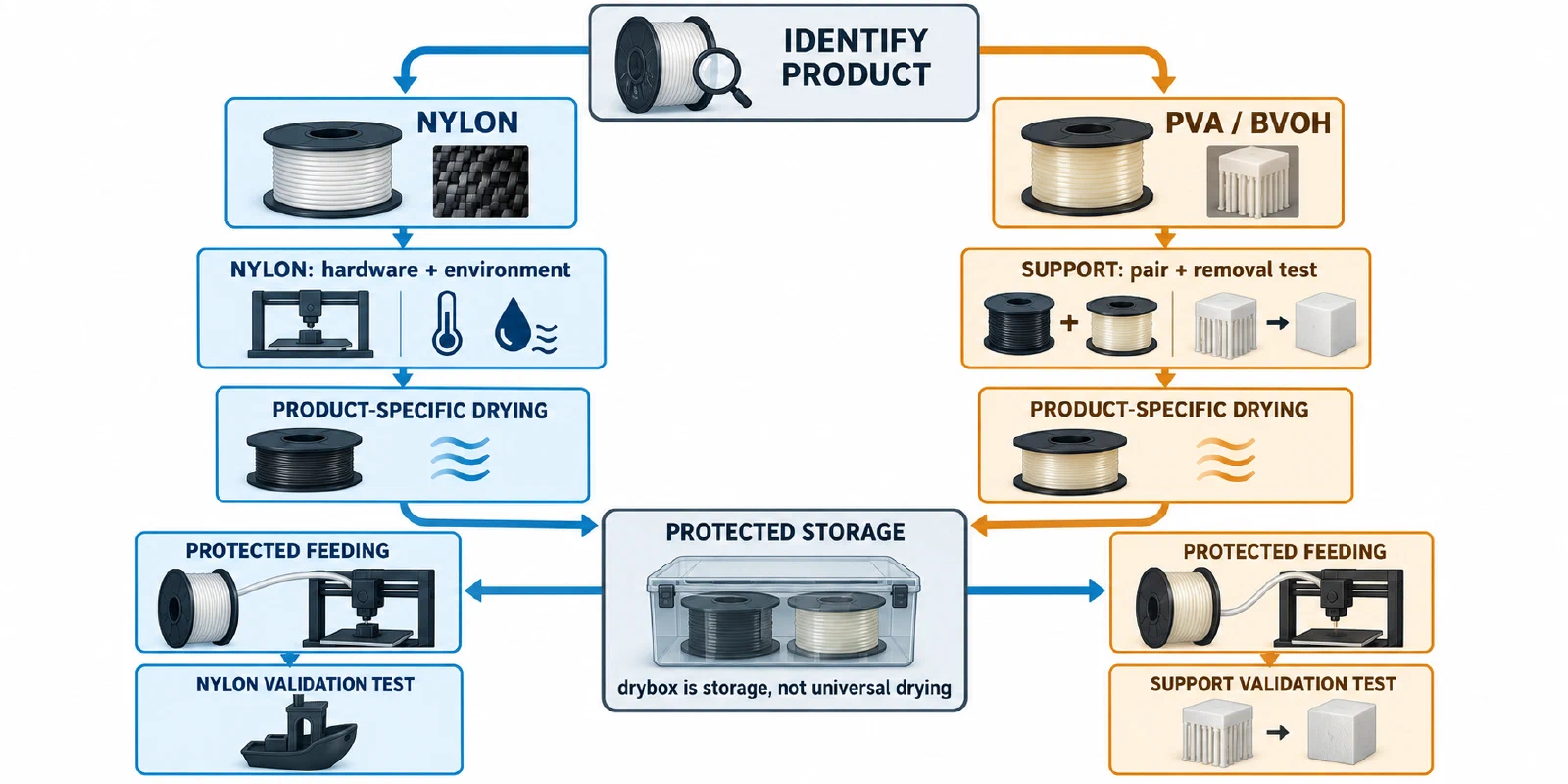
Nylon, PVA, and BVOH can become difficult to use after moisture exposure, but they are not interchangeable materials. Nylon is an engineering-material family with different grades and reinforcements. PVA and BVOH are commonly used as water-soluble support or interface materials and must also match the printer, feeder, slicer, and main material. Plan for dry handling from opening through printing rather than treating a drybox as a universal dryer.
Confirm the material and its job
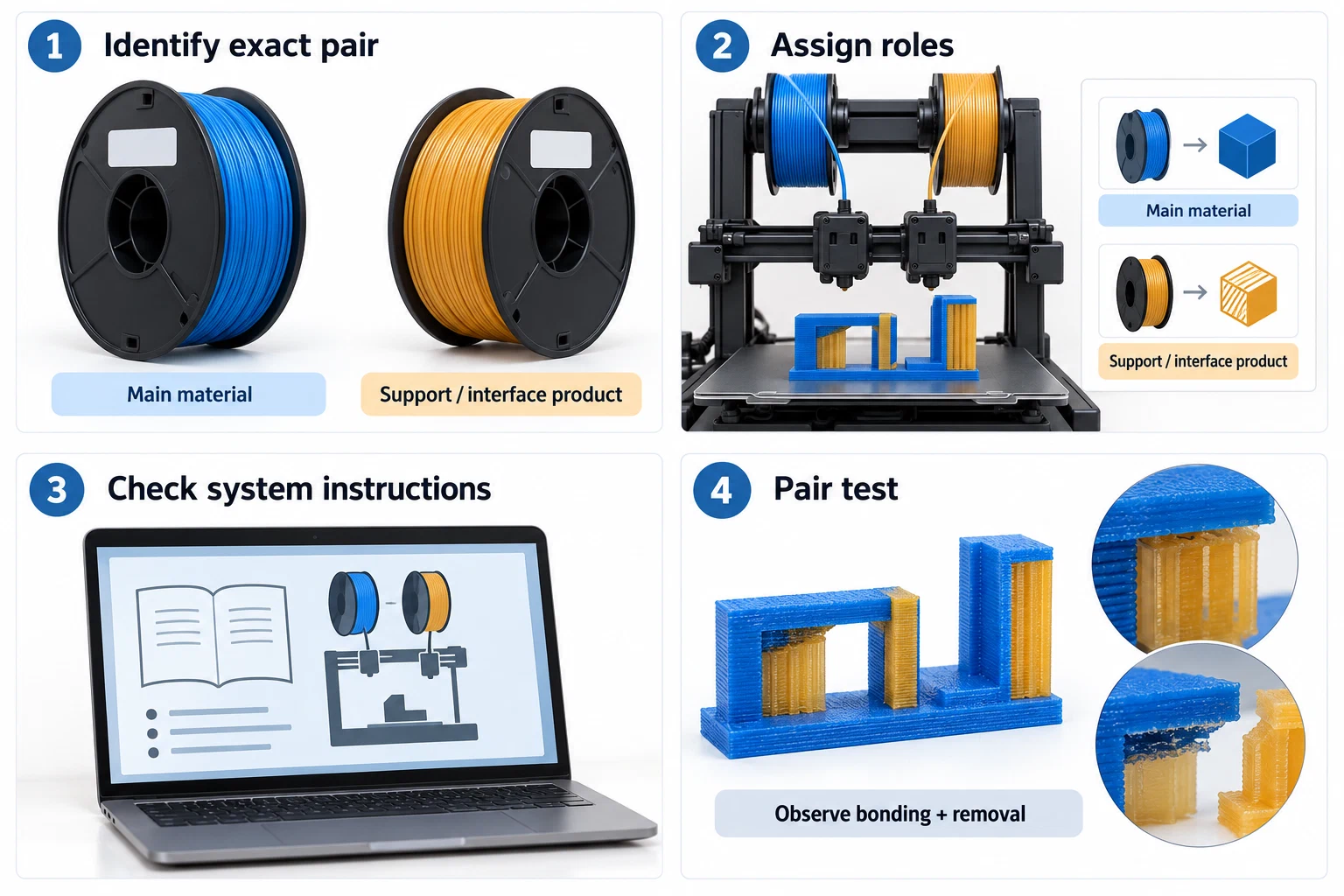
Write down the exact product, grade, diameter, spool construction, printer or multi-material system, intended role, and package state. A nylon portfolio can include ordinary, carbon-fiber, glass-fiber, ESD, and high-temperature branches; the family name does not supply a common drying recipe or nozzle requirement. For PVA and BVOH, also record whether the spool is a main support, a soluble interface, or a single-material print.
When a product is sold as recycled, record what the claim covers separately from its drying and feeder instructions. The recycled-filament guide shows how to check the named polymer or reinforcement and note what the supplier leaves unspecified.
Prusa describes PVA+ and BVOH as highly hygroscopic support materials and recommends sealed storage with silica gel or a drybox. Its documented workflow pairs them with PLA in the listed Prusa systems and gives examples such as 195 °C for PVA+, 215 °C for BVOH, a 60 °C bed, and a 0 mm soluble-support Z distance. These are recommendations for that material and system context, not universal settings for every soluble product. OrcaSlicer’s support guidance reinforces the need to treat base and interface material as explicit assignments; bonding, removal, purge, and moisture behavior still need a real pair test.
The dry-state workflow
- Start with the product instructions. Find the manufacturer’s storage, drying temperature and time, spool limit, and feeder guidance. Do not use a nylon schedule for PVA, or a PVA schedule for BVOH, because the names sound related.
- Dry only when the equipment and spool are compatible. For example, the Ultrafuse BVOH data sheet gives 60 °C for 4–16 hours for that named product and says to keep it dry. Ultrafuse PA gives a sealed 15–25 °C storage condition; its 80 °C for 504 hours appears as conditioning for a cited test state, not a general home-dryer recipe. Keep these distinctions visible.
- Move directly into protected storage. A drybox can reduce reabsorption during feeding. Prusa’s USS Drybox guidance gives below-20% RH examples for PETG, TPU, PVA, and BVOH in that product context, but it also says the box does not dry already-moist filament. Use a dedicated drying step first when the product requires it.
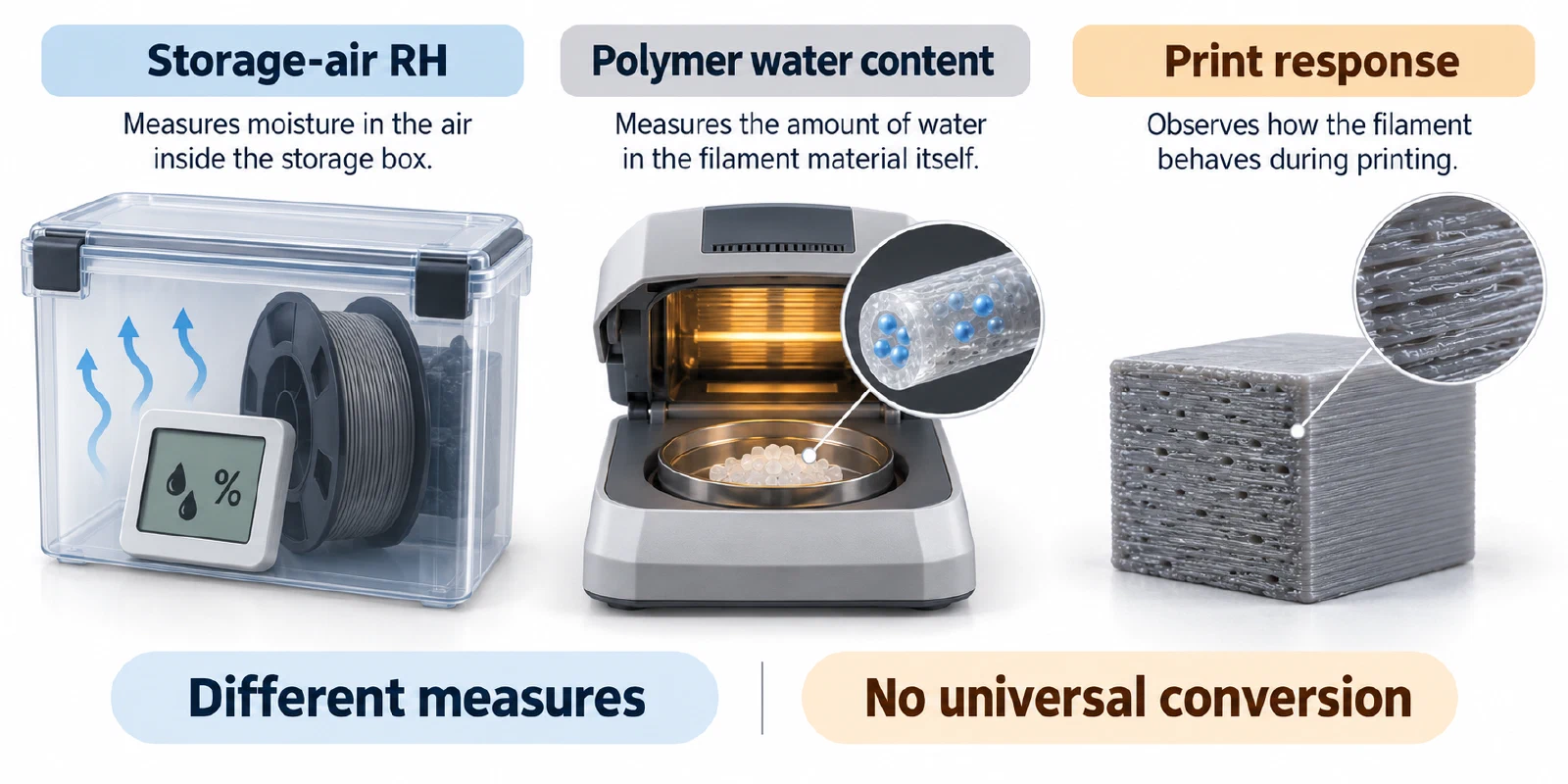
- Feed through a short, protected path. Keep the lid and seals closed, route the filament without sharp bends, and note whether the spool is inside the dryer or merely stored in it. A drybox reading is not a universal proof of filament moisture content.
- Test the actual role. A support/interface print stresses pairing and removal; a nylon part stresses flow, adhesion, geometry, and environmental control. Do not validate one as a substitute for the other.
Separate moisture symptoms from other causes
Wet material may hiss or crackle, produce a rough surface, string or bubble, lose layer adhesion, clog, or entangle in drive gears. Fiberlogy lists similar moisture-associated signs and warns that an oven table is specific to its material families. None of these symptoms is moisture-exclusive. Temperature, nozzle condition, contamination, feeder geometry, cooling, plate preparation, support assignment, and slicer version can produce similar results.
Use a one-variable confirmation test:
- keep the printer, nozzle, plate, geometry, and major process values unchanged;
- compare the same product before and after the documented drying step;
- record the visible symptom, dry-state history, drying equipment, duration, storage handoff, and result;
- for PVA/BVOH, record the main material, support/interface role, purge or tool-change behavior, Z distance, and removal result;
- for nylon, record grade, reinforcement, nozzle material, enclosure or chamber context, and whether the spool was fed dry.
If the symptom remains after responsible drying, stop increasing heat. Investigate the other causes and route printer-specific settings to the relevant settings or troubleshooting record. If no product-specific drying guidance exists, leave the drying state unresolved rather than inventing a humidity threshold or borrowing a recipe from another brand.
Back to top ↑