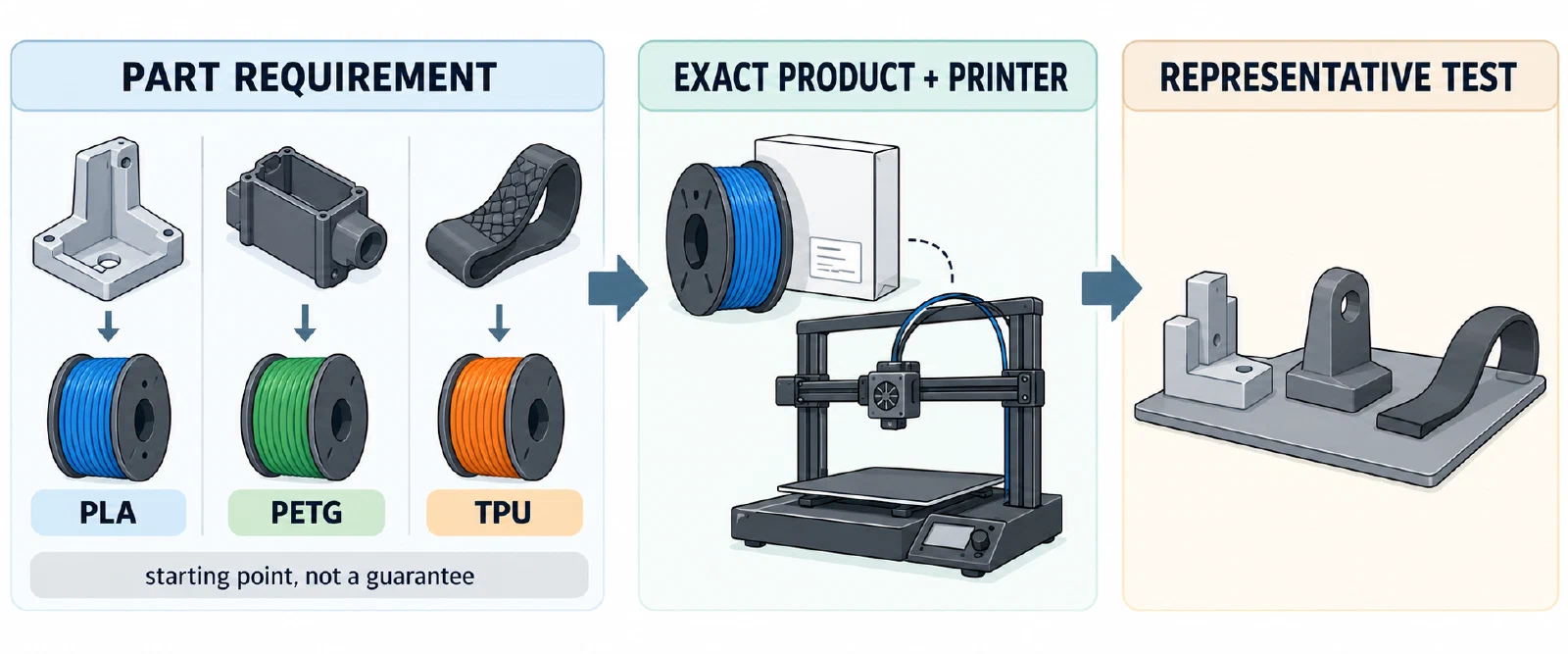
Choose the material from the part’s job outward. Start with the needed detail, stiffness, flexibility, impact tolerance, temperature or chemical exposure, surface, and ease of printing. Then check the exact product against the printer, feeder path, nozzle, build surface, and dry state. PLA, PETG, and TPU are useful family labels, but none is a universal ranking or a complete print profile.
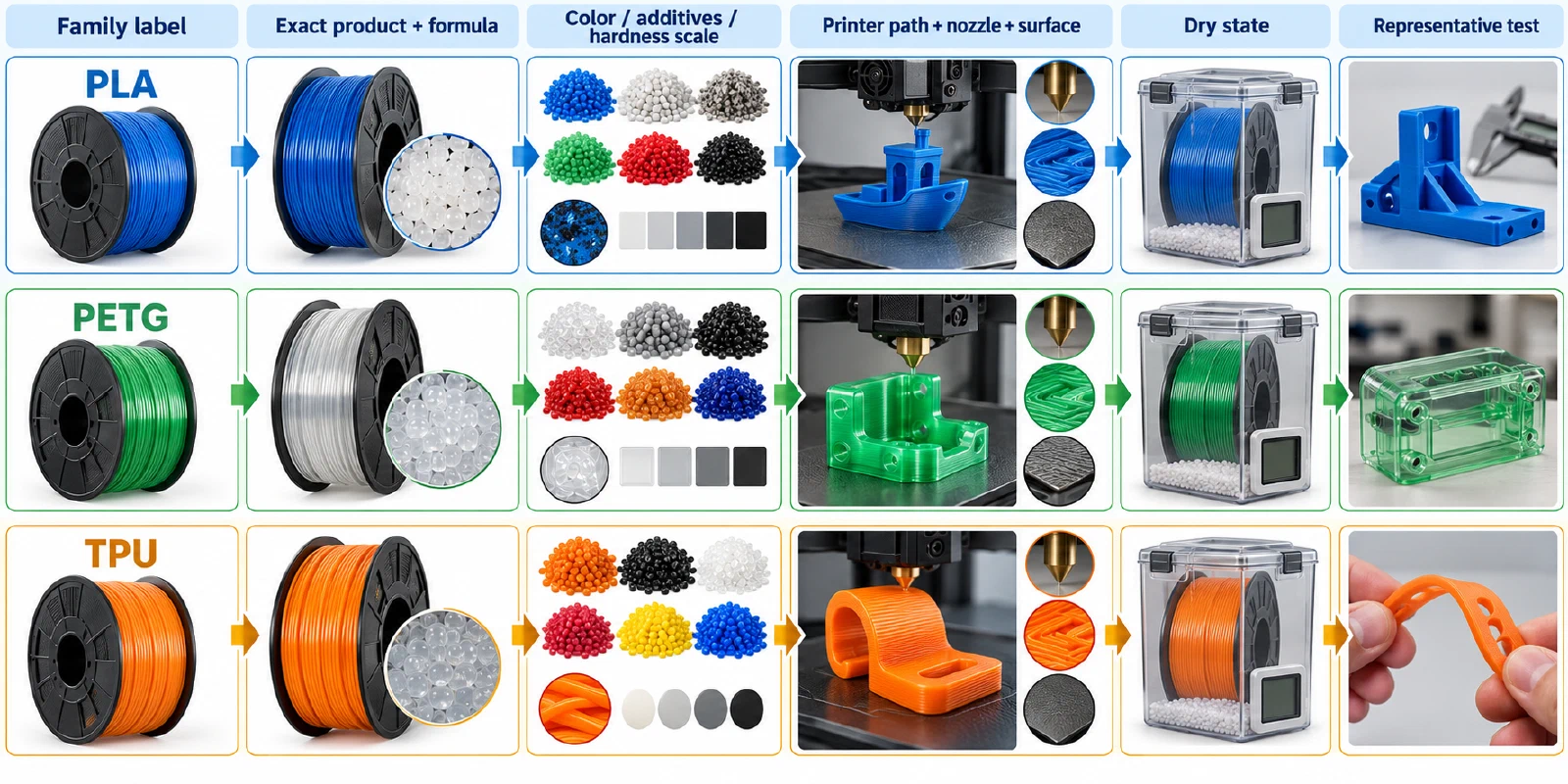
A practical comparison
| If the part mainly needs… | Start by investigating… | Important checks before printing |
|---|---|---|
| Easy detail, a rigid room-temperature prototype, or a straightforward first print | PLA | Exact product range, cooling, surface adhesion, and the part’s temperature and impact demands |
| A balance of ease of printing with more tenacity or temperature context than a basic PLA use case | PETG | Product grade, surface preparation, stringing control, moisture history, and the printer’s hotend and bed limits |
| Flexibility, compliance, or grip | TPU or another named flexible product | Shore hardness, filament path, feeder geometry, surface release, drying, and the product’s speed guidance |
This table is a decision starting point, not a property guarantee. Prusa’s MK4 guide presents PETG as easy to print and separates it from flexible, nylon, composite, and water-soluble families, but that family-level context does not predict every grade or finished part. Manufacturer comparison tables also show meaningful variation between products within a broad family. Data-sheet values are normally test results, not guaranteed performance for a printed part with a different orientation, geometry, process, or annealing state.
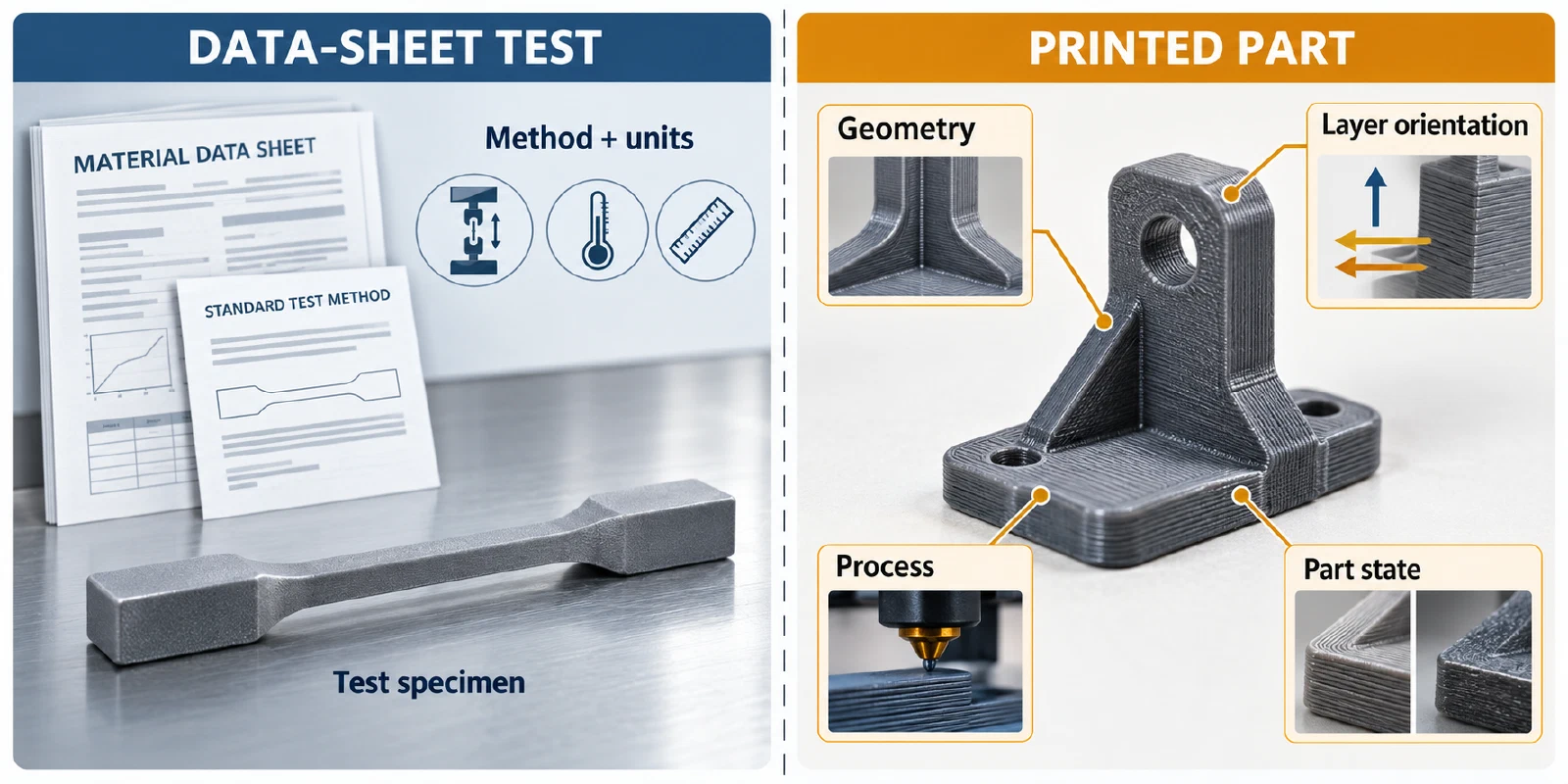
Even a familiar family can have product-specific care: Polymaker PLA Pro v6.0 gives a 55 °C/6 h drying reference, while other PLA products and spool constructions may differ. Record the exact product and its current data-sheet version instead of copying a family-level value. A printer’s material guide is an index of supported families, not proof that every product in that family has the same profile.
Optical goals also depend on the named product and process. FormFutura’s Transparent PLA data sheet says temperature, cooling, and speed can change that product’s transparency and surface finish; those settings are starting guidance for that filament, not a universal rule for clear PLA.
Color can also be a process variable worth recording. One study of four Verbatim PLA colors on an Ultimaker 2+ Connect reported color- and layer-height-related changes in dimensional accuracy and tensile results. It tested one product and setup and did not isolate pigment chemistry, so it does not establish a color ranking for other filaments. Keep color in the product identity and validate the actual spool and process.
Check the printer before the material
Confirm the hotend temperature range, bed and surface compatibility, drive path, nozzle diameter and material, and whether an enclosure or controlled environment is suitable. For TPU, a shorter or more constrained filament path can increase feeding difficulty; a Polymaker guide recommends direct drive as a way to reduce path friction, but that is not proof that every TPU needs direct drive or that every Bowden system will fail. Prusa’s flexible-material guidance also gives product- and printer-scoped temperature and surface examples rather than a universal flexible profile.
For a soft material, record the product’s Shore hardness and the feeder path. Lower Shore hardness generally means a softer filament, but infill and geometry also affect the part’s flexibility. A harder TPU is not automatically equivalent to a rigid PLA or PETG part. TPE is not simply a synonym for TPU either: the Fillamentum Flexfill TPE 96A data sheet describes it as a distinct polymer family from its TPU products. Do not copy TPU drying, adhesion, or speed settings into a TPE product without its own documentation.
Decide by use case, then validate
- Write the requirement. Note whether the part must hold shape, flex repeatedly, survive impact, show fine detail, tolerate heat or chemicals, or print easily. If the part has a safety, food-contact, electrical, or structural consequence, route that qualification to the applicable specialist guidance rather than relying on a filament label.
- Identify the product. Record brand, product, grade, color or additive, diameter, and data-sheet version. Two PETG products can have different reported properties, and a family label does not establish the same thermal or mechanical behavior. For a recycled-content claim, check whether it describes the polymer, a filler, or both; see the recycled-filament guide .
- Check the setup. Verify nozzle, surface, feeder path, enclosure, and dry-storage requirements. Follow the product’s temperature ranges as starting guidance, not as proof of printer compatibility.
- Run a small representative test. Use the actual geometry or a test that exercises the important feature. Change one major variable at a time and record product, printer, nozzle, surface, layer height, speed, temperatures, cooling, dry state, and result.
- Inspect the result against the requirement. Check detail, layers, flexibility, dimensional behavior, surface, and failure mode. Keep the tested combination linked to its product and printer; do not turn one successful spool into a family-wide preset.
If no product data supports the required use, the responsible choice is to defer the material decision or test a better-documented product. A material comparison can narrow the search, but printer-specific settings still belong with a tested combination record.
Back to top ↑