Prusa’s PETG V0 guide lists the MK4 family and gives settings for this specific Prusament formulation. Treat those values as product guidance to check against the exact printer and installed PrusaSlicer profile. They are not a resolved MK4 profile or a measured result for your part. The regular PETG starting table covers a different product scope; do not merge the two tables into one generic PETG range.
Product-specific starting guidance
| Field | Prusa PETG V0 guidance | What to verify |
|---|---|---|
| Nozzle temperature | 230 ± 10 °C | Confirm the exact product and effective value in the selected MK4 profile. |
| Bed temperature | 80 ± 10 °C | Check the selected profile and the sheet instructions for the printer in use. |
| Preferred sheet | Powder-coated satin or TXT | Prusa warns against smooth PEI because strong adhesion may damage the sheet. |
| Smooth PEI | Avoid when possible; use a thin glue-stick layer if printing on a smooth surface | Follow current Prusa instructions for the exact surface and allow a hot sheet to cool before handling or cleaning. |
| Drying | Keep the filament as dry as possible; if that is not possible, Prusa suggests 55 °C for 6 hours | Confirm that the spool and dryer are suitable for the stated schedule. |
These are Prusa’s product-level recommendations. The page does not establish your installed profile’s inherited values, printer firmware, nozzle condition, sheet state, or a successful physical result. If the values displayed in PrusaSlicer differ, inspect the selected MK4 variant, material profile, overrides, and release before slicing rather than silently replacing either value set.
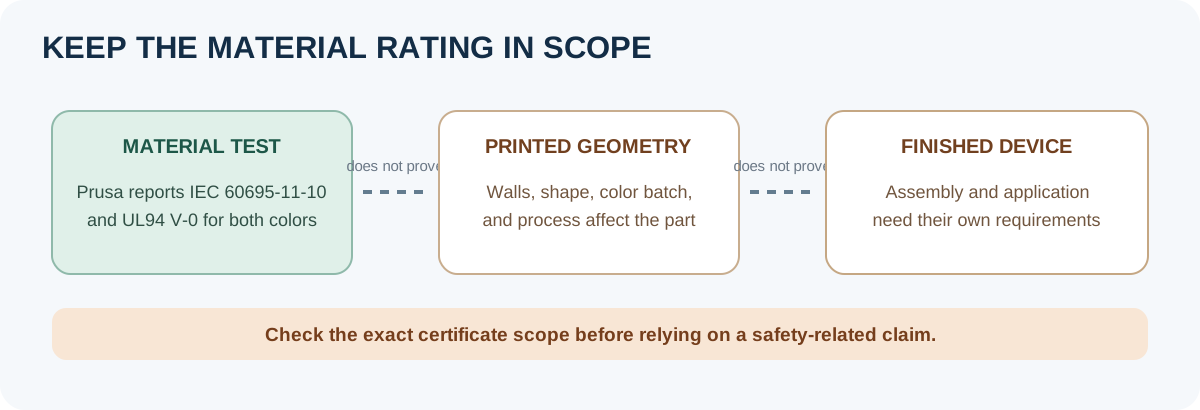
Keep the material rating in its scope
Prusa reports that its two PETG V0 colors were tested under IEC 60695-11-10 and classified UL94 V-0. That is a manufacturer-reported material test result. It does not establish that a particular printed shape, wall thickness, color batch, device, or complete assembly meets a safety requirement. For a safety-critical use, check the certificate’s exact scope and the requirements for the finished product; this starting-settings article is not an application approval.
Verify the MK4 setup
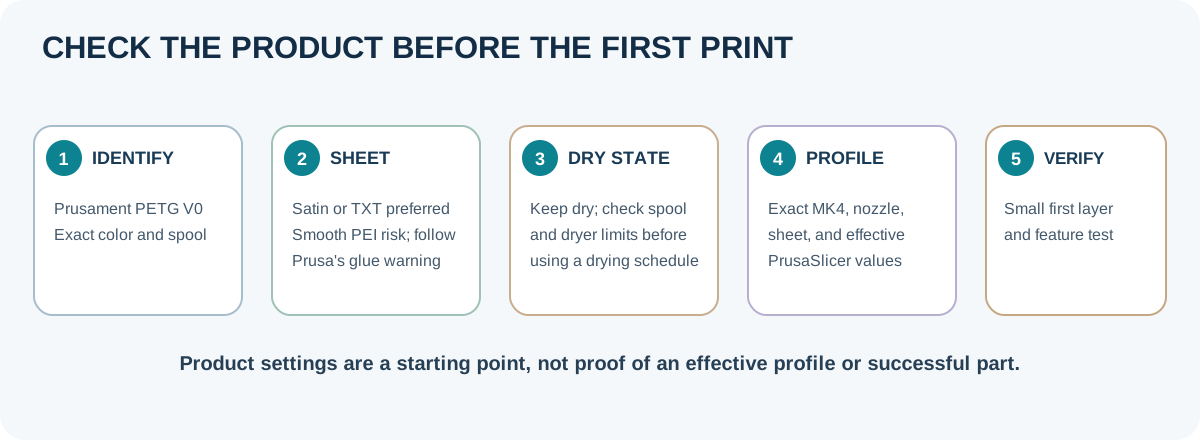
- Confirm the spool is Prusament PETG V0, note its color and dry state, and check the current product guide before printing.
- Select the exact Original Prusa MK4 variant, nozzle, sheet, material, and process profile in the installed PrusaSlicer release. Inspect effective values and overrides rather than inferring them from a profile name.
- Prepare the sheet according to its surface-specific instructions. On smooth PEI, follow Prusa’s glue-stick warning; do not handle or clean the sheet while it is hot.
- Print a small first-layer and representative feature test. Record the actual profile, sheet, nozzle, drying history, geometry, and observed outcome. A successful first layer is not proof of a part’s fire behavior or certification.
For regular Prusament PETG guidance, use the general MK4 PETG starting guide . For a hardware, plate, material, firmware, or slicer change, use the profile adaptation checklist . Neither article substitutes for a current product instruction or an application-specific certification review.
Back to top ↑