A print profile is a set of related identities and resolved values, not a bag of numbers. A change to the nozzle, plate, filament, printer variant, firmware, or slicer can change which values apply and how they are resolved. The safe approach is to preserve the old profile, select the new context explicitly, compare the effective result, and validate a small print before reusing it.
Inventory before editing
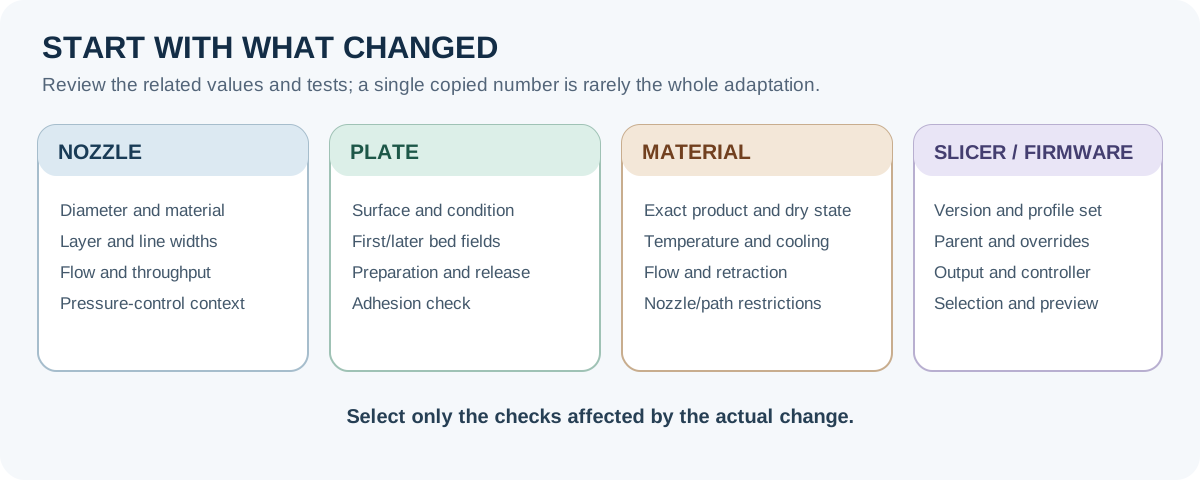
Record the old and new values for:
- printer model and variant, firmware, and machine profile;
- nozzle diameter, material, hardness, and wear state;
- filament family, vendor, product, diameter, additives, and dry state;
- plate surface, profile, condition, and first-layer temperature fields;
- slicer release, machine/filament/process preset names, inheritance, and local overrides;
- layer height, line widths, speed, cooling, flow, volumetric limit, retraction, pressure control, and geometry; and
- post-processing scripts, exported G-code, test model, and physical verification result.
Back up the profile before changing it. A profile backup or snapshot is useful for rollback, but it does not prove that the saved profile is compatible with a new printer, nozzle, firmware, or slicer. Keep physical-printer connection details separate from reusable process settings; an exported bundle can contain an API key or IP address.
Stage the change
1. Select the real machine and material
In the slicer, choose the exact printer variant, nozzle, plate, material vendor/product, and process profile before inspecting numbers. A profile name that happens to mention a similar printer is not proof of equivalent behavior. In Bambu Studio, for example, a P1S machine object can select a process profile whose name refers to another compatible printer family; keep the machine identity and the selected process identity as separate fields.
Check compatibility warnings rather than dismissing them. For abrasive filament, retain the actual nozzle type and the material’s required hardness field. A disabled hardness check means that no check was performed; it does not certify compatibility.
2. Rebuild nozzle-dependent fields together
When the nozzle changes, update the physical nozzle diameter in the machine profile and the matching slicer profile. Review minimum and maximum layer height, first-layer height, line widths, extrusion widths, speed, flow, maximum volumetric speed, and pressure-control context. Changing only the diameter does not automatically create appropriate extrusion widths. A commonly cited maximum layer-height rule of roughly 80% of nozzle diameter is a Prusa rule of thumb, not a universal limit.
For an Original Prusa MK4-family machine, also confirm the printer-menu nozzle diameter and the matching PrusaSlicer printer profile. On load-cell machines, automatic nozzle-proximity checking is not a substitute for checking adhesion after a hardware change.
3. Re-resolve plate and material fields
A different plate can change which first-layer and later-layer bed-temperature fields apply, as well as surface preparation and release risk. A different filament product can change nozzle temperature, cooling, flow ratio, maximum volumetric speed, retraction, and nozzle-hardness requirements. Do not copy a value merely because its label looks the same.
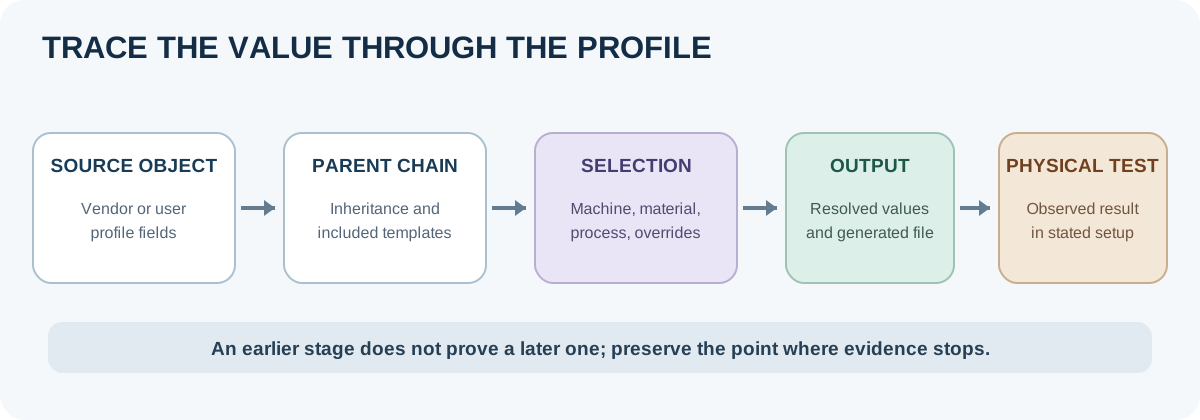
Use the active profile’s effective values after inheritance and overrides are resolved. PrusaSlicer vendor bundles can contain printer, print, and filament presets with compatibility conditions and version mappings. OrcaSlicer profile storage and cloud migration can also change which user folder is active after an upgrade. Record the application release, source folder or bundle, and the resulting profile state.
4. Treat a slicer or firmware change as a new validation context
There is no general field-by-field safe mapping between Bambu Studio, PrusaSlicer, OrcaSlicer, or Cura. Compare the resolved settings and then inspect the preview. On Prusa firmware families, pressure control can be emitted through firmware-specific start G-code and can vary with nozzle and profile; it is not a portable number. Post-processing can modify the G-code after slicing, while a viewer may show the pre-processed file, so retain the script and final output when reproducibility matters.
Validation order
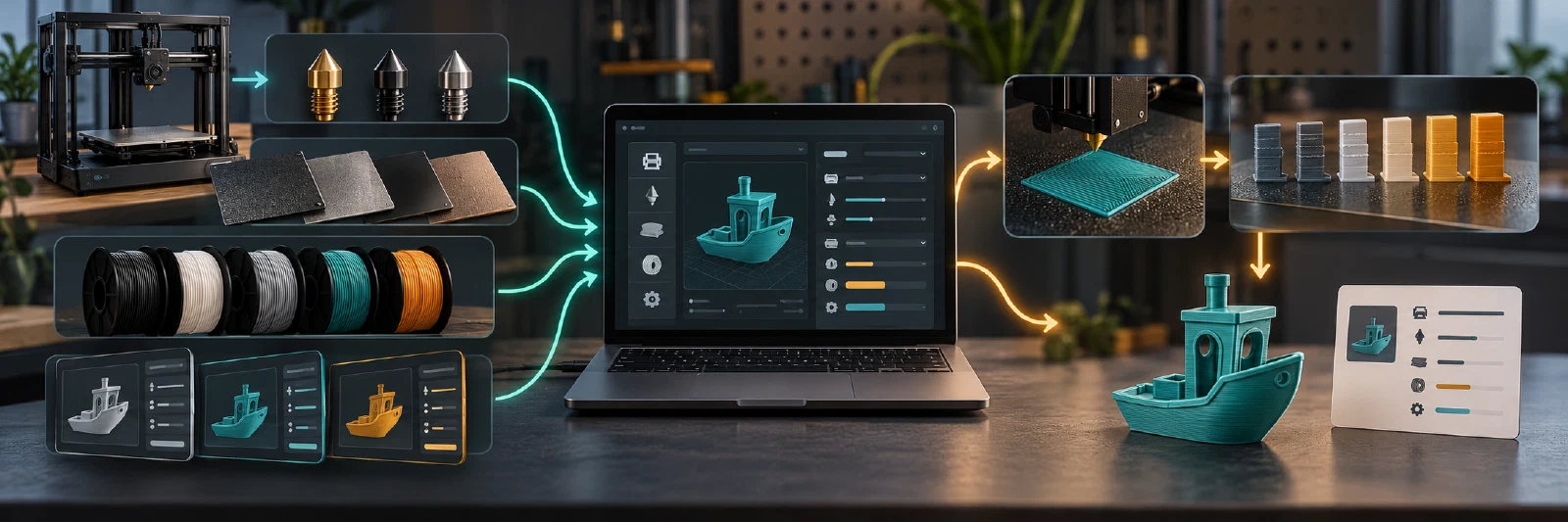
- Configuration check: verify printer, nozzle, plate, material, firmware, slicer release, profile inheritance, compatibility warnings, and selected geometry.
- First-layer check: print a small first-layer pattern on the actual plate. Look for adhesion, gaps, ridges, curling, or excessive squish.
- Temperature and flow check: use a comparative temperature test when the product window is uncertain, then check flow or extrusion behavior. A temperature tower is a test of the chosen specimen and conditions, not a universal optimum.
- Throughput check: inspect preview flow and keep maximum volumetric speed conservative. In PrusaSlicer, the lower non-zero print or filament limit controls; it can reduce requested speed but cannot make a hotend melt more material.
- Retraction or pressure check: keep the drive path, filament hardness, nozzle, layer height, speed, firmware, and slicer release in the record. Excessive retraction can contribute to clogs or under-extrusion.
- Representative print: use a small part that exercises the intended surface, bridge, overhang, strength, or dimensional requirement. Change one variable at a time.
- Label and supersede: save the resolved profile with its compatibility fields, test object, date, observed result, unknowns, and rollback reference. A new profile is not validated until the physical test passes for the stated context.
A compact record can look like this:
printer: "exact model and variant"
firmware: "release or range"
nozzle: {diameter_mm: 0.4, material: "actual type", hardness: "known/unknown"}
plate: "surface and selected profile"
material: {vendor: "name", product: "name", dry_state: "recorded state"}
slicer: {name: "name", release: "version", machine: "preset", process: "preset"}
resolution: "inherited and overridden values checked"
final_output: "preview/G-code or post-processing state"
verification: "test object, date, result, and remaining limits"
status: "starting point / physically verified / superseded"
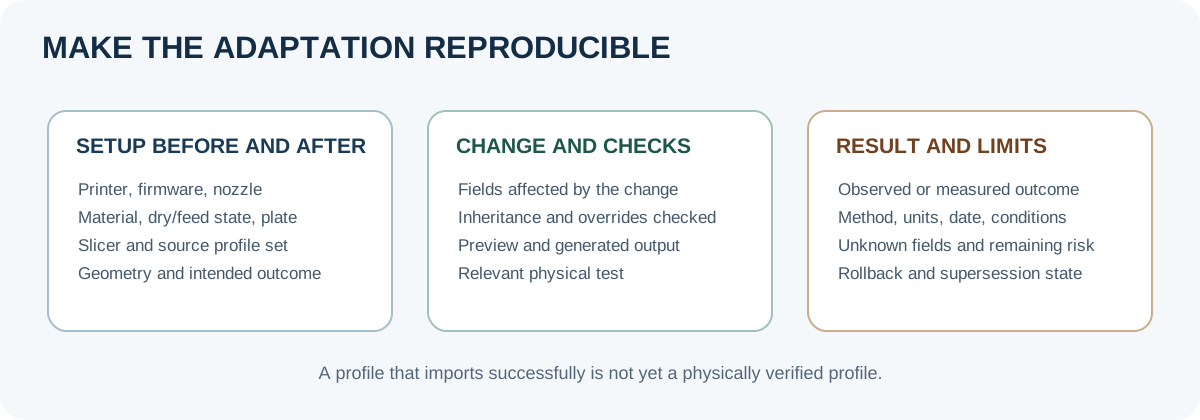
Do not publish or share a profile as portable merely because it imports successfully. Keep the old version available, remove connection secrets before sharing, and send unresolved cross-slicer, firmware, or physical-compatibility questions back to the relevant manufacturer’s documentation or a controlled test.
Back to top ↑