Creality’s Ender-3 V3 SE material guide gives a manufacturer starting table for CR-PLA. It is not a controlled print result, a complete slicer profile, or proof that every third-party PLA product uses the same settings. Keep the SE distinct from the V3 KE, V3 Plus, older Ender-3 machines, and Ender-5 models.
Record the exact setup
Before slicing, record the exact SE variant and firmware, installed nozzle and extruder path, build surface, slicer and release, selected printer/material/process profiles, PLA brand and product, colour, spool condition, and model. Creality’s support page lists a 0.4 mm brass nozzle and a 250 mm/s print-speed capability for the SE. Capability describes what the machine is specified to support; it is not a quality target for every shape or material.
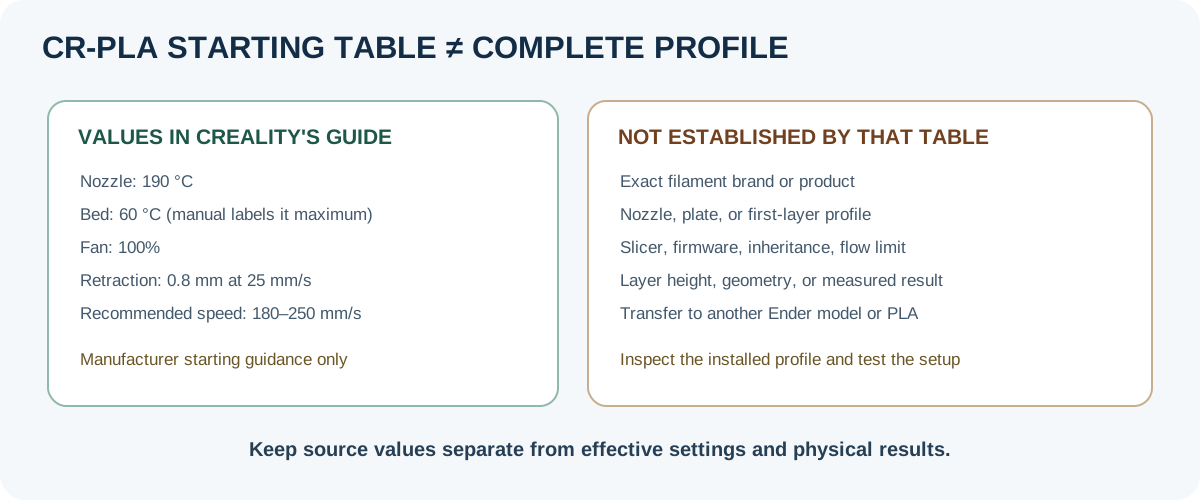
Creality’s CR-PLA starting values
| Field | Creality material-guide value | Scope and qualification |
|---|---|---|
| Nozzle temperature | 190 °C | Manufacturer starting value for the guide’s CR-PLA label; no product, nozzle, slicer, or test method is identified. |
| Bed temperature | 60 °C | Manufacturer starting value; the guide does not identify a plate or surface. |
| Part cooling fan | 100% | Manufacturer starting value; no feature-specific cooling context is given. |
| Retraction distance | 0.8 mm | Manufacturer starting value; confirm the installed machine and current profile. |
| Retraction speed | 25 mm/s | Manufacturer starting value; not a measured SE extrusion result. |
| Recommended print speed | 180–250 mm/s | The guide gives no layer-height or geometry qualifier. Do not treat the range as a promise of surface quality or use it to override the selected profile’s flow limits. |
| Enclosure recommended | No | This cell is not a general enclosure rule for every PLA product or setup. |
| Dry box recommended | No | This does not identify the loaded spool’s moisture state or prohibit following its filament maker’s drying instructions. |
The material guide does not name a filament brand or exact product beyond “CR-PLA.” It also omits nozzle diameter, plate, layer height, first-layer fields, firmware, slicer/version, volumetric-flow limit, geometry, and measured outcomes. Use the table as a bounded manufacturer starting reference, not as a downloadable or tested profile. Check the loaded spool’s own instructions before substituting another PLA.
Prepare and verify on the SE
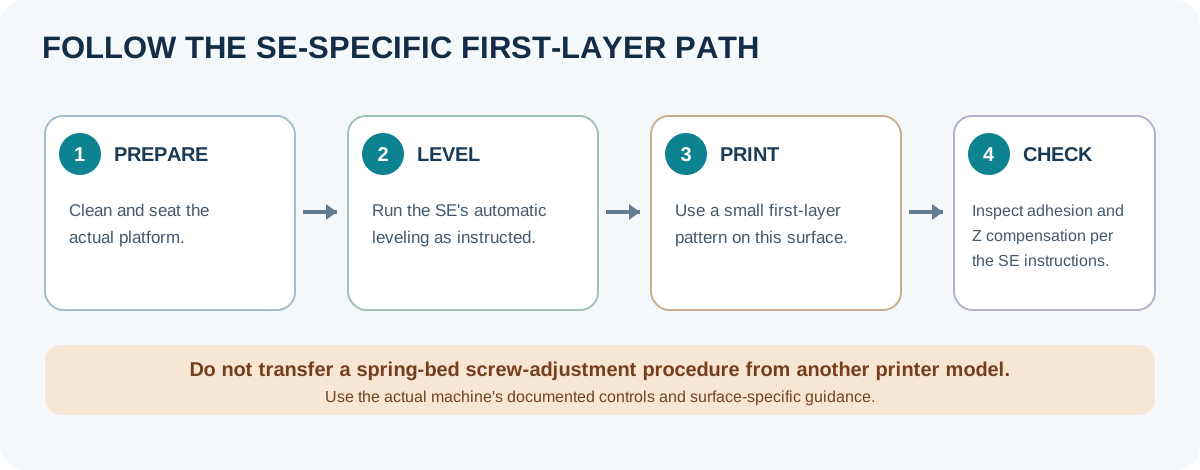
Use the current Ender-3 V3 SE manual and the printer’s own controls. Creality instructs users to clean the printing platform before leveling and to run the SE’s auto-leveling procedure. Do not transfer a spring-bed screw-adjustment sequence from another Ender model. If the first layer is too close or does not adhere, follow the SE-specific instructions for checking Z compensation and the actual platform; a numeric offset or load-cell procedure from another printer model does not transfer automatically.
- Confirm the physical nozzle, plate, filament product, firmware, and installed Creality Print or other slicer release. Select a printer profile that names the Ender-3 V3 SE and inspect the effective material and process fields after inheritance or overrides.
- Clean and seat the actual platform, then run the SE’s leveling process as directed by Creality. Start with a small first-layer pattern and look for gaps, ridges, curling, or excessive squish before a long print.
- Make a small feature or flow check that matches the intended part. Change one setting at a time, and keep the result tied to the product, colour, nozzle, surface, slicer release, firmware, and geometry.
- Print a small representative, non-critical part. Record what you observed and how you measured it. A successful first layer or profile import alone does not validate dimensional accuracy, strength, or reuse on a different PLA product.
If a third-party product’s temperature, surface, or drying instructions conflict with this guide, follow the exact product and machine documentation and test the selected combination. For profile changes, keep the old profile and use the profile adaptation checklist to compare the resolved values and output before reusing the result.
Back to top ↑