A command-line slice is an attempt with a specific executable, project, settings, overrides, and output. A useful run record makes those inputs and the resulting file inspectable. It does not promise byte-for-byte repeatability, equivalent flags across slicers, or a successful physical print.
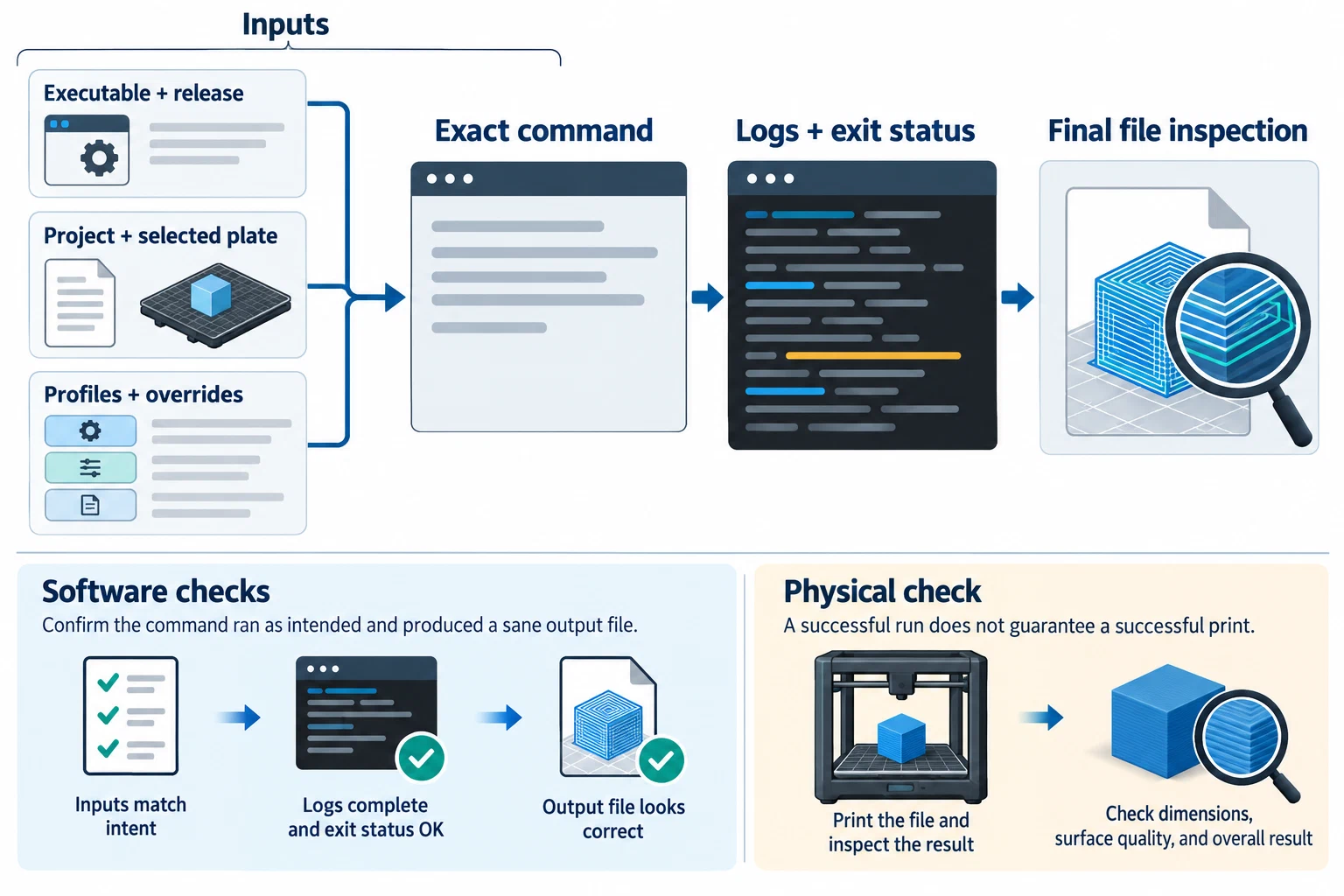
Freeze the inputs before slicing
Keep an unchanged copy of the source project and note the exact slicer name, release, channel, operating system, and executable. Check the installed executable’s current help output before using flags copied from a guide. A wiki may describe a different build, and a flag accepted by one slicer may have a different meaning or order in another.
Record each input separately:
- the project or model file, including its plate, object, tool, and material assignments;
- the full machine, process, and filament configuration files used by the command;
- the configuration directory or data context, if selected;
- each command-line override and the order in which inputs are applied;
- any transform, plugin, or post-processing step that can change geometry or G-code; and
- the intended output directory and file type.
Do not treat a raw setting fragment as a complete machine or process profile unless the selected slicer’s documentation says it is accepted in that form. Keep account tokens, API keys, private network details, and sensitive local paths out of a shared run record.
A documented Bambu Studio example
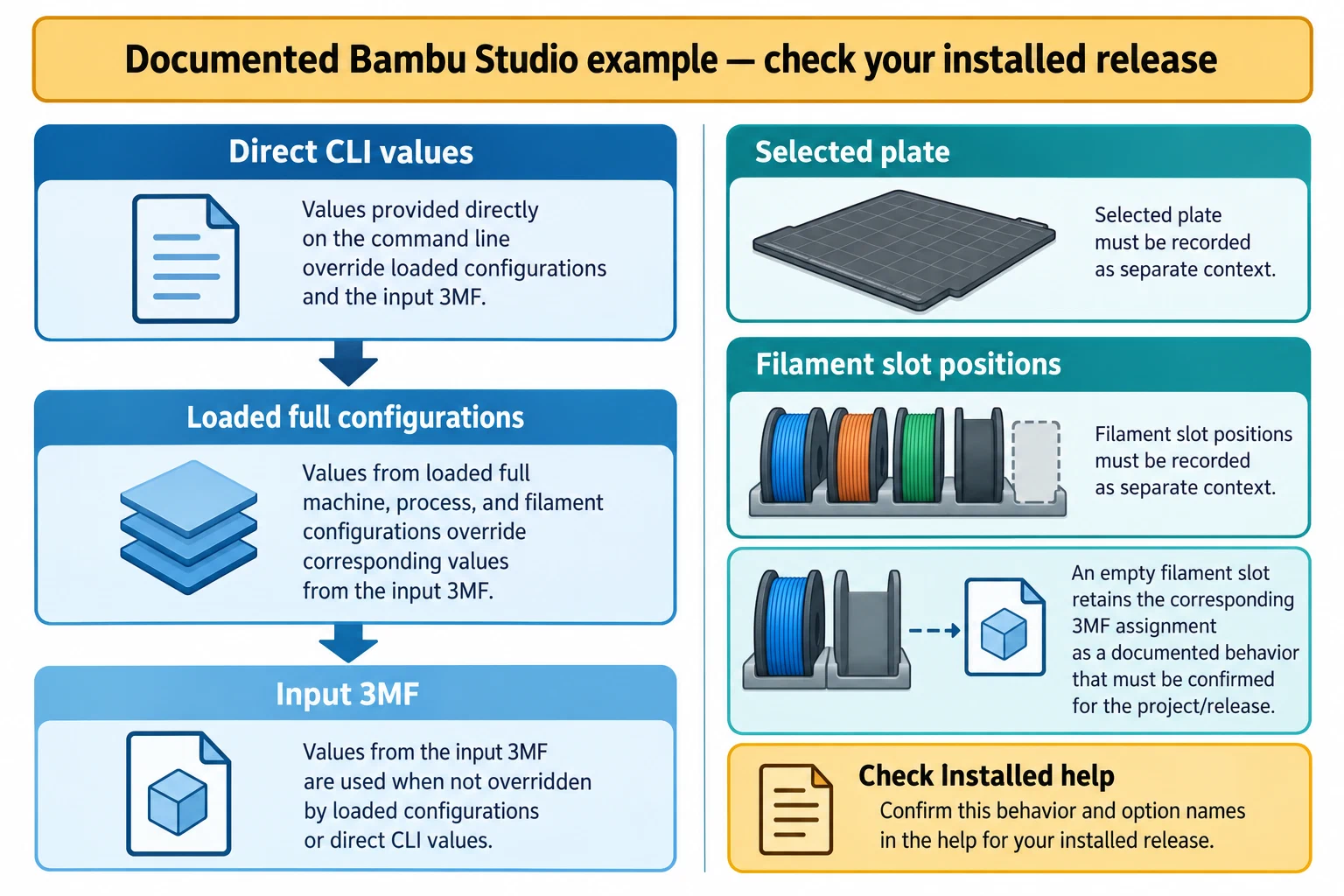
Bambu Studio’s project wiki documents three settings layers: direct command-line values take priority over loaded machine, process, or filament configurations, which in turn take priority over values in the input 3MF. It describes full machine and process JSON inputs, positional filament-file mapping, and plate selection. An empty position in its filament list can leave the corresponding 3MF assignment in place.
The wiki’s example follows this shape:
bambu-studio --curr-bed-type "Cool Plate" --load-settings "machine.json;process.json" --load-filaments "filament-1.json;;filament-3.json" --slice 2 --debug 2 --export-3mf "output.3mf" "project.3mf"
This is a documentation example, not a tested command or a release guarantee. Replace every file with the intended full input, confirm the filament positions for that project, and check the installed executable’s help. Record the actual command you ran rather than substituting the example for your run history.
Keep front-end and engine state distinct
CuraEngine’s project wiki describes standalone command-line use as requiring a settings JSON and recommends checking the engine’s help output. It describes connecting an engine to Cura’s waiting front end as a separate development arrangement. They are not interchangeable ways to recover a complete GUI project.
Cura resolves values across per-object, extruder, global, and inherited setting layers. Its front end sends resolved values and eligible per-object overrides to CuraEngine. A base definition or debug default alone may not represent the value used by the front end. Inspect the selected object, extruder, and inherited context before treating two settings exports as equivalent.
PrusaSlicer’s older command-line wiki says command-line parameters override values imported from AMF or 3MF. A community issue report for PrusaSlicer 3.0.0-alpha11 describes a narrower test in which saved values supplied with –load did not affect 3MF inputs, even though G-code was written; the report also says the issue was fixed in a later release without identifying that release. The report has not been independently reproduced. Keep those claims scoped to their documented page and reported build, and inspect the output from the exact version you use.
OrcaSlicer’s community CLI guide documents that input files are read in argument order and that multi-value settings use comma-separated, zero-based positions. A short vector can fill omitted positions with its first value, and repeating a vector flag appends values. Put a complete replacement vector in one flag and record each position; do not assume an omitted slot keeps its prior value. The guide also says some profile identity, compatibility, and printer-host keys are not CLI overrides. Check the exact release’s help and keep GUI profile state separate from the values the command can set.
For a project that contains several beds or project contexts, make a separate run record for each selected bed, printer/profile binding, and output. Prusa Research’s PrusaSlicer 3.0 preview describes this project-level separation, but no project was inspected or sliced here. Treat the behavior as specific to that preview generation and verify it in the installed release; do not infer that every bed-specific field is serialized or transferred.
Record the attempt and inspect the final file
Capture the exact command, working directory, input names, plate or tool selection, standard output and error, exit status, warnings, and output path. A successful process exit only tells you that the process returned success; it does not prove the intended settings were applied.
Use a record like this, filling it with the state you actually observed:
slicer: "name, exact release, and channel"
executable: "path or executable identity"
interface_help_checked: "date and saved help reference"
project: "input project and selected plate"
profile_or_data_directory: "selected profile/data directory, or application default"
settings_inputs: ["machine", "process", "filament files and slot positions"]
overrides: ["exact values and their order"]
extensions: ["plugin or script, version, capability, and execution stage"]
command: "exact invocation with private values removed"
exit_status: "observed value"
warnings_and_errors: "captured diagnostics"
output: "file path, format, and observed metadata"
software_checks: ["settings, plate, tool mapping, and final-file checks"]
physical_check: "not performed, or the setup and observed test"
Open the final exported file or package after all scripts and transformations have run. Check that its printer, material, tool, plate, and firmware-facing content match the intended context. Where an extension changes output after preview, inspect the changed file rather than relying on the earlier view. Keep software checks separate from physical calibration or a representative print.
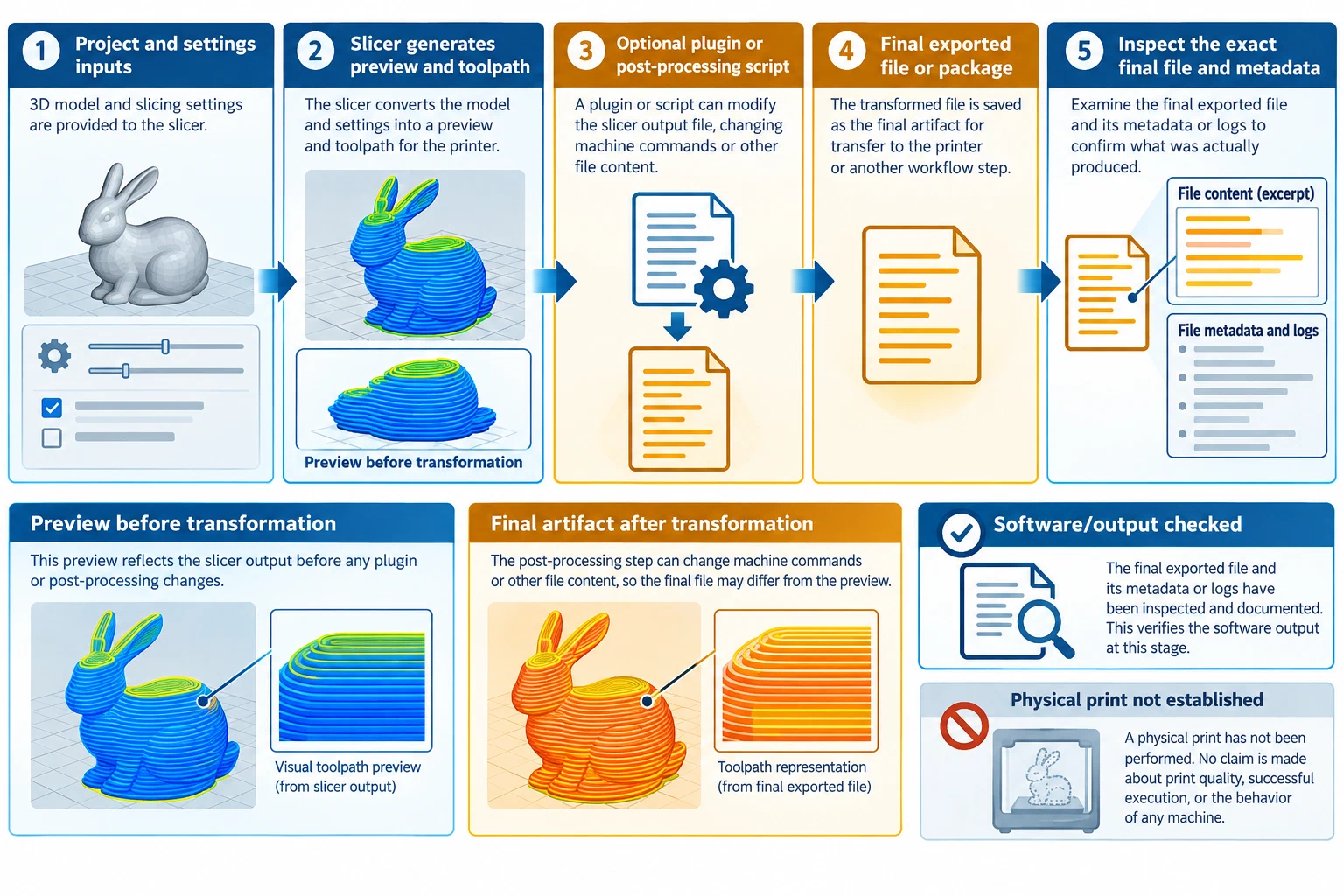
For plugin-dependent runs, see Slicer plugins and G-code post-processing . For physical checks, continue with the relevant calibration and testing guides ; printer uploads, queues, and monitoring are a separate remote printing workflow .
Back to top ↑