Abrasive filament can turn an ordinary nozzle into a changing process variable. Carbon-, glass-, and kevlar-filled materials are abrasive in the Prusa guidance used here, but “composite” is not a complete material identity. The carrier polymer, filler type and loading, particle shape, diameter, temperature, nozzle geometry, feeder path, and printer model all affect the decision.
Identify the product before the nozzle
Write down the exact filament brand and product, base polymer, filler, diameter, drying requirement, recommended nozzle, and any printer or feeder exclusions. A carbon-fiber nylon product is not interchangeable with every other carbon-filled product. Glow, wood, metal-filled, glitter, and short-fiber products can have different particle and flow behavior, so do not apply a hardened-nozzle rule as if it were a complete profile.
Then identify the printer-side hardware. Record the hotend or print-core family, nozzle interface, supported diameters, installed nozzle, temperature boundary, drive path, plate, slicer profile, and whether the nozzle is integrated or replaceable. Prusa distinguishes E3D V6 and Prusa Nozzle systems across its printer families; E3D’s V6 documentation lists compatibility for named V6 systems, not every hotend that happens to accept a similar-looking threaded part. A diameter or marketing name is not proof of fit.
Compare the decision, not a product ranking
| Option | When it can make sense | What still needs verification |
|---|---|---|
| Brass | Common, non-abrasive materials where heat transfer and the existing profile are appropriate | Filled fibers can wear it quickly; inspect for a changed orifice and do not assume a worn nozzle is a clog. |
| Hardened steel | A documented printer/material combination calls for abrasion resistance | Confirm interface, diameter, temperature range, geometry, and the manufacturer’s profile or recalibration guidance. “Hardened” alone does not establish fit or service life. |
| Abrasion-resistant specialty nozzle or core | The printer ecosystem names a compatible core or nozzle for the product and temperature | Treat the named system as model-specific. Check whether the option is a print core, adapter, complete hotend, or nozzle, and whether the slicer recognizes it. |
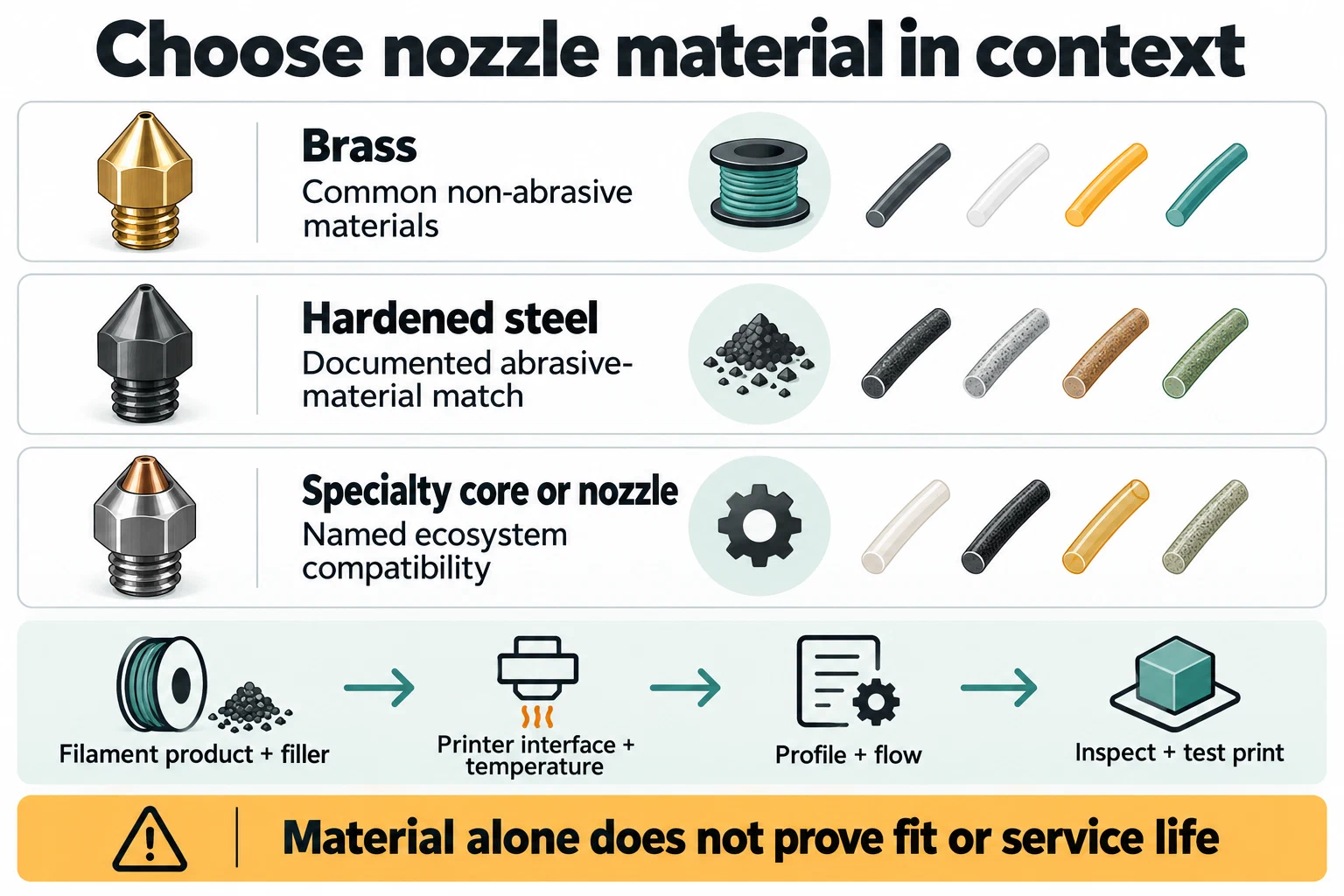
E3D’s V6 table illustrates why the material label is not enough: its listed variants have different temperature and abrasion-resistance specifications, including a hardened-steel boundary and separate Nozzle X and ObXidian entries. Those are E3D product specifications, not a comparative wear test or a universal service interval. UltiMaker similarly describes its CC core as abrasion-resistant for composites and gives 0.4 and 0.6 mm trade-offs within that ecosystem; it does not establish a cross-brand interchangeable core.
Check profile and temperature boundaries
A harder nozzle does not preserve the old process automatically. After a material or nozzle change, check diameter, line widths, layer height, temperature, flow or maximum volumetric speed, cooling, pressure control, retraction, and the selected printer/material/nozzle preset. Some systems store nozzle identity or use material/core compatibility gates. If the printer or slicer reports a mismatch, stop and resolve that state before using old G-code.
For a concrete model-bound example, Bambu’s H2D hotend matrix warns that particulate-filled filament can clog a 0.2 mm nozzle and recommends a hardened 0.6 mm nozzle for carbon- or glass-fiber filament in its listed context. That does not establish a universal minimum diameter or a cross-brand wear rule. A Creality parts list likewise maps different quick-swap kits to named K1-family and Ender-3 V3 variants; a matching product name is not enough to establish fit for a different revision.
The H2C manual’s material table provides another exact-model boundary: several filled materials use the left hotend, while TPU 95A HF and TPU 85A follow different right-hotend routes. The U1 is different again: Snapmaker describes its nozzle as part of an integrated hotend unit, with hardened-steel units available separately. The U1 Liber high-flow instructions do not recommend high-flow use for CF-, GF-, or wood-filled filament or TPU; they direct users to a suitable standard hotend for those materials and call for hardened steel for CF/GF wear. High flow, abrasion resistance, and fit are separate checks.
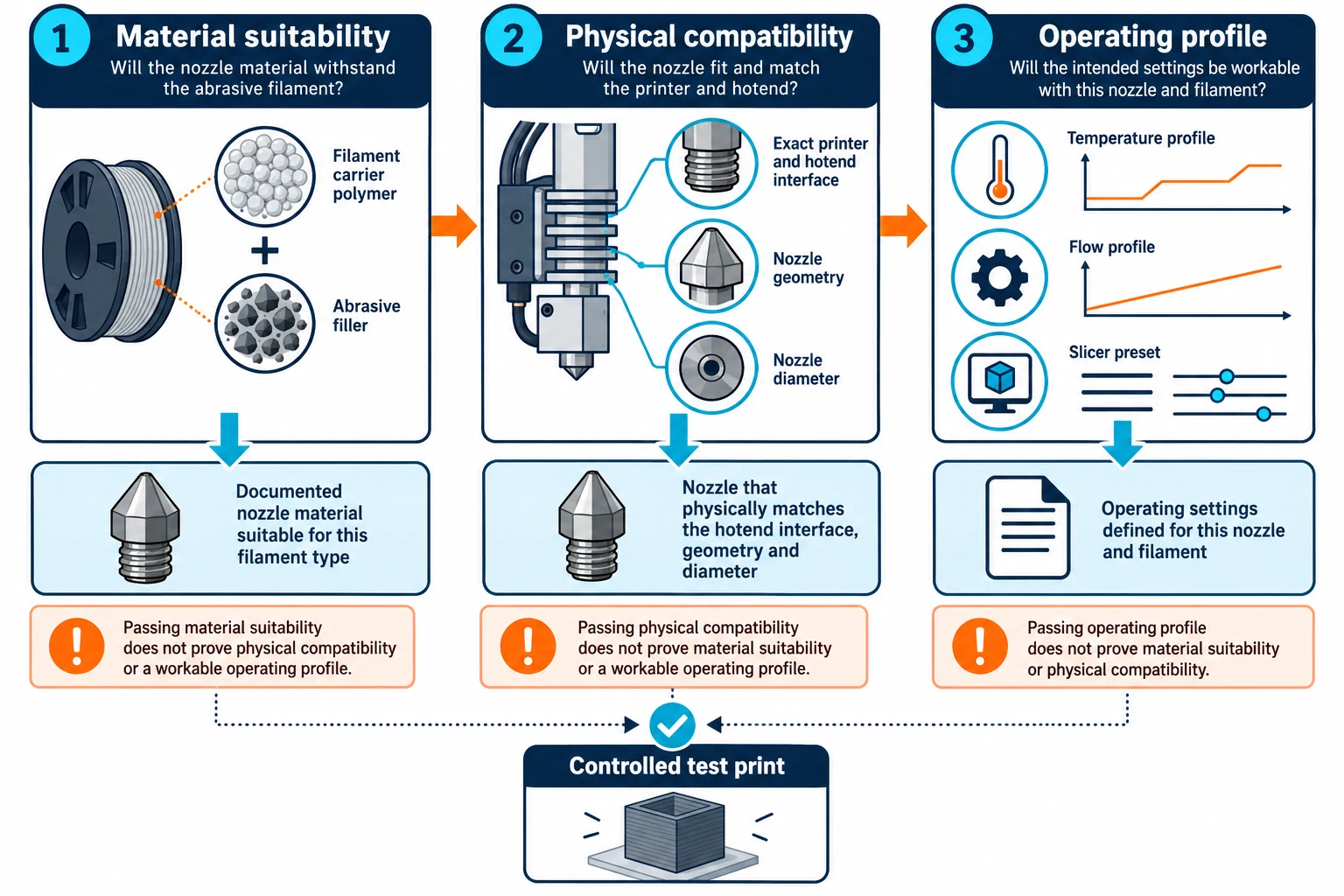
Do not copy an exact temperature, torque, cleaning method, or replacement sequence from another interface. E3D’s V6 hot-tightening and cleaning instructions are specific to its V6 context, and the evidence does not establish a universal procedure for other hotends. Route recurring replacement and repair steps to the actual printer’s maintenance documentation.
Inspect wear and run a controlled first print
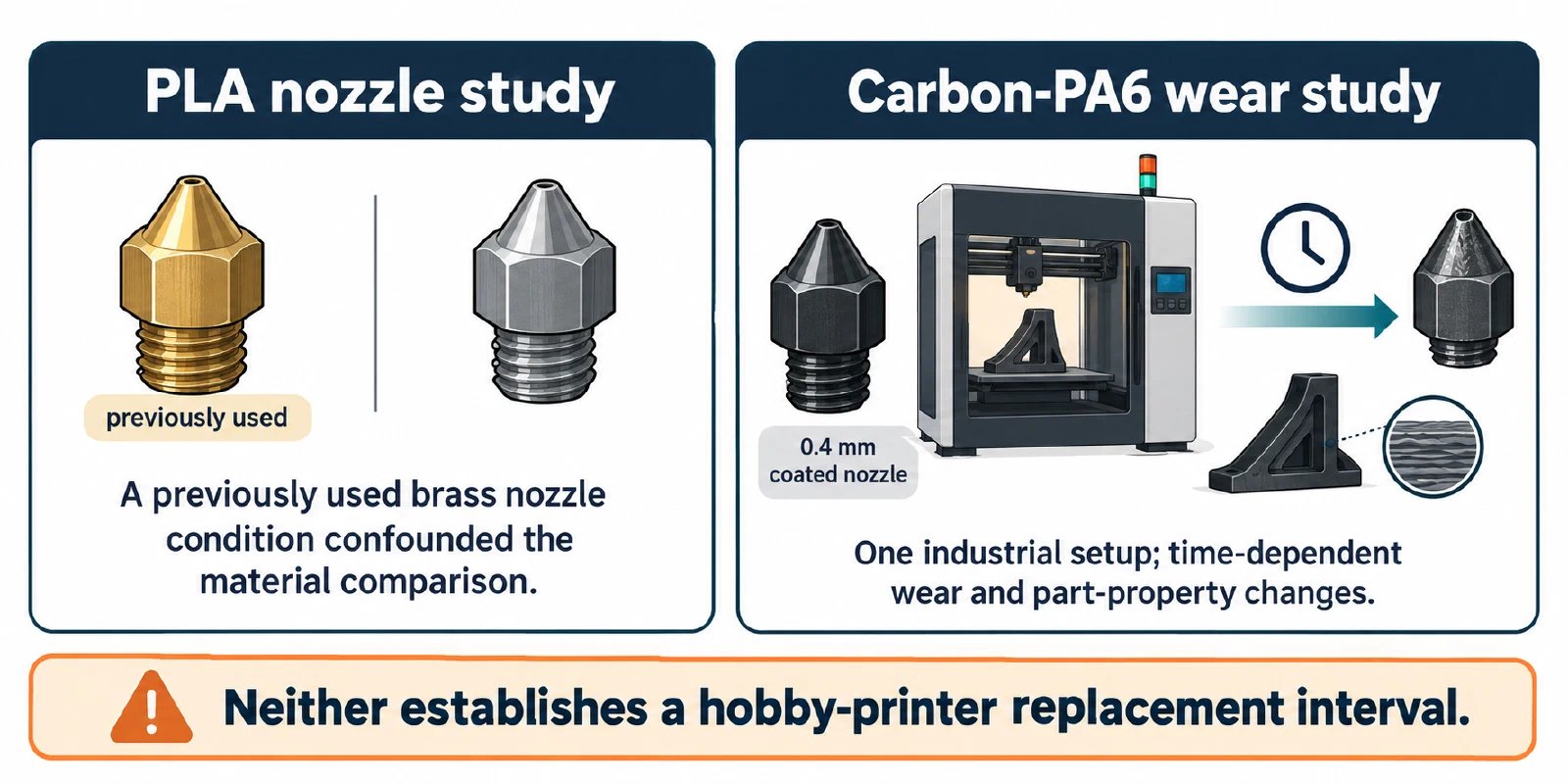
Wear results also depend on the specimen’s history and test setup. One PLA study found that a previously used brass nozzle condition confounded its comparison of nozzle materials. A separate Carbon-PA6 study reported time-dependent wear and part-property changes for one coated 0.4 mm nozzle in an industrial printer setup. Neither study supplies a replacement interval for a hobby printer. Use them as reasons to inspect a nozzle and its printed results, not as a universal life estimate.
- Read the filament data sheet and the printer or nozzle manufacturer’s compatibility statement.
- Install only a mechanically compatible component using the model-specific procedure. Keep hot-part work within the manufacturer’s instructions; a cold pull or cleaning step is not a universal disassembly recipe.
- Start with a clean path and a known plate. The Prusa composite guidance recommends a clean nozzle, a well-formed first layer, and material-specific surface preparation in its stated context.
- Print a small test that exposes first-layer coverage, flow consistency, a measured feature, and the intended surface. Use a conservative, documented profile rather than a universal composite preset.
- Record the material product, nozzle material and diameter, printer variant, plate, slicer/version, dry state, and result. Inspect the nozzle and feed path after the test.
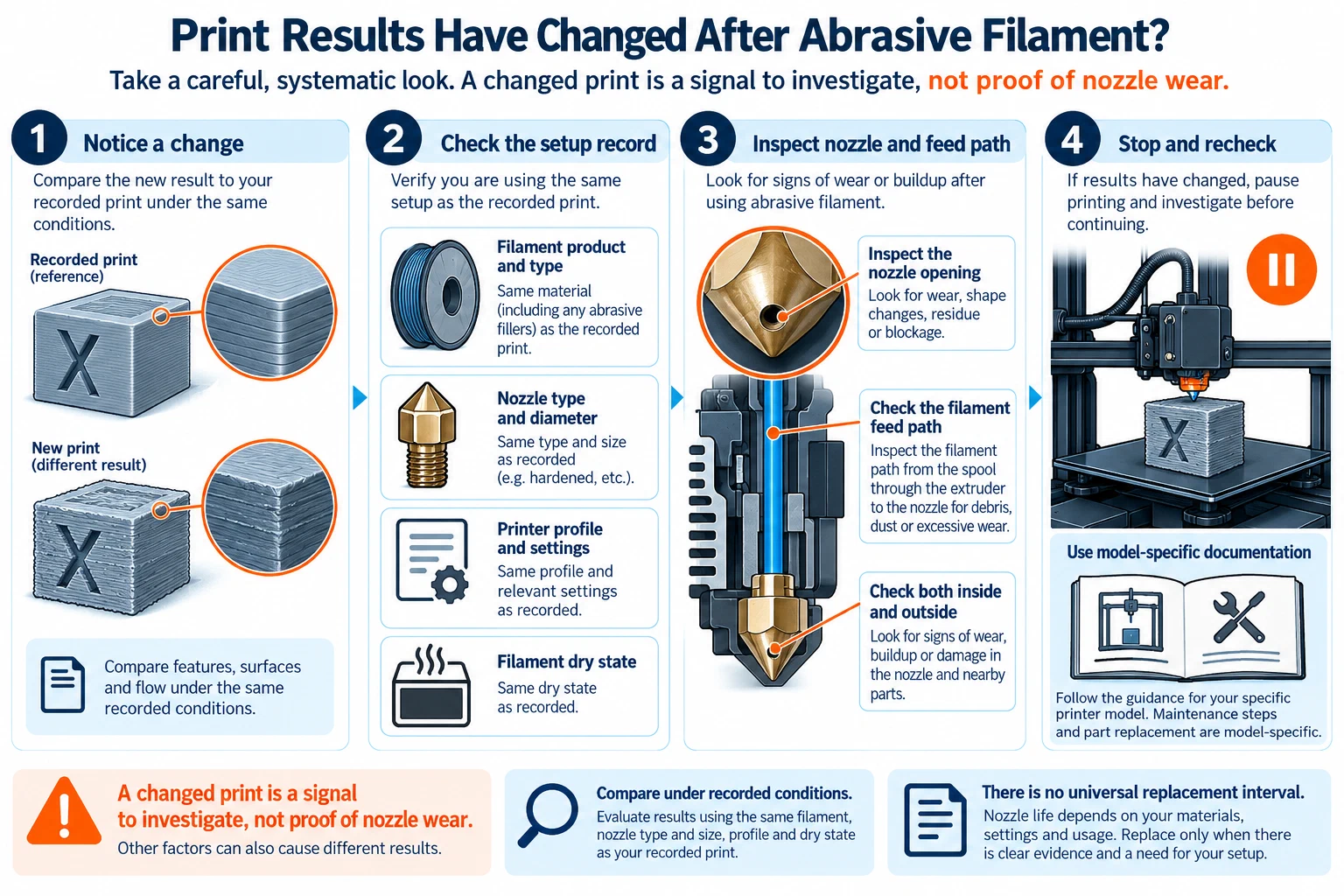
If dimensions, flow, or surface quality drift, stop treating the profile as validated. A hardened nozzle is a wear-control choice, not a compatibility certificate or a promise of a particular nozzle life. For the filler and carrier decision, also read Abrasive composite filament ; for diameter and flow interactions, see Choosing nozzle diameter for detail, speed, and reliability . For adapters, integrated assemblies, and coordinated upgrades, use Checking hotend and extruder compatibility .
Back to top ↑