Use the H2S maintenance guidance for the printer’s exact configuration and filament workload. This schedule is for 3D printing; the manufacturer says laser use calls for more frequent care, but laser tasks are outside this guide. These are recommendations, not wear measurements or a guarantee of reliability.
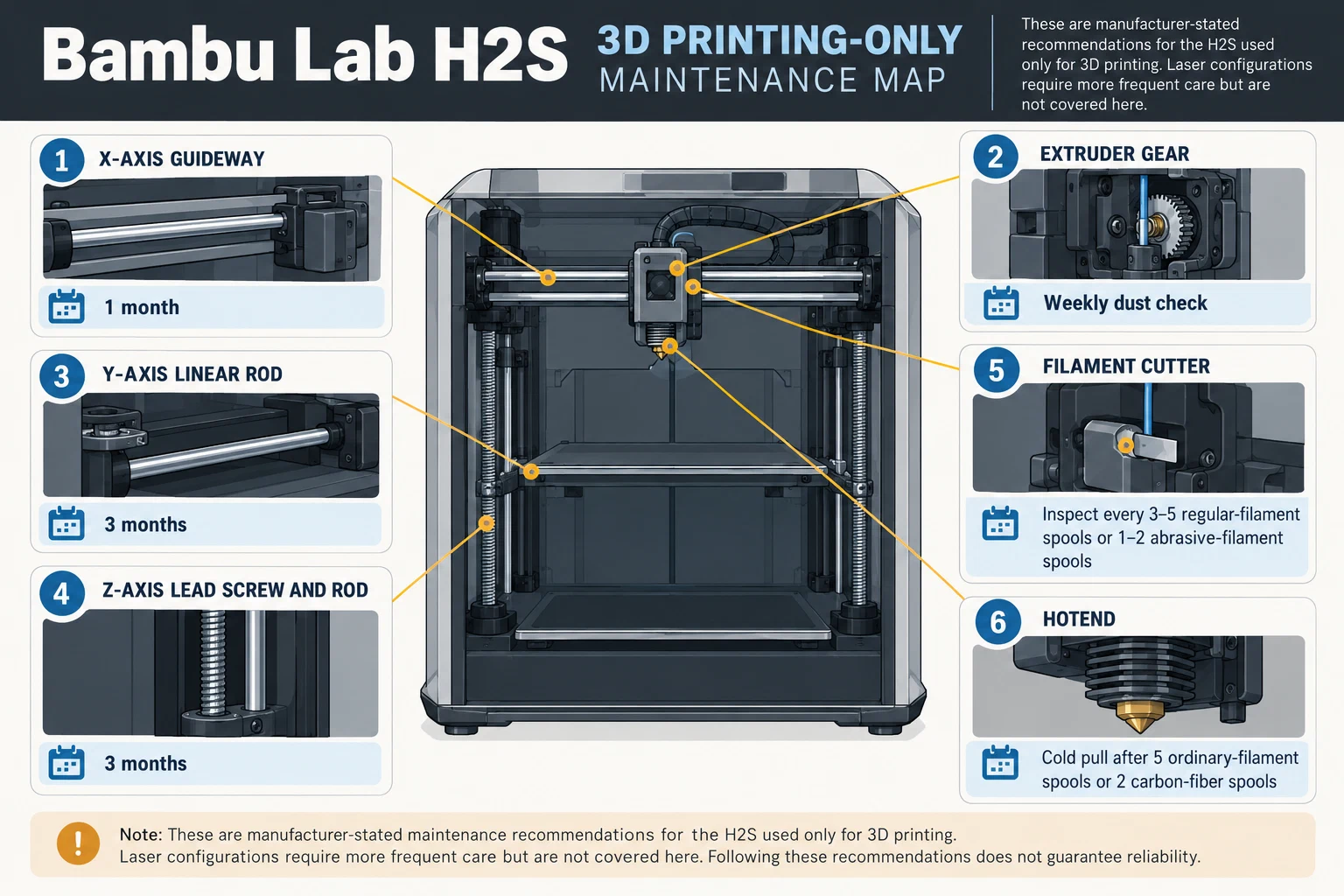
Keep each component’s trigger attached
| Component | Manufacturer-stated trigger for H2S 3D-printing use |
|---|---|
| X-axis linear guideway | Clean and lubricate monthly. |
| Y-axis linear rod | Clean and lubricate every three months. |
| Z-axis lead screw and linear rod | Clean and lubricate every three months; the guide specifies grease here and oil for the other listed axes. |
| Extruder gear | Check and clean dust weekly; replace for wear, although the guide gives no wear threshold. |
| Filament cutter | Inspect every 3–5 regular-filament spools or 1–2 abrasive-filament spools; replace when dull. |
| Hotend | Cold pull after five ordinary-filament spools or two carbon-fiber spools. |
The maintenance guide says to turn off the printer before starting. That does not by itself establish mains disconnection or every task’s safe state. Check current H2S instructions for the installed hardware and procedure; this page is a schedule, not a disassembly guide.
Treat firmware reminders as prompts
The H2S OTA 01.01.00.00 release notes, dated 2025-09-02, describe XY-axis cleaning and lead-screw lubrication reminders based on component usage duration since initial activation. They do not give interval values or say every printer and firmware state will show every reminder. Use a prompt to check the matching task in the current manual; it does not confirm dirt, wear, or completed maintenance.
Keep a useful maintenance record
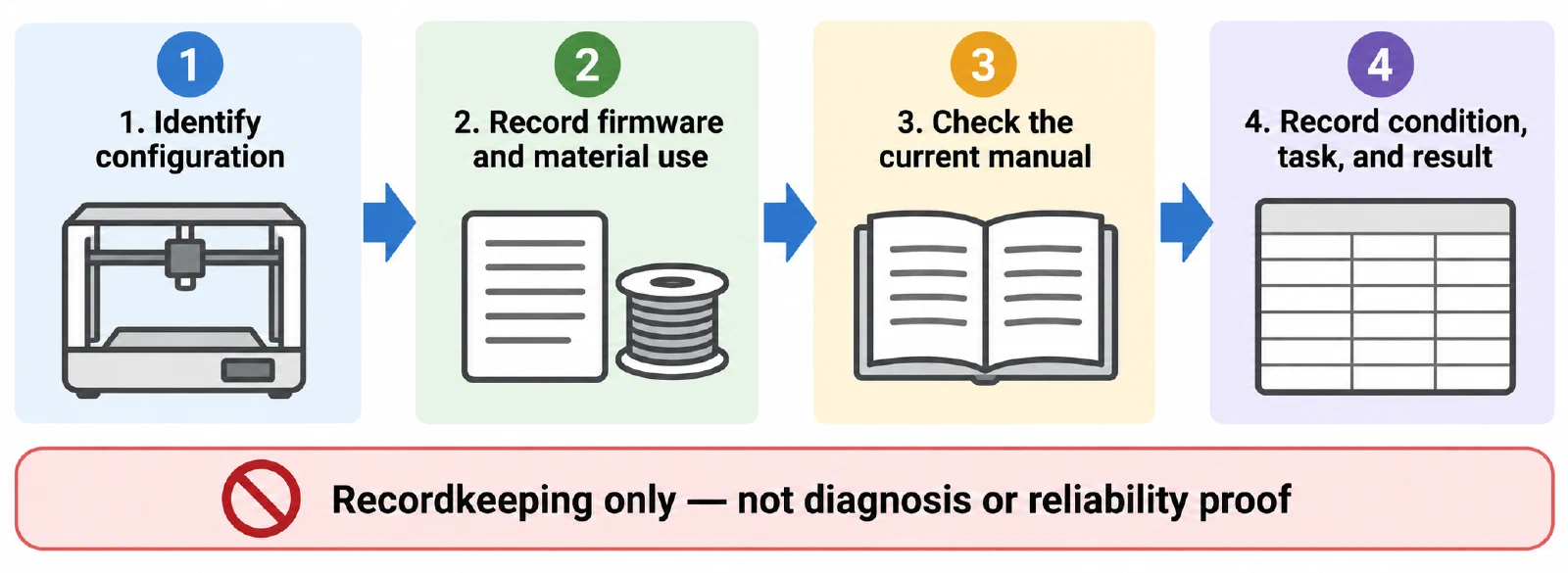
Record the printer configuration, firmware, material and spool use, component, source trigger, date, observed condition, action, and result. Keep the oil-versus-grease distinction attached to its named axis. If the task, tool, or safe state does not match the installed printer, stop and resolve the model or revision before acting. For a model-specific nozzle obstruction, see H2S unclogging routes ; for other feed-path symptoms, see clean the nozzle and extruder path . After replacement or repair, use repair verification . For an ongoing care record, see the model-specific maintenance baseline .
Back to top ↑