A queue makes work easier to order; it does not make different printers interchangeable. A repeatable job is a job whose target, material, profile, hardware, software, maintenance state, and verification result are known well enough to compare. Keep those facts with the queue entry instead of treating a file name or a green status indicator as the whole record.
Define the target before adding a job
Use a named printer group for navigation, not as a substitute for selecting one exact machine. For each target, capture:
- brand, exact model and variant, firmware, host or service, and stable device name or address;
- nozzle diameter, nozzle material and wear state, plate surface/profile, filament product and dry state, and relevant maintenance status;
- slicer release, printer/material/process profile names and versions, model revision, output file, and intended outcome;
- operator, priority, queue position, planned start, and the first person responsible for checking the print; and
- the connection path, permission context, notification route, and local stop method.
An interface may show several printers together without defining a shared queue or proving that their profiles mean the same thing. Fluidd documents connecting one host to multiple Moonraker instances and checking each instance’s endpoint. Mainsail lists multi-printer management, monitoring, history, and usage statistics. Those are useful management surfaces, not evidence of target identity, common scheduling semantics, or equal physical output.

Record queue state, not just queue order
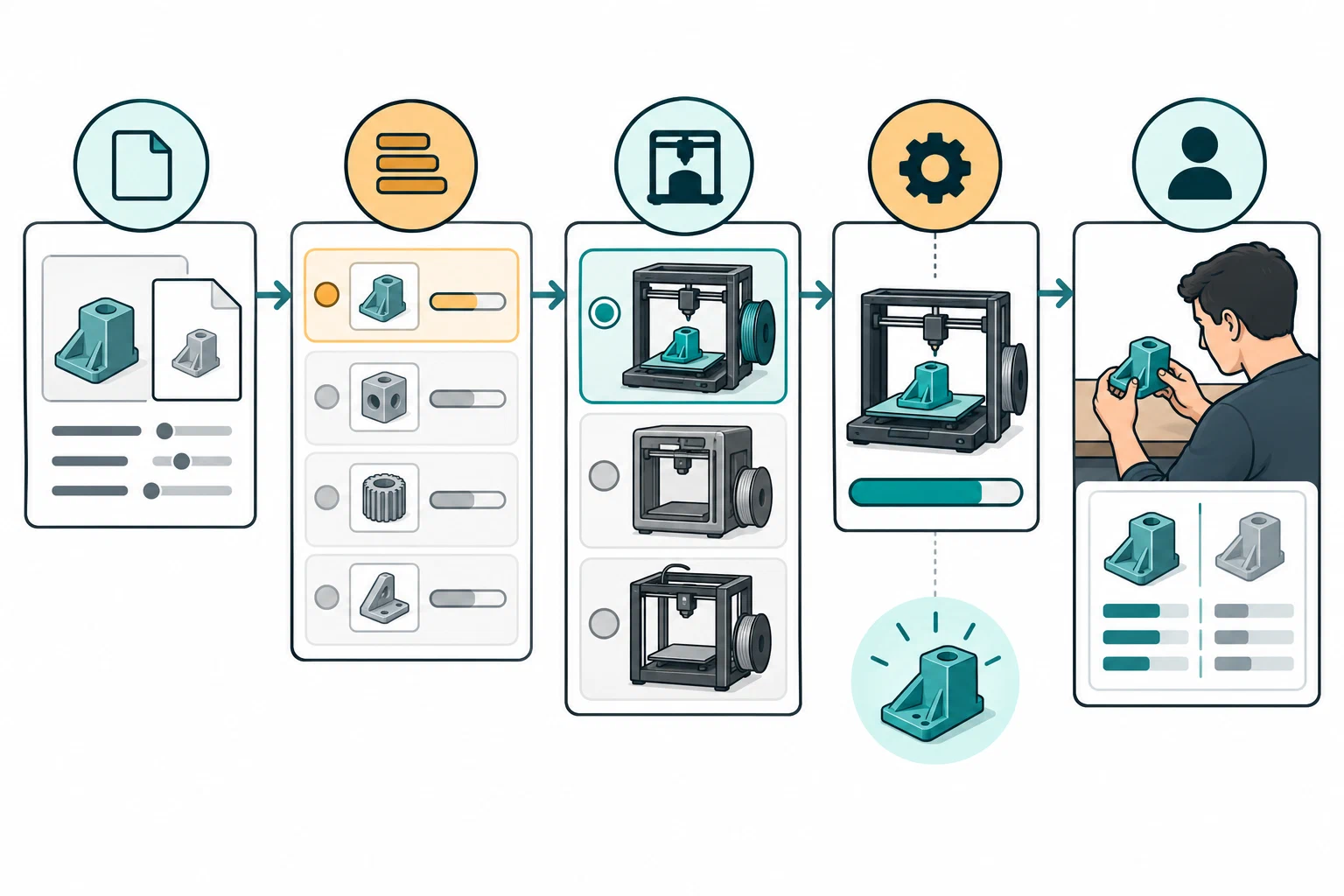
Platform behavior must be labeled. Moonraker documents a FIFO queue with job IDs,
file names, insertion times, time in queue, and states such as ready,
loading, starting, and paused. It also requires queued files to exist in
the configured G-code root. Another platform may use different states, order,
preconditions, or persistence.
Interpret “paused” at the level the interface exposes. In Moonraker, pausing the queue prevents the next queued job from loading after the current job finishes; it does not pause a print already in progress. Use the printer’s separate current-job pause action when that is the intended operation, then confirm both states.
Repetier-Server 1.4 documents queueing without starting, reordering, and manual
start. Its @autostartNextJob command starts the next queued job when the current
one completes and is intended for printers that clear the bed automatically;
without that capability the next job may start on an occupied bed. Its
@startNextPrintInQueue command can act like Continue when a job is paused, so
check the current state before using it. Queue state does not establish bed
clearance.
AstroPrint describes a Group Queue where users may submit files while administrators review or decline requests, assign a printer, add notes, and reorder work. Its queue page presents the feature as a Premium plan offering; confirm current account access before relying on it. The service also advertises Print Later for an unassigned job and staging files for an offline printer, but the cited pages do not establish when a target is chosen after reconnection, whether dispatch starts automatically, or how fresh a “ready” indicator is.
RaiseCloud’s Team Files guide distinguishes Manual assignment to a selected printer from Automatic assignment to any free printer in a chosen group. It also warns that selecting multiple printers or groups creates multiple jobs. The guide does not describe a compatibility-matching check, so record each generated job and verify each target’s actual setup before dispatch. Its Ready label is a software transition, not evidence that the bed, material, or workspace has been physically checked.

For each transition, record the request and the observed response:
| Record field | What to capture |
|---|---|
| Queue entry | Unique job ID, file name/path, source project, target printer, queue position, and time added |
| Preconditions | File present and unchanged, printer readiness, selected profile, material/plate state, and permission check |
| Transition | Requested action, previous state, service/host version, response or conflict, and resulting state |
| Operator checkpoint | Preview or first-layer confirmation, person, time, and physical observation |
| Outcome | Completed, cancelled, interrupted, error, shutdown/disconnect, or unresolved; include the object result separately |
| Follow-up | Retry, rollback, maintenance action, profile change, escalation, or reason the job remains stopped |
Do not turn a queue state into a physical assertion. “Starting” describes a software transition. “Completed” may describe a controller’s job state while a part is still uninspected. A missing file, stale state, or conflict response is an actionable record, not a reason to issue the same command repeatedly.
Keep a work order separate from the job it creates. RaiseCloud documents an operator handoff with a next operator, comment, and modification history; its Workbench marks a job Complete after the user presses Done on the printer screen. That UI state is not a physical inspection or quality result. Preserve order ID, generated job ID, target, actor, and local outcome as distinct records.
Preserve the context needed for comparison
OctoPrint printer profiles can contain model identity, build volume, heated-bed and chamber flags, axes, and extruder details. Moonraker history can retain a job ID, file-existence state, status, start/end times, durations, filament usage, and auxiliary data. Use those fields when available, but keep their scope: a profile describes configuration context and a history entry describes software records. Neither independently attests that the connected printer matches the profile or that the printed object is acceptable.
When a sensor is added to history, keep its provider, field name, units, sampling/aggregation strategy, and pause treatment. A bounded or volatile telemetry store can lose history at restart or outside its retention window. Preserve the service, host, firmware, slicer, and profile release beside the record so a later comparison does not confuse a changed software stack with printer drift.
Reconcile planned material with the spool at the printer
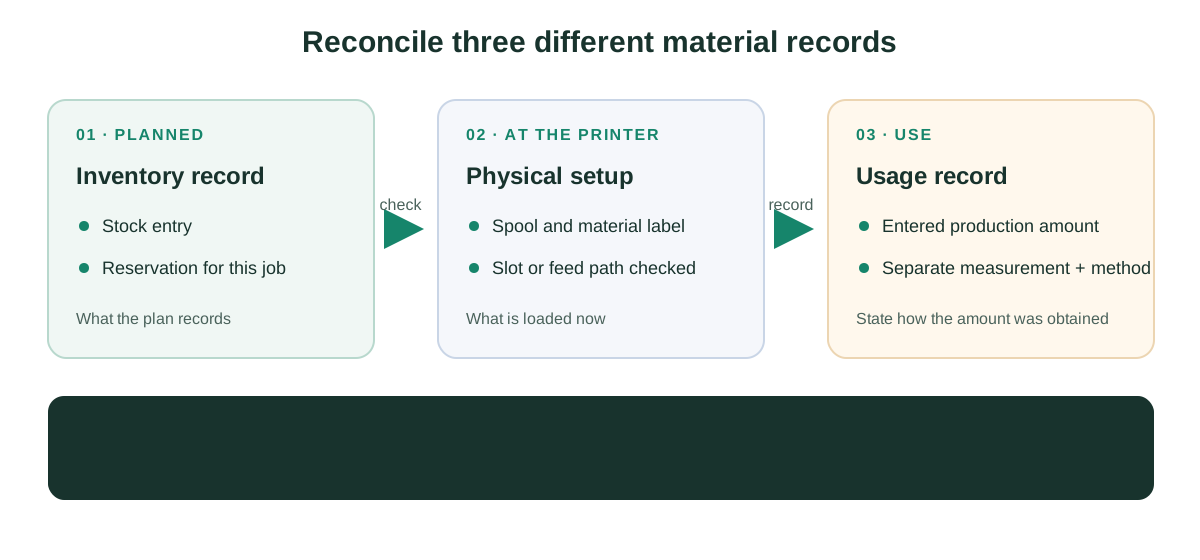
Treat a stock entry or reservation as an inventory record, not proof of which spool is loaded. Record the planned reservation separately from the physical spool, material label, and slot checked at loading. If a service records material use, identify whether that amount was entered by a person or obtained by a separate measurement. For example, 3D Print Farm’s materials and maintenance page describes reservations and recorded production use, but says the feature does not weigh spools or read a live scale.
Run a first-job confirmation
For a new printer, changed profile, new material, changed nozzle or plate, host update, or uncertain maintenance state:
- Keep the job out of the repeatable queue until the source and target record agrees with the physical setup.
- Preview the output and confirm the selected printer, plate, material, profile, and file identity.
- Observe the startup and first layer locally. Check clearance, adhesion, extrusion, movement, and the workspace before allowing the queue to proceed.
- Record the outcome, including failure or partial success, not just whether the software reported completion.
- Mark the exact profile and context as verified, provisional, superseded, or requiring another test.
The same profile on two machines is not the same test. Differences in frame, extrusion path, nozzle wear, plate condition, firmware, calibration, ambient conditions, or maintenance can change the result. Repeatability means that the comparison states those differences and does not hide them behind a shared profile name.
Compare outcomes and manage drift
Compare runs with the same model revision, material product and dry state, nozzle, plate, process profile, firmware context, and intended outcome whenever possible. If one factor changes, label the result as a new test. Track:
- first-layer and adhesion result;
- dimensional, surface, strength, or failure observations relevant to the goal;
- start/end and pause time, operator, and maintenance state;
- deviations, retries, errors, and local inspection findings; and
- the profile or host version that was active when the result was produced.

When a result drifts, stop treating the old record as a current baseline. Check the physical printer and consumables, compare the profile and firmware, inspect maintenance history, and run a bounded verification print. Supersede a profile with a reason and an effective context rather than silently overwriting it.
For an OctoPrint host, an instance backup can preserve settings, data, and plugins, but the documentation places limits on platforms, exclusions, and plugin-version restoration. Keep backup identity and restore verification separate from physical printer recovery. For the handoff fields that establish the target and file lineage, see local, cloud, and physical job handoff . For signals and alert blind spots, see remote monitoring, telemetry, and notifications .
Back to top ↑