Remote control can change a printer’s software state without showing what is happening around the object. Treat a failed or unreachable job as a state reconciliation problem first. Do not issue a resume or retry merely because a dashboard reconnects or a command endpoint accepts a request.
Classify the failure before acting
Capture the last known printer, firmware, host/service, slicer/profile, material, nozzle, plate, file, and operator state. Then classify the incident in four dimensions:
| Dimension | Questions |
|---|---|
| Physical symptom | Is there a detached object, collision, jam, layer shift, stringing, smoke, unusual heat, damaged cable, or unknown obstruction? |
| Printer state | Is the printer idle, printing, paused, cancelled, faulted, disconnected, or reporting a state that is not current? |
| Service/network state | Is the printer reachable locally, through a cloud service, through a host, or not reachable at all? When was the last good update? |
| Job identity | Which file, project revision, target printer, profile, material, nozzle, plate, and maintenance state were actually selected? |

If a physical symptom is possible, or any of these dimensions is unknown, keep the job stopped and arrange local inspection. A network or service outage can hide a printer fault; a recovered connection does not erase that uncertainty.
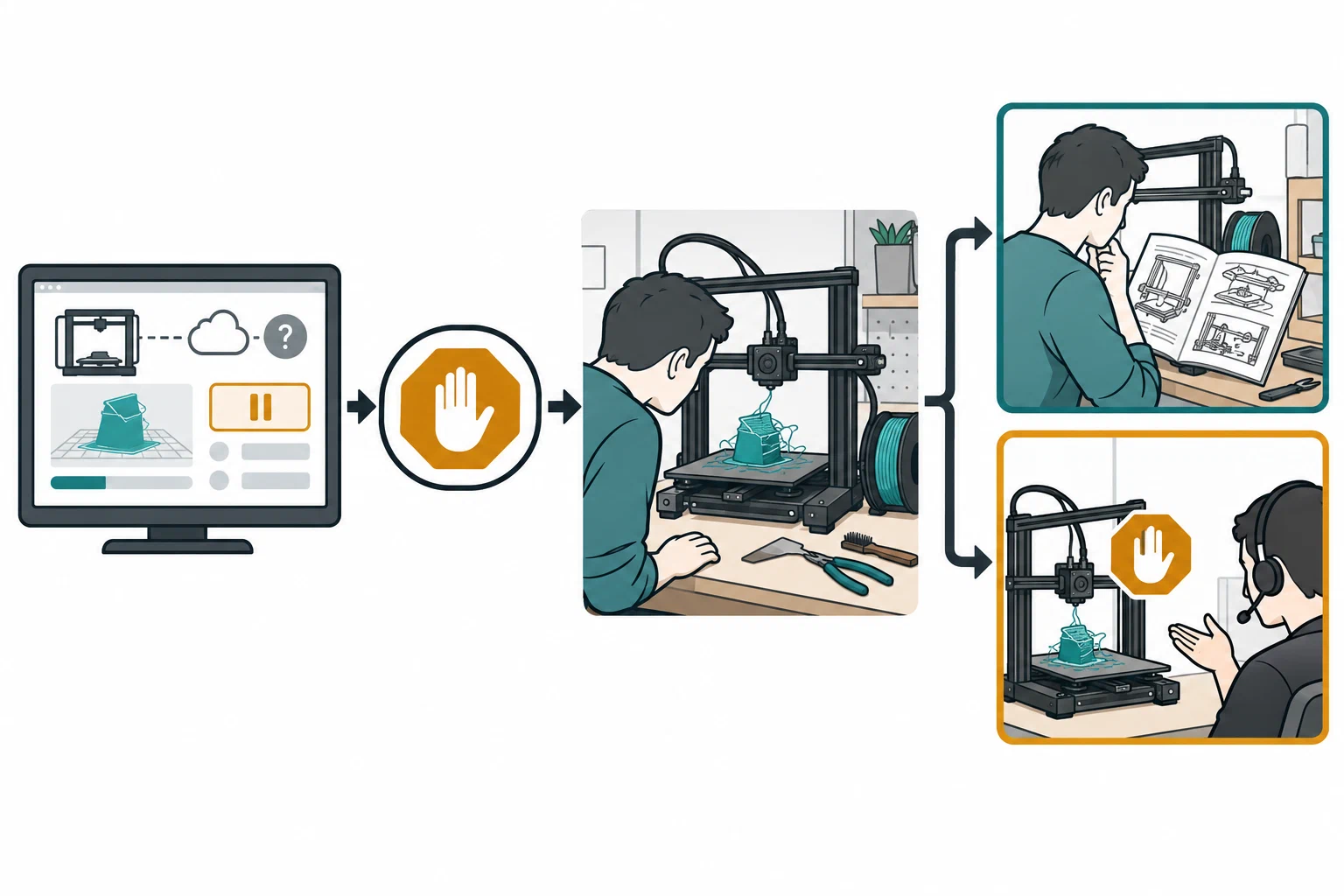
Use a safe-stop decision path
Stop and escalate immediately
Keep the printer stopped for smoke, flame, uncontrolled heating, damaged wiring, abnormal electrical heat or smell, a failed fan or exhaust path, a detached object that can obstruct motion, a jam building material against a hot part, or a printer warning that the current manual identifies as a fault. Follow the local emergency and evacuation plan when people may be at risk. Do not ask a remote command to resolve a condition that requires physical isolation, inspection, or emergency response.
Repetier-Server 1.4 documents its emergency-stop button as an M112 command
that may wait for the printer’s command buffer to empty and take a few seconds.
It also says firmware can define different M112 behavior. Treat the button
as a software request, not proof of immediate motion cessation or hazard
isolation; use the established local emergency response for an urgent physical
risk.
Inspect before a normal recovery
For a pause, filament event, power loss, network loss, cloud outage, or failed first layer, have a person who can safely reach the printer check the object, bed, nozzle, filament path, axes, covers, cords, ventilation, surrounding area, and current temperature. Confirm that no material, tool, or obstruction changed the conditions under which the job was sliced.
If the person cannot inspect safely, leave the job stopped and escalate locally. Remote access is not a substitute for a safe workspace or a person able to respond. NIOSH describes remote or autonomous operation as capable of reducing some exposure while increasing user-error and workplace hazards; it does not certify any remote-control setup as safe to leave unattended.
Verify whether resuming is appropriate
Resume only when the exact printer procedure supports it, the physical state is known, the job and profile are still identified, and the person responsible can observe the result. Recheck plate adhesion, nozzle clearance, material feed, temperature, and the first movement after resuming. If the object shifted, the layer detached, the material or plate changed, or the position is uncertain, cancel or restart only according to the printer’s current instructions; do not try to preserve a damaged job by guessing.

Treat commands as platform-specific software actions
The command name is not a safety guarantee. OctoPrint documents start, cancel,
restart, and pause actions with permission requirements and state conflicts. A
successful response is a software event; a 409 conflict means the requested
precondition was not met. It does not prove that the connected printer carried
out the intended physical action.
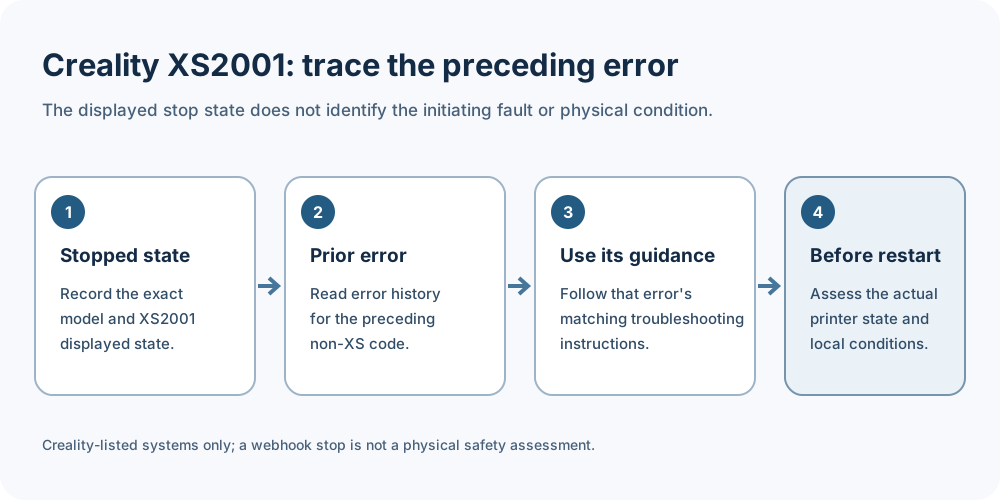
Creality’s XS2001 page lists the K1, V3, and K2 series, Nebula screen, and Creality Hi among its applicable systems. It describes a stopped firmware state after a webhook stop request and directs the operator to find the preceding non-XS error in the error-code history and follow that code’s troubleshooting guidance before restarting. The page also notes that a monitoring tool or plug-in may issue an incorrect stop request. Treat XS2001 as a reported stop path, not a diagnosis of the initiating fault or proof that the printer is physically safe to restart; inspect the current machine and follow its exact model guidance.
Klipper documents PAUSE, RESUME, CLEAR_PAUSE, and CANCEL_PRINT when the
pause_resume configuration is enabled. RESUME restores the captured position,
but the macro configuration, firmware, material, obstruction, and physical
condition still determine whether continuing is appropriate. OctoPrint also
documents that pause/resume context depends on logging settings, extruder data
may be incomplete, and tracked tool or feed data can be wrong for SD printing.
Those limits are reasons to validate the exact installation, not to generalize a
script into a recovery policy.
Some manufacturers offer narrower recovery features. Prusa’s Cancel Object, for example, has named printer, firmware, and slicer prerequisites and applies to a selected object in a multi-object print. A feature available on one supported combination is not a universal remote-recovery route for another printer.
Snapmaker’s U1 severity table maps a Warning to a paused print requiring user action and an Error to a stopped print with a manufacturer-classified high device-safety risk. Snapmaker also warns that a displayed code may not identify the actual fault. Use these labels only for the U1 and confirm the physical condition locally.
Keep each procedure inside its documented model and configuration boundary. Prusa says that on the models listed in its slow-transfer guide, streaming can start a print before the full G-code file has reached USB. For the named transfer warning, follow the guide’s connection or media checks before using Continue, then inspect the running job locally; the command does not establish that the interrupted transfer was harmless.
Duet3D documents power-failure save and resume behavior for configured
RepRapFirmware jobs printing from SD. Its guide lists M911 support from RRF
1.19 in standalone mode or DSF 3.4-b2 in SBC mode; the three-threshold form is
documented from RRF 1.20 / DSF 3.4. M916 recovery is documented from RRF 1.20
and requires saved resume state plus a /sys/resurrect-prologue.g macro on the
SD card. Check the board, deployment mode, firmware/DSF version, power setup, and
macro against the current machine documentation. A saved state does not
establish that the object stayed adhered or that resuming is safe.
For the QIDI X-Plus4, the vendor says the default pause-time limit is 24 hours;
after that, the printer may not resume. Its guide identifies a configurable
TIMEOUT value in gcode_macro.cfg, but changing a timeout does not establish that
an object remained adhered or that the print is suitable to continue. QIDI’s Q2
power-loss guide describes a separate 72-hour default and a recovery sequence
that rehomes X/Y but not Z, reheats, primes, and resumes stored G-code progress.
It says a recovery outside that limit cannot resume. The same guide warns that
cooling, detachment, warping, or ooze may affect the result. These are
model-specific descriptions, not a universal recovery procedure or an
instruction to confirm a recovery prompt without inspection.
Creality’s K2 Plus runout guide separates CFS and spool-holder paths. It describes loading replacement filament and selecting RETRY, after which the printer heats, purges or scours the path, and resumes. Confirm which path and slot the machine reports, follow its current on-screen instructions, and have a person verify feed and the first movement. The prompt does not prove that the extruder is clear or that the resumed object remains usable.

Preserve privacy and access context
Record the access path without turning this article into a general cybersecurity guide:
- service or host name, local/cloud mode, printer and firmware, and last-known connection time;
- account, team, user, application, or API-key identity and the permission needed for the requested action;
- camera source, who can view it, notification recipients, retention or history settings, and whether the message contains a model, room, or household detail;
- the time an access token, key, plugin, webhook, or device binding was added, changed, revoked, or restarted; and
- the local person responsible for physical response and the safe stop method.
OctoPrint distinguishes credential scopes and effective permissions. Moonraker documents installation-specific API-key generation and a restart boundary for a new key. Repetier-Server 1.4 says outside-LAN access requires a route to the server, warns that unencrypted HTTP traffic may be intercepted, and documents HTTPS certificate setup and VPN access as options. These are product-specific boundaries, not a universal network architecture. Use the current documentation for the exact service, keep access minimal for the task, and remove old access when ownership or responsibility changes.

Keep a recovery record
| Field | Record |
|---|---|
| Incident | Time, operator, printer/variant, firmware, host/service, connection mode, and last good signal |
| Job | Project/file identity, slicer/profile release, material/dry state, nozzle, plate, and maintenance context |
| Observed state | Physical symptom, printer state, service/network state, camera or telemetry evidence, and unknowns |
| Command history | Requested command, actor/permission, response or conflict, resulting software state, and time |
| Local check | Person, physical inspection, first movement or first-layer result, and any stop condition |
| Decision | Resume, cancel, restart, retry, isolate, escalate, or leave stopped; include the reason |
| Follow-up | Profile correction, maintenance task, access change, notification test, source file retention, and verification print |
The record should distinguish “command accepted,” “job state changed,” “person observed the printer,” and “object passed the intended check.” Keeping those as separate states prevents a notification, camera frame, or API response from being mistaken for a completed or safe print.
If a K2 Plus incident needs manufacturer support, Creality documents cloud feedback with log upload and a separate USB export path. Its guide says USB export can take up to ten minutes depending on drive speed and log size; it does not specify log contents or retention. Keep the incident timeline and observed state in the recovery record rather than assuming the export contains them.
Decide when remote recovery is not appropriate
Do not resume remotely when the first layer or object is not visible, the job identity is uncertain, the printer has an unresolved fault, a material or plate was changed, position data is unreliable, the network/service state is stale, or no person can respond. Do not expose a printer or camera solely to avoid a local inspection. For staged supervision and workspace boundaries, see unattended printing boundaries . For transfer identity, see local, cloud, and physical job handoff ; for signals and alert gaps, see remote monitoring, telemetry, and notifications .
Back to top ↑