Remote monitoring is an observation layer, not a substitute for a person who can inspect the printer. A status value can describe a software state while the object has detached, a camera has stopped updating, or a hazard is outside the view. Design every signal with the action it supports, the data it lacks, and the person who can verify the physical condition.
Map each signal to an action and a blind spot
| Signal | Useful action | What it cannot establish by itself |
|---|---|---|
| Job or printer status | Decide whether to wait, inspect, pause, or reconcile the current state before sending a command | That the reported state is fresh, exhaustive, or physically correct |
| Temperature, fan, or other telemetry | Detect a trend, compare it with the expected process, or trigger a bounded escalation | Sensor calibration, coverage of every failure, or a safe workspace |
| Camera or timelapse | Inspect the visible object, first layer, movement, or a selected event | Smoke, hot connectors, blocked exhaust, an out-of-frame failure, privacy impact, or a stale stream |
| Printer event or push message | Record the event name, payload, server/plugin version, and receipt time | Delivery of every message, replay after disconnection, or physical completion |
| Completion or notification | Tell an operator to review a job or begin the next planned check | That the object is acceptable, the workspace is safe, or the notification reached its recipient |
| Human local inspection | Confirm the object, bed, nozzle, material path, workspace, and stop condition | A replacement for recording the software state and job identity |
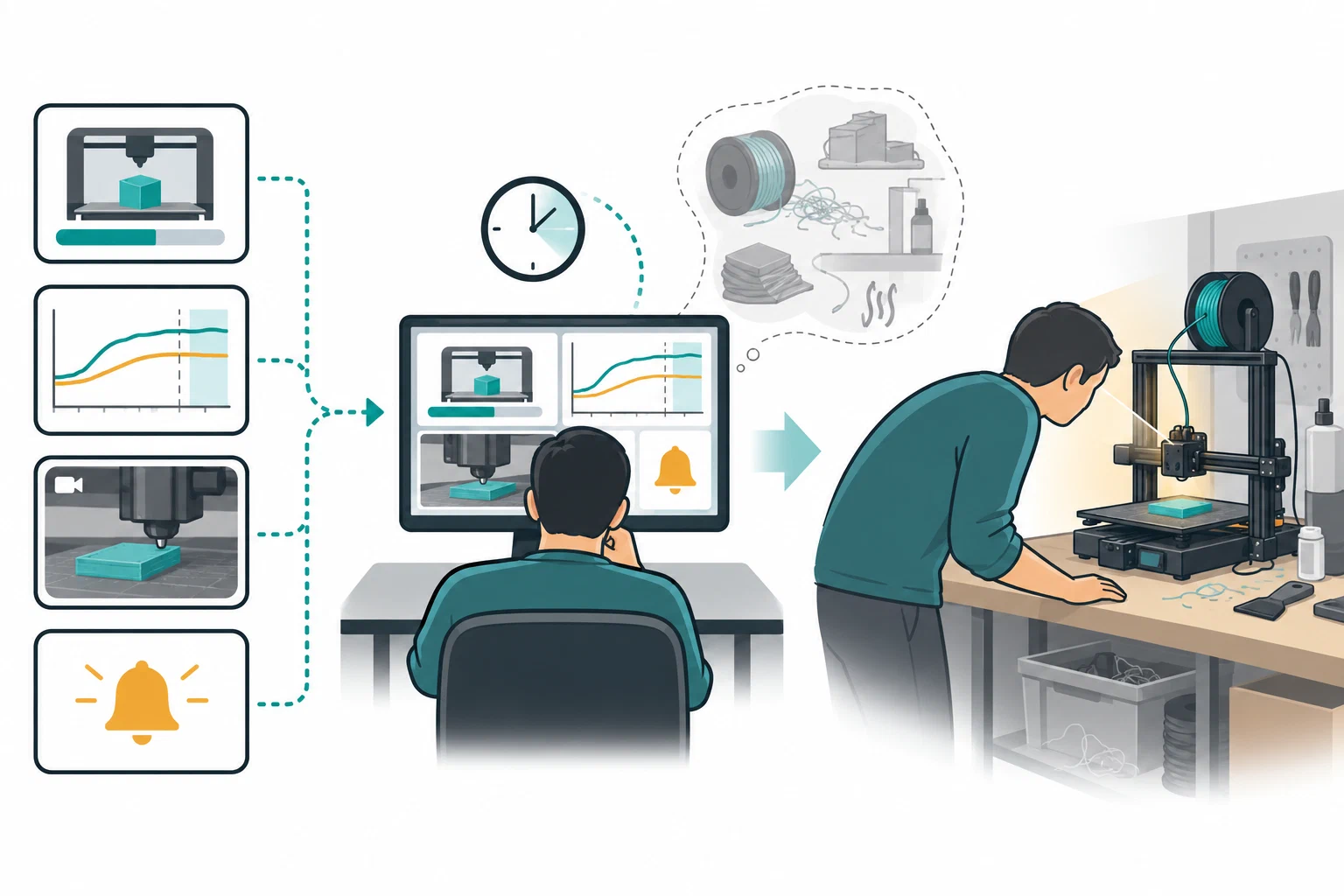
The exact surface depends on the platform. Prusa documents current and historical jobs, telemetry, and important printer/job notifications in its mobile app. OctoPrint documents event categories and selective push message families. Fluidd documents features such as real-time charts, cameras, diagnostics, and print history. Moonraker can add configured sensor values to job history. These examples show different kinds of observability; they do not establish equivalent coverage, freshness, or delivery across platforms.
Establish what “current” means
Before relying on a signal, record the printer model, firmware, host or cloud service, application version, enabled plugins or integrations, connection path, camera source, and the time of the last successful update. Test the signal on a known event rather than assuming that a label means the same thing everywhere.

For OctoPrint, an event record should preserve the event name and payload, the server/plugin context, and the time received. Its push API supports selected message types, but clients must tolerate unknown messages. A disconnected client may therefore have a gap that looks like a quiet printer. Reconcile the current server state before issuing a command instead of treating the last message as a complete history.
For Moonraker, distinguish volatile dashboard history from a durable job record. The documentation describes a bounded in-memory data store; its default temperature history is limited and can differ with configuration. A value shown on a chart can disappear at restart or fall outside the retained window. If a sensor is added to job history, preserve its provider, field, units, sampling or aggregation strategy, and whether paused periods are excluded. A recorded value is still a software-derived field, not automatically a calibrated measurement.
Camera timing and storage also need a defined boundary. Prusa’s Buddy3D documentation describes configurable snapshots at 10–90 second intervals and a local RTSP stream limited to the same Wi-Fi network; that RTSP stream is unencrypted. Treat the interval as the configured capture cadence, not a guarantee of how recently the image on screen was captured. Check the last successful update separately, and review the documented Connect permissions for viewing snapshots versus controlling or unpairing the camera.
Creality Cloud describes time-lapse setup for a printer connected to the app or an integrated camera, with completed videos available under Account → Storage → Time-lapse for local save, rename, delete, or sharing. The FAQ does not state a capture interval, retention period, or access policy. Treat that video as retrospective material to review after a job, not as live monitoring, an alert, or evidence that the print was acceptable.
QIDI Maker illustrates why the displayed item needs context: its device page shows the current print while one is active, but the last printed item while idle. For a job started at the printer, the app guide lists Pause and Stop as the available controls. It gives no image timestamp or notification-delivery guarantee, so reconcile the live printer state before acting on the app view.
QIDI’s Q2 spaghetti-detection guide limits the feature to light-colored filament on a gold PEI plate with the chamber LED on, and warns that false positives and missed detections occur. Treat detection as an imperfect signal that needs local verification, not as a safety control. The Q2 timelapse guide also separates setup by job path: QIDI Studio direct send, another slicer, or USB preview use different enablement steps, with recordings available in Fluidd. It does not state capture cadence or retention, so a video is not proof of live status or a complete job record.

Build notification rules that someone can use
Avoid a single “send an alert” rule. Define the event, owner, response time, fallback, and verification for each important transition.
| Event or condition | First response | Escalate or stop when | Verification |
|---|---|---|---|
| Upload or queue accepted | Check target printer, file identity, profile, and selected material/plate | Target or file is ambiguous, missing, or unexpectedly changed | Compare the handoff record with the printer/service state |
| Job starts or reaches the first layer | Have the responsible person inspect the physical first layer | No person can inspect a new or changed setup | Confirm adhesion, clearance, extrusion, and workspace condition |
| Pause, error, filament event, or connectivity loss | Keep the job stopped while identifying whether the event is software or physical | A jam, collision, detached object, heating fault, smoke, or unknown state is possible | Inspect locally and follow the model-specific procedure |
| Completion notification | Review the object and workspace before release or the next job | The notification is late, missing, or the object is not visible/acceptable | Compare the completed job with the intended file and outcome criteria |
| Camera or telemetry goes stale | Treat monitoring as unavailable and use the response plan | No local responder can check the printer | Record last-good time and restore the signal before relying on it |
Test the notification route with a deliberate, low-risk event. Record the configured channel, recipient or team, event selection, test time, and observed message. A successful test proves setup at that moment; it does not prove ongoing delivery, complete event coverage, or physical state. Keep credentials, camera access, and retention decisions within the service’s documented access model rather than exposing a dashboard merely to make it reachable.

Use a signal-to-action record
For each production or unattended candidate, keep a short record containing:
- Printer, exact variant, firmware, host/service, and connection mode.
- Job file or project identity, slicer/profile release, material, nozzle, and plate.
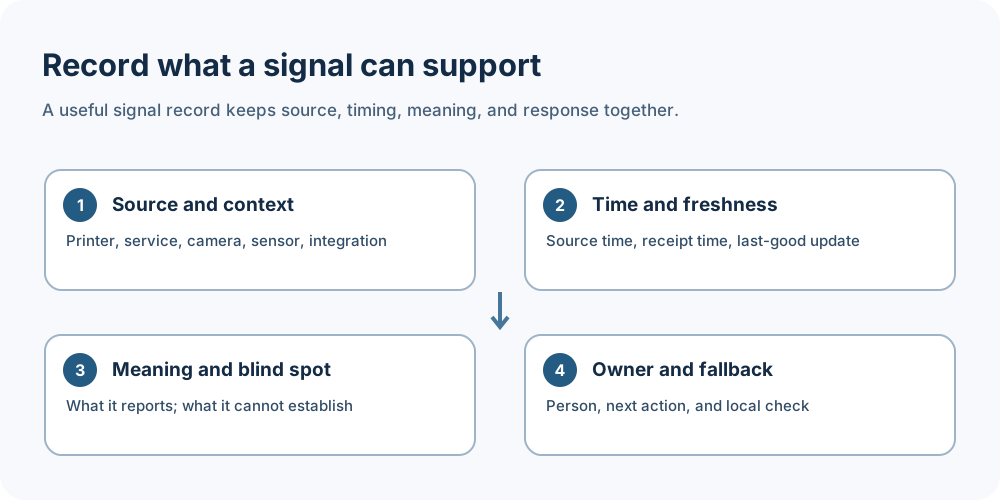
- Signal name, source, expected update interval or freshness test, and the state it actually represents.
- Notification channel, recipient, test result, and fallback person.
- Known blind spots, retention window, plugin/integration dependencies, and the local inspection required before a command or release.
- Event time, operator action, observed physical result, and unresolved state.
This record makes a missing signal visible instead of turning silence into a successful result. It also helps distinguish a service outage from a printer fault, while preserving the limits of the evidence.
Keep safety and privacy separate from observability
NIOSH notes that remote or autonomous operation may reduce exposure to some hazards while increasing user-error and workplace hazards. Ventilation, enclosure, access, housekeeping, emergency response, and local requirements remain separate controls. A camera, heartbeat, temperature chart, completion event, or remote stop is not a safety certification.
For safe stop and recovery decisions, use remote recovery, privacy, and safe stop boundaries . For the job identity and transfer checkpoints that make a signal interpretable, use local, cloud, and physical job handoff . For durable outcomes and printer-group records, use queues, printer groups, and repeatability records .
Back to top ↑