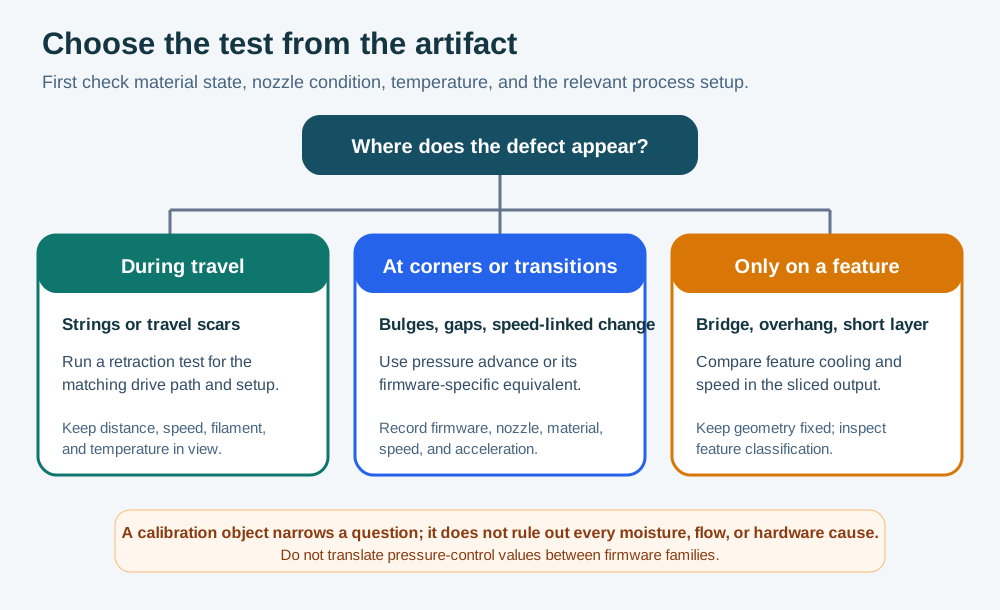
Retraction and pressure advance address different parts of extrusion behavior. Retraction changes how much filament is pulled back during travel; pressure advance, linear advance, or a firmware equivalent changes extrusion timing as the toolhead accelerates, decelerates, and changes direction. A stringy travel test is not a pressure-advance test, and a sharp-corner test cannot prove that moisture or a contaminated nozzle has been fixed. Select the test from the observed artifact and preserve the printer’s drive path and firmware context.
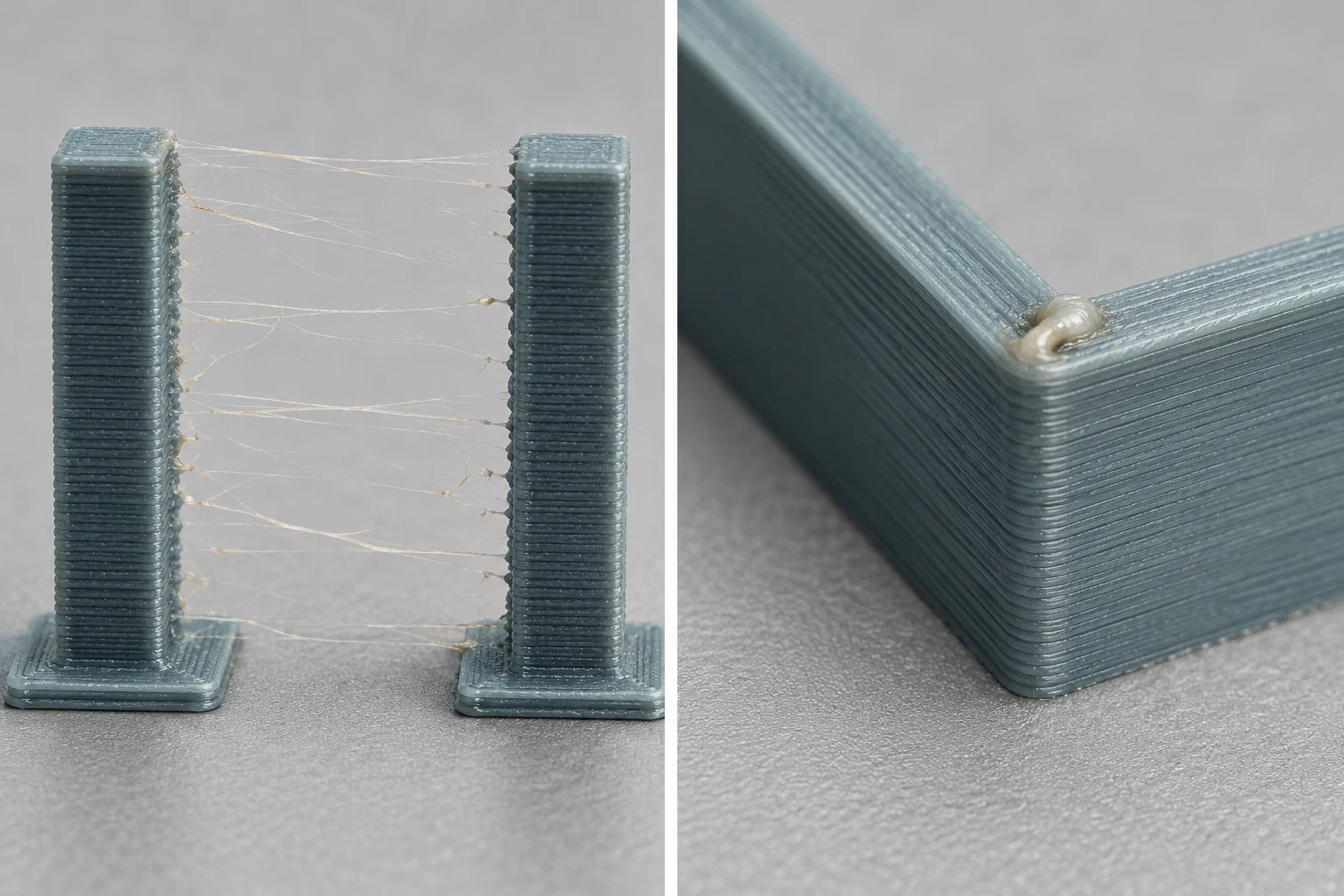
Illustrative samples; no printer-specific retraction or pressure-advance result is shown.
Identify the question and prerequisites
For stringing or small travel scars, first record whether the printer is direct drive or Bowden, the measured or configured path length, retraction speed, travel speed, nozzle, filament product and dry state, nozzle temperature, cooling, slicer version, and the exact travel-heavy geometry. Retraction behavior depends strongly on the distance and elasticity between the drive gear and nozzle. Confirm that the nozzle is clean, the filament is dry enough for the material, and the temperature is within the product’s usable range before tuning travel settings. Otherwise a retraction tower may select a value that only masks a material or thermal problem.
For corner blobs, inconsistent pressure at speed changes, or a visible transition tied to acceleration, record the firmware family and version, printer kinematics, nozzle diameter, extruder or drive identity, filament product, temperature, flow, speed, acceleration, and any existing pressure-control value. Pressure advance is firmware- and implementation-specific. Klipper’s documented procedure assumes a configured, operational printer and produces a result for the tested setup; Marlin Linear Advance and other firmware may use different test inputs, commands, persistence rules, and version boundaries. Do not translate a value between firmware families or between nozzles and materials without a new controlled test.
Run one controlled test at a time
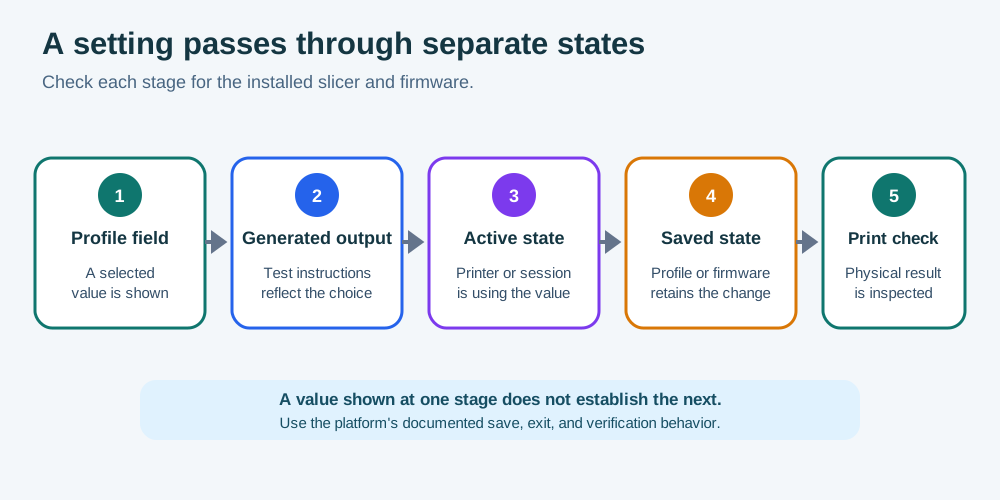
- Preview the generated G-code or the slicer’s calibration object and confirm that the intended parameter changes while startup code, temperatures, layer height, flow, and cooling remain understood. Keep the test profile identity and release.
- Run a retraction test when travel artifacts are the question. Compare the same pattern across the permitted range, looking for a meaningful reduction in strings and scars without grinding, jams, excessive delay, or poor restart extrusion. A transition is more useful than a visually perfect isolated branch.
- Run a pressure-advance or linear-advance test when corners, seams, or acceleration transitions are the question. Use the exact firmware/slicer workflow for the machine. Inspect corner bulges, gaps, ringing introduced by the test, and consistency across speed changes; do not choose a line only because it looks sharp under one light.
- Change one major variable at a time. If both tests are needed, stabilize the material, temperature, flow, and basic travel path first, then test pressure behavior. Keep the result and the conditions separate.
- Store the provisional value at the correct profile or firmware layer, including whether it is active, saved, or only present in generated G-code. A value shown in a slicer field is not proof that the printer applies it.
Verify and know when to stop
Print a representative model with the same material and nozzle. For retraction, include the travel distances and feature density that caused the original artifact. For pressure control, include corners, seams, and the speed or acceleration range used in production. If the result changes, check moisture, nozzle wear, temperature, drive path, feed resistance, acceleration, and firmware support before expanding the range. A successful test does not eliminate every string, corner artifact, or surface defect on unrelated geometry.
Use PETG stringing diagnosis for symptom-first branching, and slicer control terminology when a control’s layer or name is unclear. Re-test after a nozzle, extruder, Bowden path, firmware, material product, temperature, or major motion-profile change when that change invalidates the original conditions. Follow the exact firmware or printer documentation before changing configuration or sending commands you cannot safely reverse.
If the defect is limited to unsupported bridges, overhang perimeters, or short layers, compare those feature controls in bridge, overhang, and cooling calibration . Retraction and pressure-control values do not diagnose a slicer’s feature classification or cooling schedule.
Back to top ↑