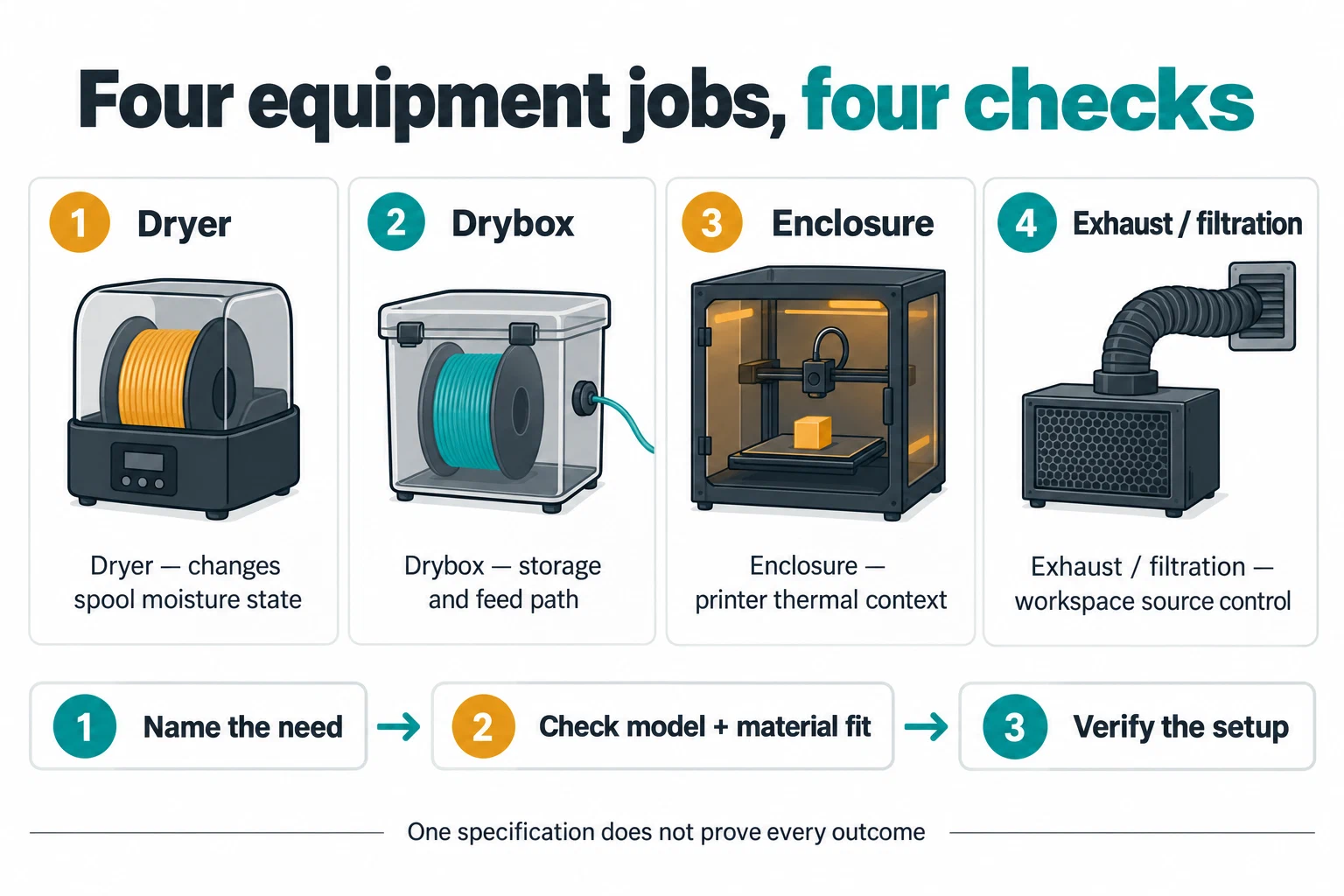
A dryer, drybox, enclosure, and exhaust system are not interchangeable. Active drying changes the moisture state of a spool. A drybox limits exposure during storage or feeding. An enclosure can affect temperature, airflow, and access around the printer. Ventilation or local exhaust addresses a workspace-control question. Choose equipment by the problem you need to solve, then verify the spool, printer, room, and material boundaries.
Name the problem first
Ask which statement describes the setup:
- The filament may be wet. Use the exact material and product guidance to decide whether active drying is appropriate.
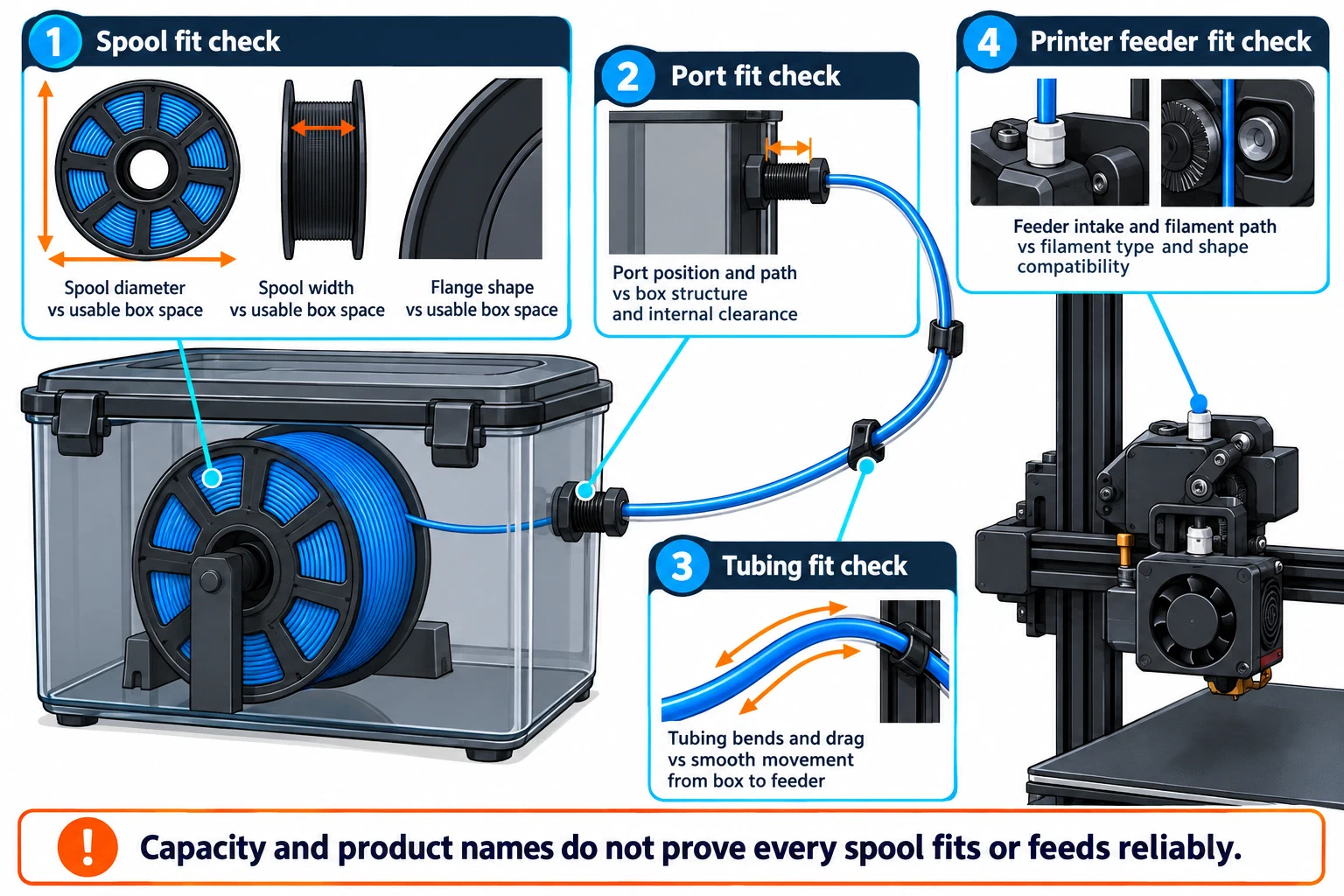
- The filament must stay dry while feeding. Check whether a sealed box can hold the spool, route the filament without harmful drag, and remain compatible with the printer’s feeder path.
- The printer or material needs a more stable thermal environment. Check the printer’s enclosure limits, electronics, ventilation, and material guidance; do not treat a warm box as a drying chamber.
- The workspace needs source control. Follow the material and printer manufacturer’s instructions and consult appropriate exposure-control guidance. A consumer enclosure or filter is not automatically a certified safe installation.
- Several needs overlap. Keep the drying, feeding, thermal, and exposure decisions separate so a specification for one does not silently satisfy the others.
Compare the equipment roles
| Equipment | Primary purpose | What it does not prove |
|---|---|---|
| Active filament dryer | Applies controlled heat or another specified drying process to a spool | Its temperature rating does not prove moisture removal for every product, spool, or environment. |
| Drybox or sealed storage | Reduces exposure and may allow filament to feed through a port; some products also include active heating | Sealing alone does not restore wet filament, and a manufacturer’s spool capacity does not prove fit for every spool. |
| Desiccant container | Slows moisture exchange during storage when correctly sealed and maintained | It is not automatically an active dryer or a substitute for a product-specific drying procedure. |
| Printer enclosure | Changes the printer’s thermal, airflow, access, or containment context | It does not establish safe emissions control, compatible electronics, or a universal chamber temperature. |
| Local exhaust or filtration | An engineering control that can address a source-control plan | A filter label, enclosure leak rate, or fan specification alone does not certify a room or exposure outcome. |
Match the dryer to the material and spool
Prusa’s drying guidance warns that the spool must tolerate the drying temperature and that excessive heat can soften filament or make it stick together. Its listed Prusament values are product-specific: for example, the source gives different temperatures and times for PLA/rPLA, PETG, TPU, ASA, and other named products. Do not transfer one material’s temperature to another brand, grade, carrier polymer, or filled product. Check the spool construction too.
Equipment specifications need the same discipline. The cited PolyDryer page reports a highest internal temperature range around 68–73 °C under its conditions, standard and XL box capacities, and storage/print-through features. Those are manufacturer product claims, not a controlled comparison or a guarantee that every third-party spool fits, dries evenly, or feeds reliably. Verify internal dimensions, spool flange shape, port position, power requirements, plug region, temperature control, and the actual filament data sheet before purchase.
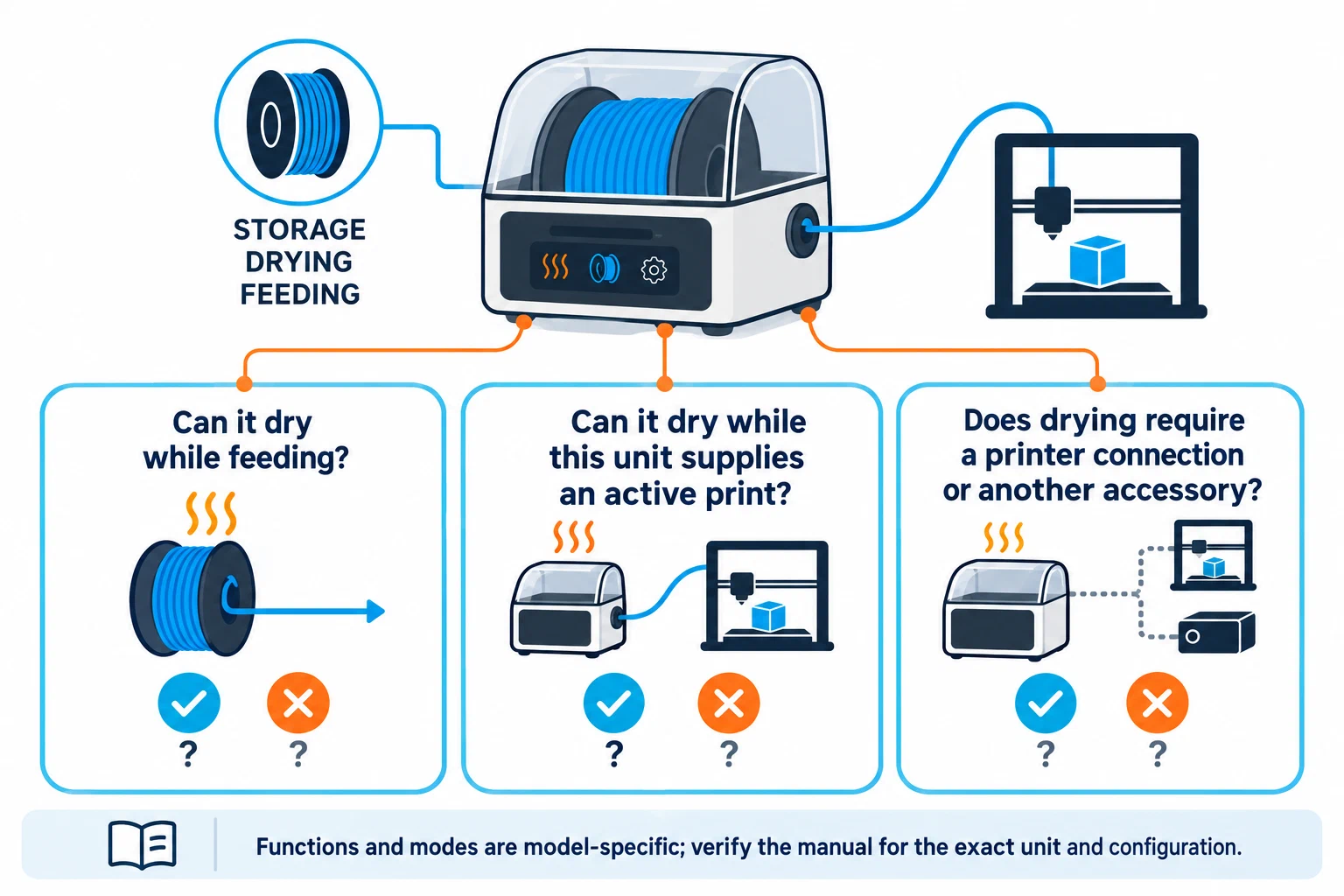
Some printer ecosystems add routing constraints that belong in the equipment record. Bambu’s H2D manual directs TPU through the right hotend, excludes TPU 95A or lower from the named AMS systems, and lists spool dimensions for AMS 2 Pro and AMS HT. It also distinguishes those systems’ drying functions from a generic drybox. These are H2D/AMS instructions, not universal flexible-filament or spool rules; preserve the exact printer, feeder, material grade, and spool dimensions when checking a setup.
The H2C manual describes printer-assisted drying as a separate option: place the spool on the heatbed under a cover, choose the filament-specific automatic temperature and duration, and flip the spool halfway through. This is manufacturer guidance, not a measured drying result. The same manual gives AMS 2 Pro a 65 °C maximum and points to AMS HT when higher drying temperature is needed. A drying recommendation does not by itself mean a material can be loaded into that feeder; check the manual’s loading and feed route separately. The cited manual identifies itself as Version 1.0 (2026.01) but does not specify a firmware revision. It directs readers to the H2C Firmware Release History , which takes precedence if it conflicts with the manual. Check that history and the exact filament guidance before relying on this route.
Bambu’s AMS 2 Pro product guidance lists spool widths of 50–68 mm and diameters of 197–202 mm, requires a printer connection for drying, and says some higher-temperature-marked filament cannot be dried completely in the unit. It also cannot dry the same unit while that unit supplies the active print. These are model-specific limits, not a general spool or dryer standard.
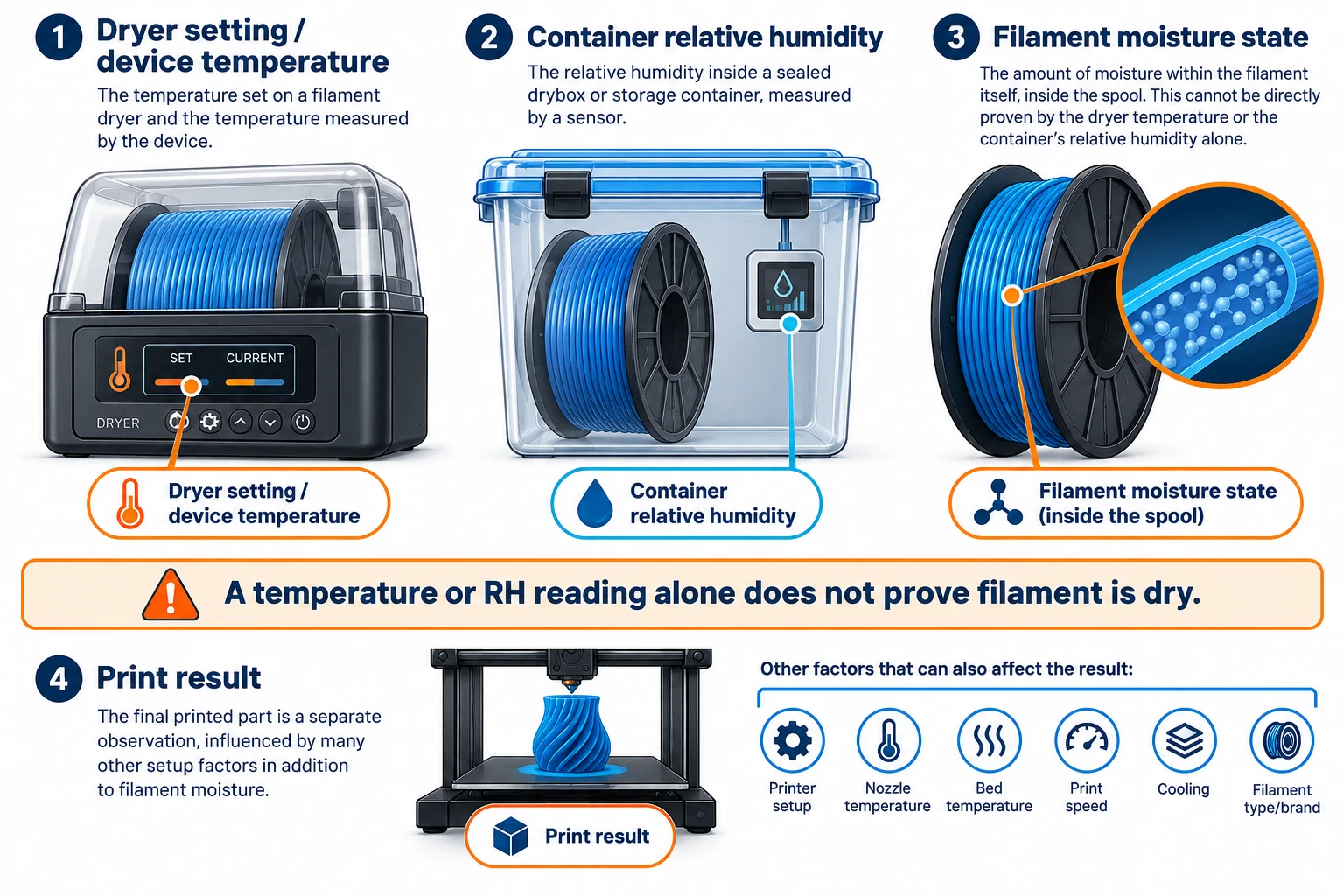
Prusa describes its USS Drybox as desiccant storage that slows moisture pickup, not as a dryer for already-wet filament. Its hygrometer table is internal relative-humidity guidance for that device; a reading may take up to an hour to stabilize and is not a filament moisture-content measurement. ELEGOO’s H1 HT product page lists a maximum temperature and features such as spool rotation, moisture venting, presets, and a bypass outlet. Those are vendor claims, not comparative drying or feeding results; verify the current exact spool dimensions and material instructions before purchase.
QIDI describes its BOX unit as universal but distinguishes the hub connection and warns that the Plus4 hub data cable must not be interchanged with the Q2/Max4 cable. Check the printer, hub, and cable as separate fit items rather than treating the box name as a complete compatibility matrix.
A humidity display can help record a condition, but it does not by itself establish that a filament is dry or that a print will succeed. Use the material’s instructions, a known spool state, a controlled test, and the result. Continue to Drying and storing filament when the main question is moisture care.
Keep enclosure and ventilation claims bounded
Accessory variant wording can also matter for filtration. Prusa’s support article describes controls across a broader CORE One family scope than the product page’s accessory compatibility list, which explicitly excludes CORE One+ (Gen 2) and CORE One L+. The product page’s filter-efficiency and service life numbers are manufacturer claims without a stated test method here. Check the exact current accessory and printer variant, and do not treat either page as evidence of whole-room exposure control.
NIOSH guidance for makerspaces, schools, libraries, and small businesses describes possible exposure to ultrafine particles, chemicals, and other hazards. Its control hierarchy prioritizes elimination or substitution, then engineering controls such as source control, ventilation, or HEPA filtration, followed by administrative controls and PPE as a last resort. The guidance does not certify a particular home enclosure, dryer, printer, or filter as safe.
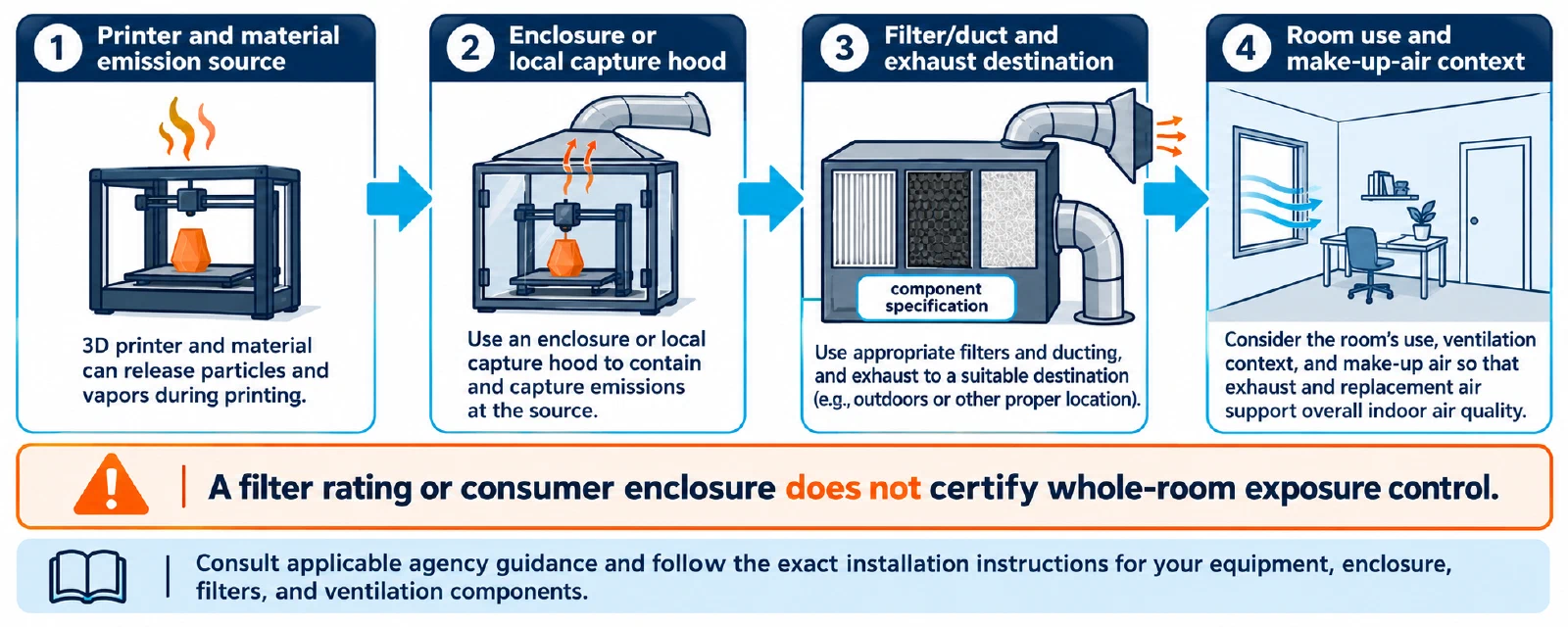
Treat an enclosure as one part of a design, not a safety conclusion. Check the material, printer, exhaust destination, make-up air, filter maintenance, electrical load, heat accumulation, access, and room use. Do not publish or rely on a universal exposure threshold, “sealed means safe” claim, or a generic fan-and-filter recipe. For ABS or ASA, compare the material and enclosure constraints in ABS and ASA: material choice and enclosure context ; local requirements and professional assessment may still apply.
Verify an installation before relying on it
- Record the printer, material product, spool dimensions, dry state, feeder path, room, and intended operating temperature.
- Confirm that the dryer’s temperature range and spool capacity match the material and spool. Check whether heat can damage the spool or nearby parts.
- For a drybox, test feeding through the planned path with the door or lid closed. Check drag, sharp bends, condensation, seal condition, and sensor placement.
- For an enclosure or exhaust system, follow the printer and equipment installation guidance. Confirm airflow direction, exhaust destination, filter or duct maintenance, access, and electrical safety.
- Run a small, documented print and record whether moisture symptoms, feeding resistance, thermal instability, or workspace problems remain.
- Recheck the installation after changing material, spool, printer, enclosure configuration, filter, or room.
Do not choose equipment by temperature, capacity, or marketing category alone. The responsible choice is the smallest setup whose purpose, compatibility, limits, and verification method are all clear. If the purchase also changes a hotend, extruder, adapter, or coordinated upgrade, use Checking hotend and extruder compatibility to verify those components separately.
Back to top ↑