A printer specification answers whether a machine is described as capable of a combination. It does not answer whether a particular brand, geometry, or profile will produce a good result. Use the specification as a boundary, then check the exact machine state and a test-backed profile before printing.
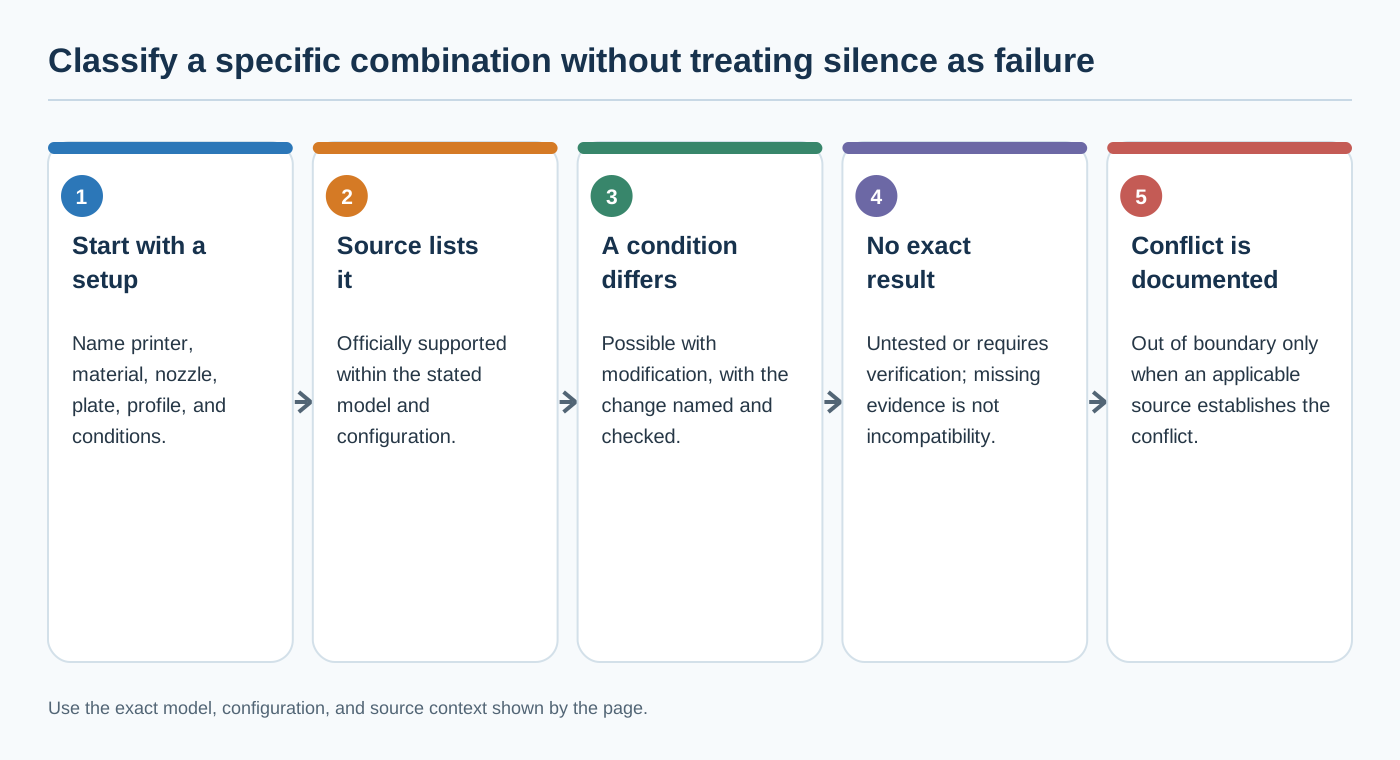
Four useful compatibility states
Use these labels for a specific printer, material, hardware, and software combination:
- Officially supported: the manufacturer explicitly lists or documents the combination for the named model and stated configuration. This is a capability or starting-point statement, not a measured result.
- Possible with modification: the combination depends on an installed component, enclosure, adapter, firmware, or other change that must be named and verified. Do not present stock specifications as proof for the modified machine.
- Untested: the combination may be plausible, but no reliable result is available for the exact model, material product, nozzle, plate, profile, and conditions. Treat missing evidence as an open verification task.
- Incompatible or out of boundary: the exact setup conflicts with a documented model, hardware, profile, or temperature requirement. Stop and find model-specific guidance instead of bypassing a warning. If the source does not establish the conflict, use
untestedorrequires verification, not a stronger label.
These states describe evidence and applicability. They are not a performance ranking.
Read specifications as boundaries
| Example stock machine | What the cited manufacturer material establishes | What it does not establish |
|---|---|---|
| Bambu Lab A1 | A 256 × 256 × 256 mm build volume, a 300 °C hot-end maximum, a 100 °C build-plate maximum, a textured PEI plate, and listed nozzle options including 0.2, 0.4, 0.6, and 0.8 mm. The page labels PLA, PETG, TPU, and PVA as ideal and higher-temperature or fibre-filled materials as not recommended for the stock open frame. | A particular brand or grade, firmware revision, regional bundle, modified enclosure, or tested profile. The maxima are not recipes and the material labels are not controlled performance results. |
| Bambu Lab P1S | A 256 × 256 × 256 mm enclosed machine with a 300 °C hot-end maximum, a 100 °C plate maximum, listed Bambu plate surfaces, and manufacturer material labels that include PLA, PETG, TPU, PVA, PET, ABS, ASA, PA, and PC in different capability groupings. | A universal P1S profile, dry-state requirement, result on a given geometry, or equivalence with an A1. Regional product pages, firmware, and included bundles can differ. |
| Creality Ender-3 V3 | A CoreXZ stock model with a quick-swap hardened-steel-tip nozzle, a 300 °C nozzle limit, a 110 °C bed limit, a PEI flexible plate, named supported material labels, and Creality Print as the named slicer. | Applicability to the V3 SE or V3 KE, a modified machine, a particular firmware, or an optimal speed and temperature. |
| Creality Ender-3 V3 SE | The cited manual describes a 220 × 220 × 250 mm stock machine with a standard 0.4 mm nozzle, 260 °C nozzle and 100 °C bed limits, a 0.1–0.35 mm layer-thickness range, and PLA, TPU 95A, and PETG support. It names several slicers and asks the operator to confirm nozzle diameter. | A current firmware-to-profile matrix, every regional or production revision, a changed hotend, or a guarantee that a material-guide starting value works for another brand or grade. |
A maximum temperature is a limit in the cited configuration, not a recommendation to run at that value. A material list is not a material profile. The Ender-3 V3 SE material guide gives starting values for named CR-PLA, HP-TPU, and CR-PETG products, but it does not establish equivalent values for other brands, grades, nozzles, or measured print quality.
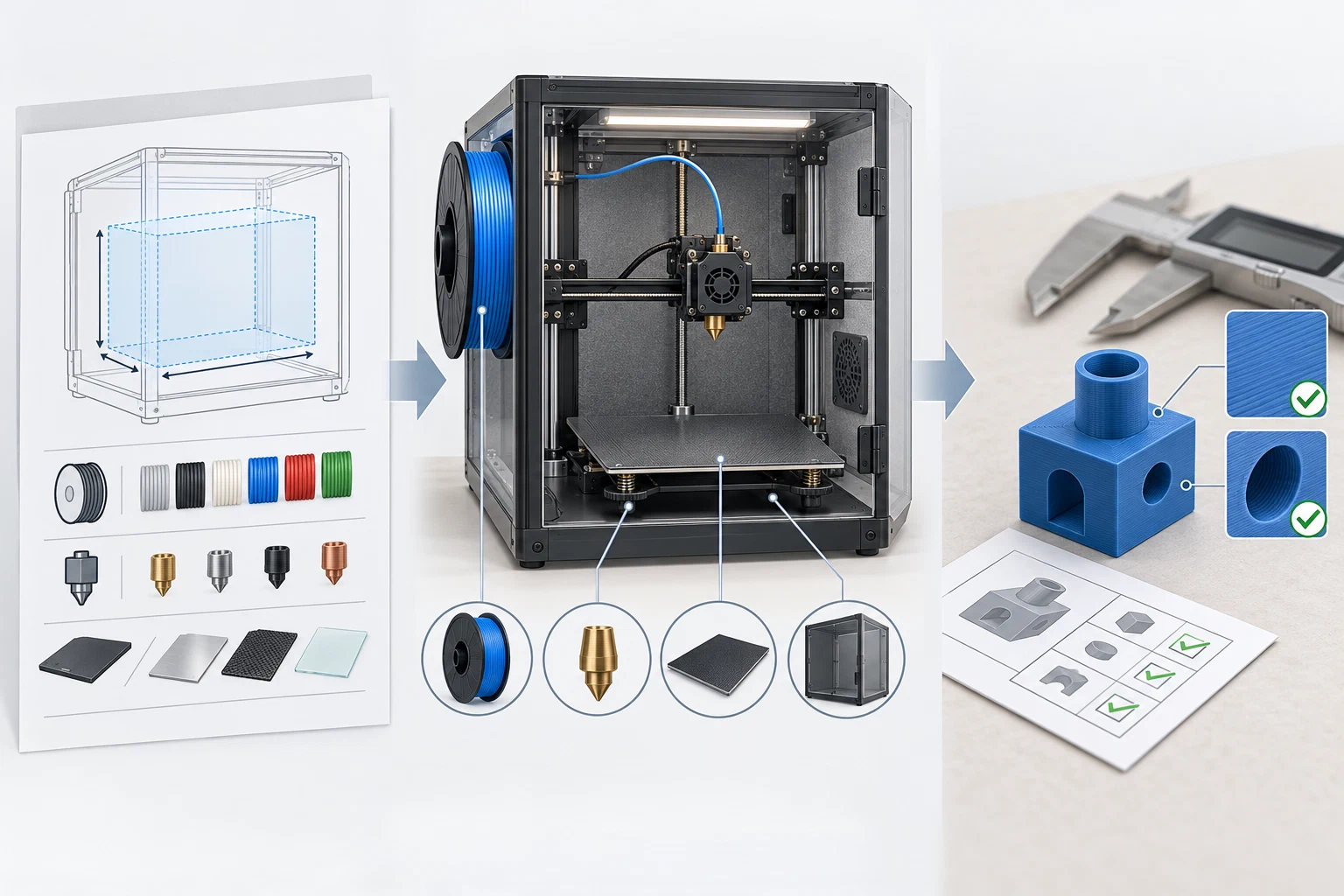
Check interacting boundaries
Material and temperature
Confirm the material family and the actual brand/product before comparing temperatures. Then check the manufacturer’s nozzle and bed limits, the material’s stated requirements, dry state, and any enclosure or workspace assumptions. If a material is merely marked “capable,” do not turn that label into a complete profile. A setting that fits below a hot-end maximum can still be inappropriate for a specific product, plate, geometry, or machine state.
Nozzle system and drive path
Record nozzle diameter, nozzle material, hotend/nozzle family, adapter state, and feed path. A larger or hardened nozzle may change the profile fields, but a compatible mechanical interface does not prove that the old process values remain valid. A machine-side nozzle setting and the slicer’s nozzle preset must agree. If the printer or slicer signals a model/nozzle mismatch, resolve the identity before using stored G-code.
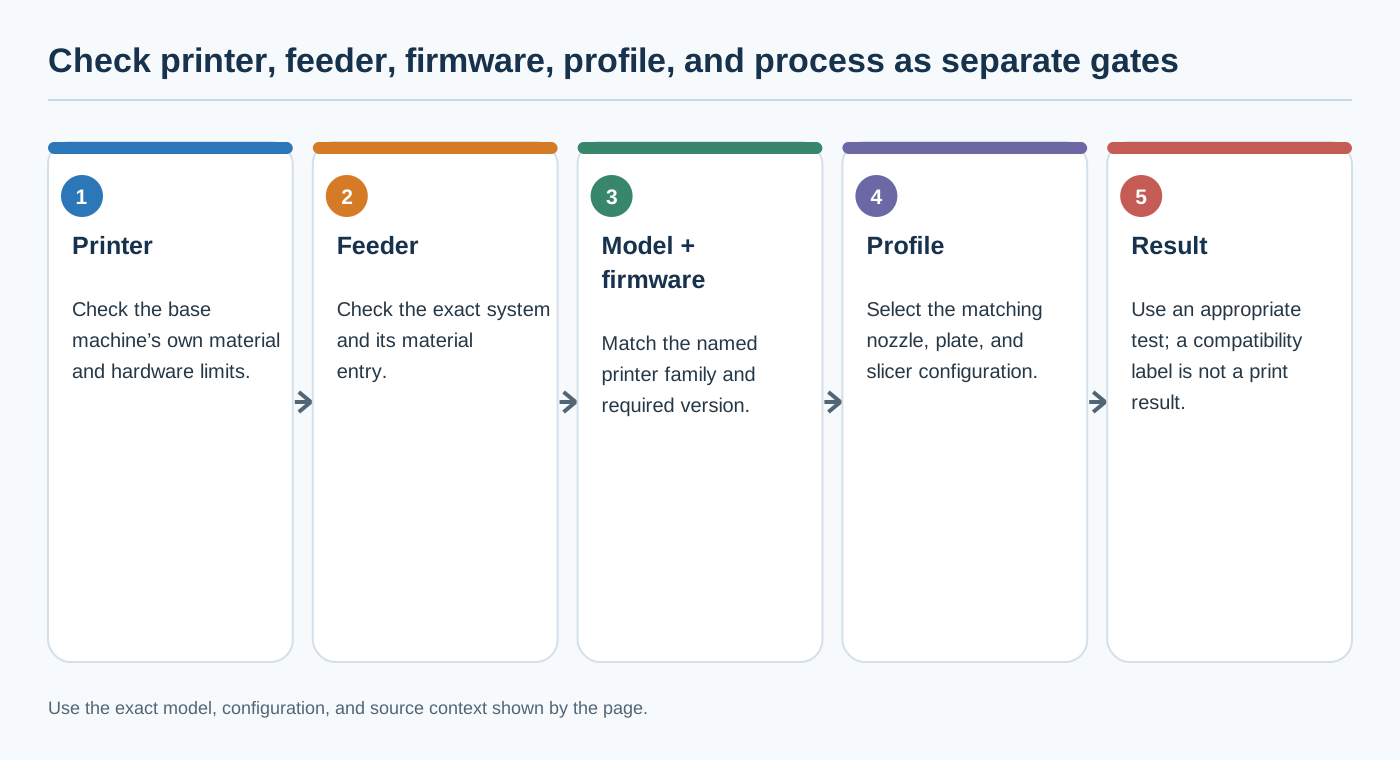
Feeder compatibility is another layer
A feeder’s material table does not decide whether the base printer can print that material. Creality’s Chinese-language CFS 2 comparison lists feeder entries such as generic PET, PA, and PP, but currently names the K2, K2 Pro, and K2 Plus as compatible printer models with firmware 1.1.6.7 or later. It also excludes co-use with CFS-C, CFS Lite, and CFS Nano, and says actual filament compatibility follows the individual printer’s specifications. Check the printer, feeder generation, firmware, and material requirements separately; a feeder-level check is not a validated process profile.
Plate, printable space, and Z offset
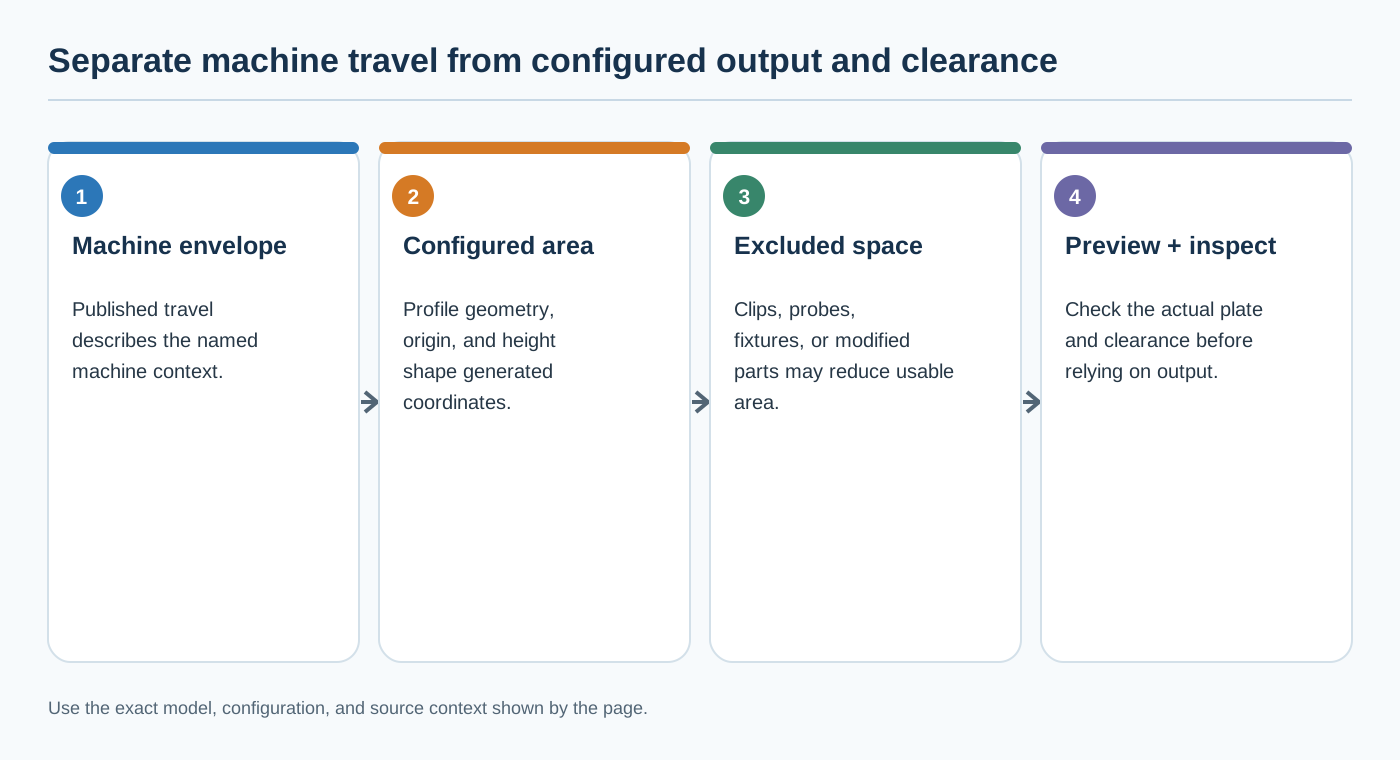
Match the physical plate surface with the selected plate profile. Also compare the slicer’s bed shape, dimensions, origin, excluded regions, maximum height, and Z-offset configuration with the actual printer. These are output and clearance controls. OrcaSlicer’s documented fields describe what its profile can represent; they do not validate a particular printer’s dimensions, firmware, plate, endstop, or custom G-code. Preview the result and verify the first layer on the named machine.
Enclosure, environment, and firmware
An open-frame A1 and an enclosed P1S are not interchangeable just because their listed build volumes and some temperature maxima match. Enclosure state, ventilation, material guidance, firmware features, and installed upgrades must remain separate fields. Product pages and support surfaces are time-sensitive; check the exact model, revision, region, firmware, and current release notes when a boundary matters.
A pre-print compatibility decision
- Identify the machine. Use the full model and variant, not a family label. Record the installed nozzle, plate, enclosure, drive path, board or upgrade state, and firmware.
- Identify the input. Name the material product and grade, dry state, nozzle diameter/material, plate profile, slicer and version, and selected printer/material/process presets.
- Compare official boundaries. Check the named model’s stated material labels, temperature limits, nozzle and plate options, geometry, and any enclosure or firmware prerequisite.
- Classify the result. Mark it officially supported, possible with modification, untested, or incompatible/out of boundary. Use the narrowest claim the source supports.
- Compare the profile’s context. A profile is not portable merely because its printer name looks similar. Check variant, nozzle, plate, material product, firmware, slicer version, and test conditions.
- Escalate or verify. If identity, region, revision, installed hardware, or source applicability is unknown, stop at
requires verification. Route exact tested values to the Settings Library and use Firmware and hardware changes that invalidate a profile after a change.
Official support is the starting boundary. A reliable recommendation still needs the exact setup, evidence state, and a verification result.
Back to top ↑