A displayed code or warning identifies a reported machine state. It does not, by itself, prove which part failed or that a print is safe to resume. Before acting, match the exact printer, variant, firmware if stated, full message or code, connected accessory, and point in the job. Record whether the machine warned, paused, aborted, stopped, rejected a file, or failed a calibration. Use the source for that exact state; similar wording on another model may describe a different action boundary.
Preserve the report and match its source
When it is safe, photograph the display and note the job stage, recent changes, material and accessory, and whether the printer remains hot or in motion. Keep the failed part, relevant file, and ordinary logs available for support. Do not provoke the fault again just to capture evidence. Search the manufacturer’s current documentation using the full code and model. Check that the page names the same printer generation and accessory. If the model, code, or source applicability is unclear, stop at manufacturer support rather than borrowing another printer’s repair steps.
Classify the state before choosing a next step
| Example state | What the source describes | Boundary to keep |
|---|---|---|
| Prusa chamber-overheating codes such as CORE One #31260 | A pause with a ventilation warning on the named enclosed models. | Use the model’s current instructions; the source gives no portable temperature threshold. |
| Prusa critical chamber-temperature codes such as CORE One #31261 | The print is aborted to prevent damage. | Do not treat this as the pause above or assume a generic restart is allowed. Follow the exact source or support. |
| Prusa CORE One L/L+ PSU-fan #35850 | A fan fault with a specific external-check and escalation boundary. | The manufacturer says not to open or manipulate the AC controller box. Use only the stated exterior check with the unit cool and switched off; contact support if the issue persists. |
| Prusa file or print-preview error | A file-reading or interpretation problem during preview, upload, or queue preparation. | Check exact model and G-code type, then follow the source’s file, drive, and reslicing checks; it does not by itself show a failed printer component. |
| Anycubic Kobra X CODE 11531 | The French-language Kobra X page associates the code with a task using more than 19 assigned colors in the named slicer workflow. | Confirm the current Kobra X and Anycubic Slicer Next applicability. Inspect the task and its plate/color assignments; do not infer a universal color limit for other systems. |
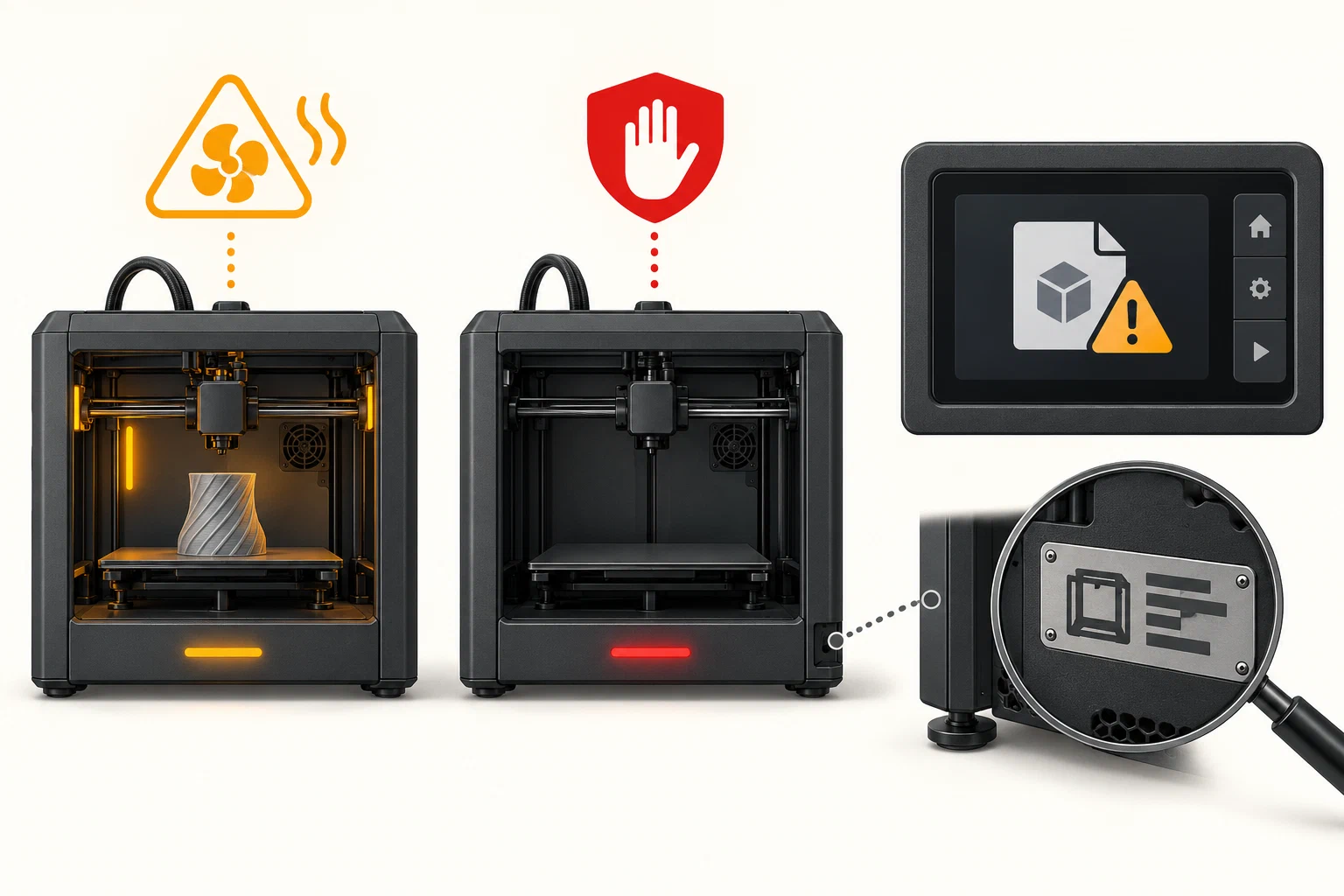
The exact Prusa chamber pause and abort codes have separate manufacturer pages: chamber overheating and critical chamber temperature . They provide no general threshold or universal restart criterion. The PSU fan article prohibits opening the AC controller box. For the named Prusa file errors, follow the current file-error guidance . The Anycubic color-count example comes from a French-language Kobra X code page ; its current slicer and firmware version range are not established here.
Accessory alerts need an exact state match
A multichannel feed alert can resemble a nozzle clog, but its code describes a system-specific report and does not by itself confirm an obstruction. Record the exact printer and accessory, message or indicator, and loading, feeding, unloading, printing, or drying stage. Similar-looking alerts can describe different sensor states. The examples below apply only to the named systems; do not transfer checks or retry steps between them.
| Exact system and report | What the manufacturer describes | Reader boundary |
|---|---|---|
| Bambu Lab H2C with AMS 2 Pro: four AMS slots flash red twice | The printer cannot detect the AMS; the manual calls this a communication error. | The indicator does not identify which communication component failed. Match the on-screen HMS code and current model guidance. |
| H2C with AMS 2 Pro: red light breathes after printing starts | The filament inlet has not detected filament. | The manual describes inserting filament for this stated condition; it gives no universal retry rule for other red patterns. |
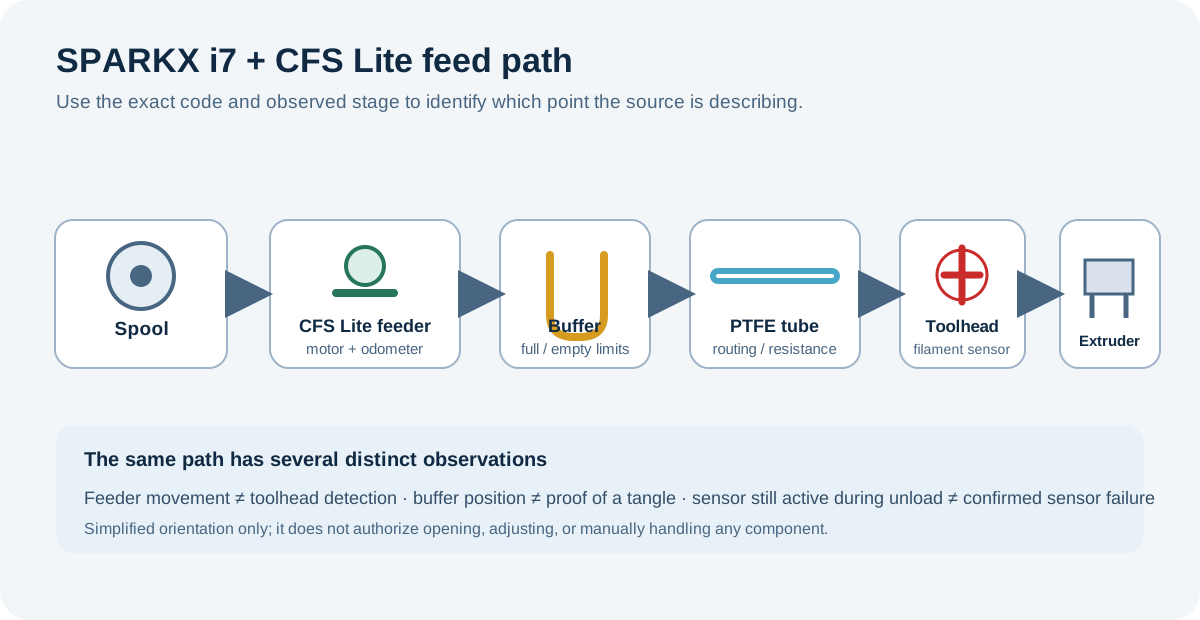
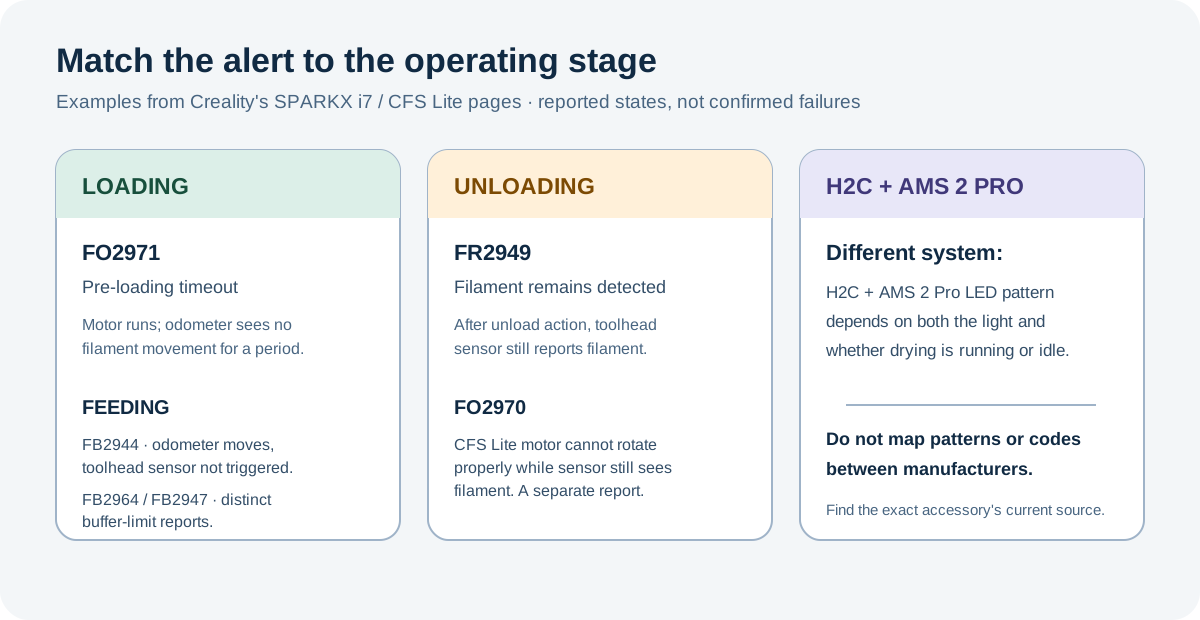
| SPARKX i7 with CFS Lite: FB2944 | The feeder odometer reports movement, but the toolhead filament sensor has not triggered; a missing, loose, or disconnected PTFE tube is among the listed causes. | This is an i7 feed-path report, not proof that a sensor or fitting failed. |
| SPARKX i7: FO2971 | A pre-loading timeout: the motor runs while the odometer does not detect filament movement; incomplete insertion or ground filament are listed causes. | Keep this loading-stage state distinct from an unloading alert. |
| SPARKX i7: FR2949 and FO2970 | During unloading, the toolhead sensor still detects filament. FO2970 additionally describes a CFS Lite motor that cannot rotate properly. | The pages list different candidate causes; neither code alone proves motor or sensor failure. Their handling pages do not state all power, temperature, or service prerequisites. |
| SPARKX i7: FB2964 and FB2947 | FB2964 reports a buffer that does not reach its full limit; FB2947 reports the buffer spring held at its empty limit while extrusion continues. Grinding, a stuck buffer, or a tangle are source-listed possibilities. | These are distinct feed states. The source does not establish sensor thresholds or a general recovery condition. |
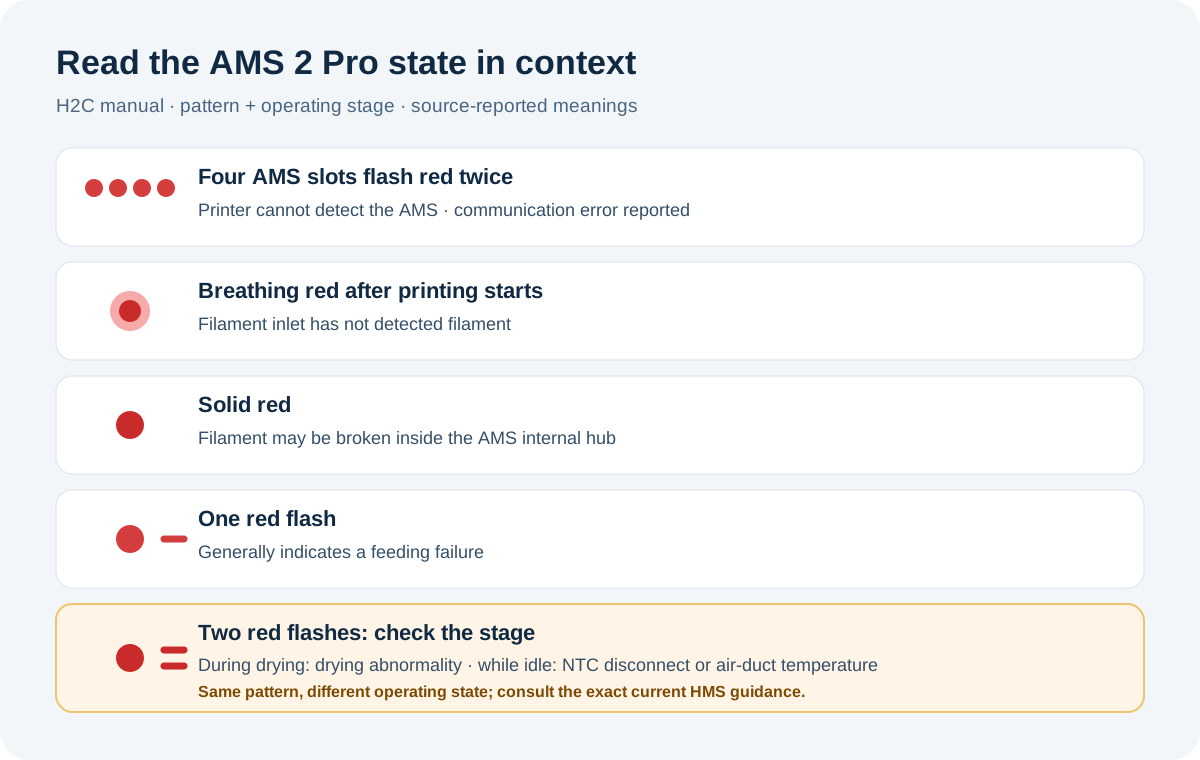
These Creality entries are SPARKX i7 reports, not verified diagnoses. Several handling pages omit safe service prerequisites; use current manufacturer support guidance before invasive checks or manual filament assistance.
Route the next action to the right kind of problem
If the exact source permits an external check, follow its stated inspection condition and limit. Do not bypass a heater or motion protection, open a prohibited enclosure, repeatedly clear a fault without finding its matching instructions, or use an error code as a reason to perform an unrelated calibration. File rejection or a color-assignment limit belongs with the generated job and slicer workflow, not an assumed hardware repair. A repeated component fault belongs with Maintenance or manufacturer service. A visible print symptom can return to motion diagnosis , extrusion diagnosis , or thermal-failure diagnosis only after the reported state’s boundary is satisfied.
Stop and seek support for smoke, uncontrolled heating, exposed or damaged wiring, repeated crashes, or any step that requires internal service not explicitly authorized by the exact manufacturer instructions. Do not keep printing through an aborted safety state. A cleared warning, completed calibration, accepted file, or resumed job is not proof that a physical print recovered.
Confirm only when the source allows it
Use the manufacturer’s stated check, if one exists, and distinguish that result from a quality test. A chamber abort or prohibited service state may have no user verification print; escalation is a valid endpoint. For an allowed file check, compare a known-good file and preserve the affected file if the problem repeats. For slicer-side assignment issues, inspect the effective output for the exact task before reslicing. Do not invent restart criteria, copy codes or procedures across models, or promise recovery from a successful command alone.
Back to top ↑