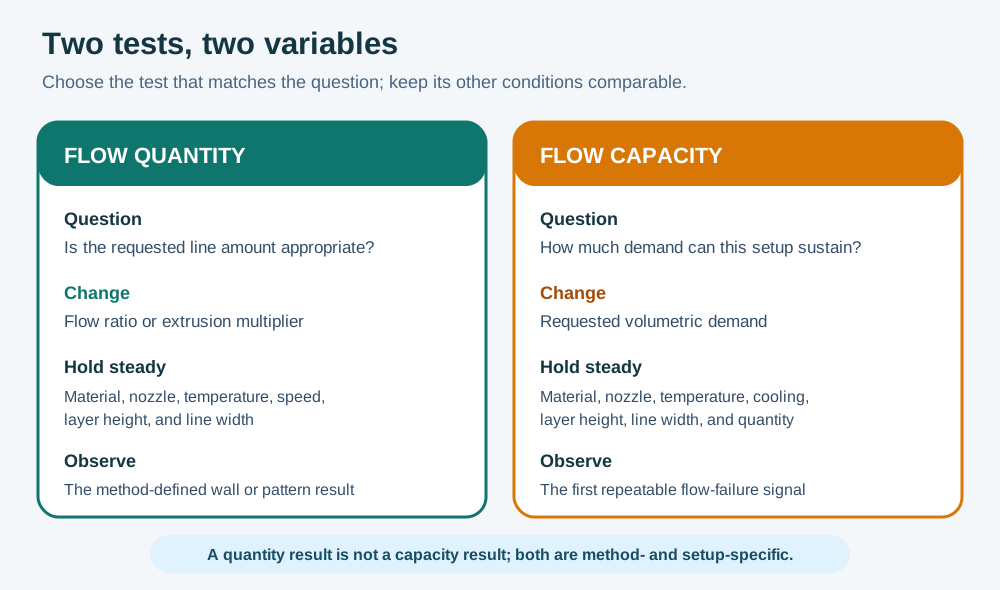
Flow quantity and volumetric capacity are related but different questions. Flow ratio, extrusion multiplier, or a comparable slicer control changes how much material is requested for a line. Maximum volumetric speed limits how quickly a material can be pushed through the hotend under the selected process. A part can have the right average line quantity but still under-extrude when speed and cross-sectional flow demand exceed the hotend, or it can have adequate capacity while every wall is consistently too thin or too full. Do not replace one test with the other or copy either result as a universal number.
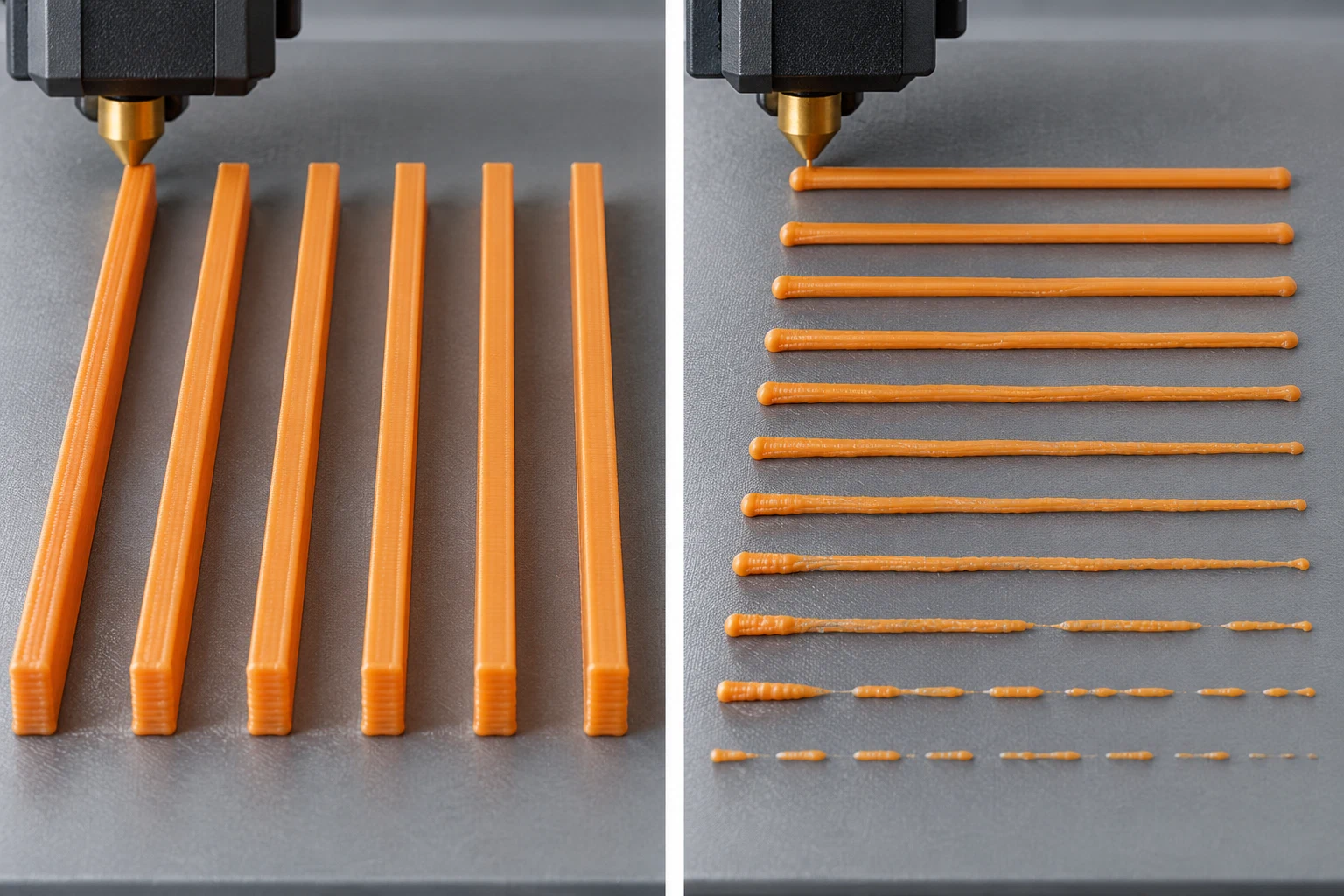
Illustrative test samples only; no printer-specific flow result is shown.
Make the test comparable
Record the printer and variant, firmware, nozzle diameter and wear, hotend, filament product and diameter, dry state, plate, slicer and version, printer/material/process presets, layer height, line width, nozzle temperature, cooling, and the geometry or test object. Preserve the profile identity and inherited values, because a flow result from a different nozzle, layer height, temperature, or material product is not the same experiment. Check for a partial clog, grinding, heat-creep symptoms, unstable temperature, or wet filament before tuning a profile; those conditions can imitate a bad multiplier or a low flow limit.
For a flow-quantity test, hold speed, temperature, layer height, line width, nozzle, and material constant while using the current slicer or manufacturer method. Depending on the method, the result may come from measured walls, a generated pattern, or a comparison of controlled samples. Use the measurement method stated by the procedure: a nominal extrusion command, a caliper reading, and a printed wall do not measure the same thing. Avoid over-interpreting a single wall if the nozzle is worn, the wall is not printed as intended, or the part is affected by cooling and geometry. A firmware flow control and a slicer extrusion multiplier may act at different layers; follow the exact platform documentation rather than treating their values as interchangeable.
For maximum volumetric speed, keep the material, nozzle, layer height, line width, temperature, cooling, and extrusion quantity fixed while increasing the flow demand through the supported test. Watch for the onset of thin lines, gaps, surface roughness, inconsistent extrusion, skipped or grinding motion, temperature recovery problems, or other failure. The highest visually acceptable segment is a best-case capacity observation for that method, not a guarantee for every geometry, bridge, layer, acceleration, or ambient condition. Select a conservative limit below the observed transition and record which test produced it.
Neither test alone describes extrusion response at every speed transition. A research study on one instrumented PLA setup observed delayed flow changes after abrupt speed changes, but it supplies no consumer-printer threshold or transferable setting. If gaps or overfill appear mainly just after acceleration or deceleration, preserve the location and speed context and compare the relevant pressure-control test ; do not treat a static flow-ratio or capacity result as the whole diagnosis. Feature-specific bridge, overhang, and short-layer controls are a separate question covered by cooling calibration .
Store the result with its scope
- Finish or verify flow quantity before interpreting a capacity test, unless the slicer’s documented workflow intentionally combines them.
- Change one major variable at a time and retain the generated test parameters, preview or G-code identity, and selected profile version.
- Save flow to the profile layer that owns it—material, printer/material combination, or process—without overwriting unrelated materials or nozzles.
- Save maximum volumetric speed with the exact material, nozzle, layer-height, temperature, and hotend context. A nozzle swap or layer-height change can change the applicable limit.
- Print a representative functional model and check wall thickness, infill connection, overhangs, surface finish, dimensions, and sustained high-flow regions. If it fails, return to the symptom and confound record rather than increasing the number blindly.
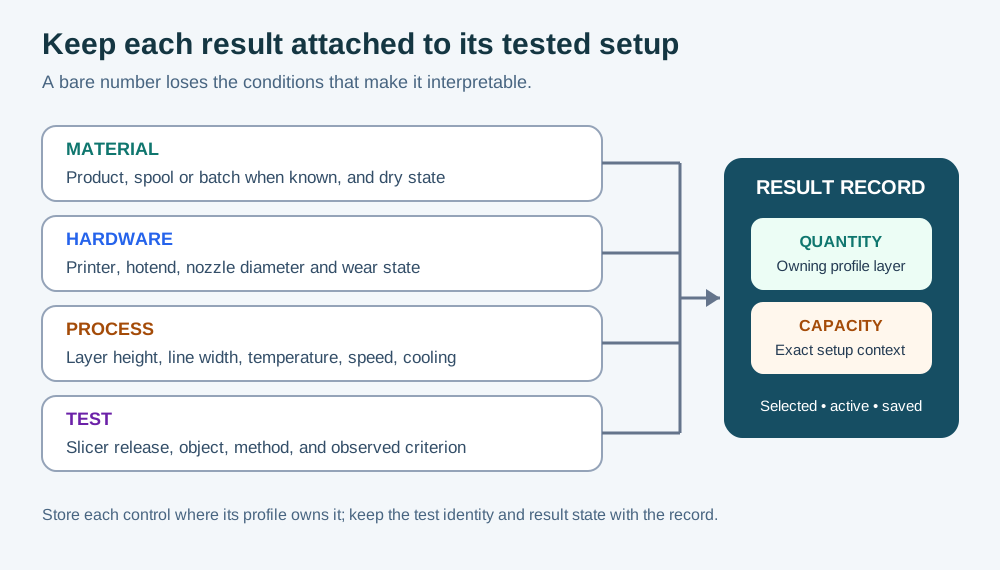
Use nozzle selection when the required flow exceeds the hardware’s intended range, and use under-extrusion diagnosis when the failure is intermittent or accompanied by a clog, heat, or feed-path symptom. Keep the result as a dated, setup-specific calibration record—not a promise that one profile works for every spool or printer.
Back to top ↑